DIR-120 Ethernet Broadband Router
D-Link DIR-120 User Manual 41
Advanced Configuration
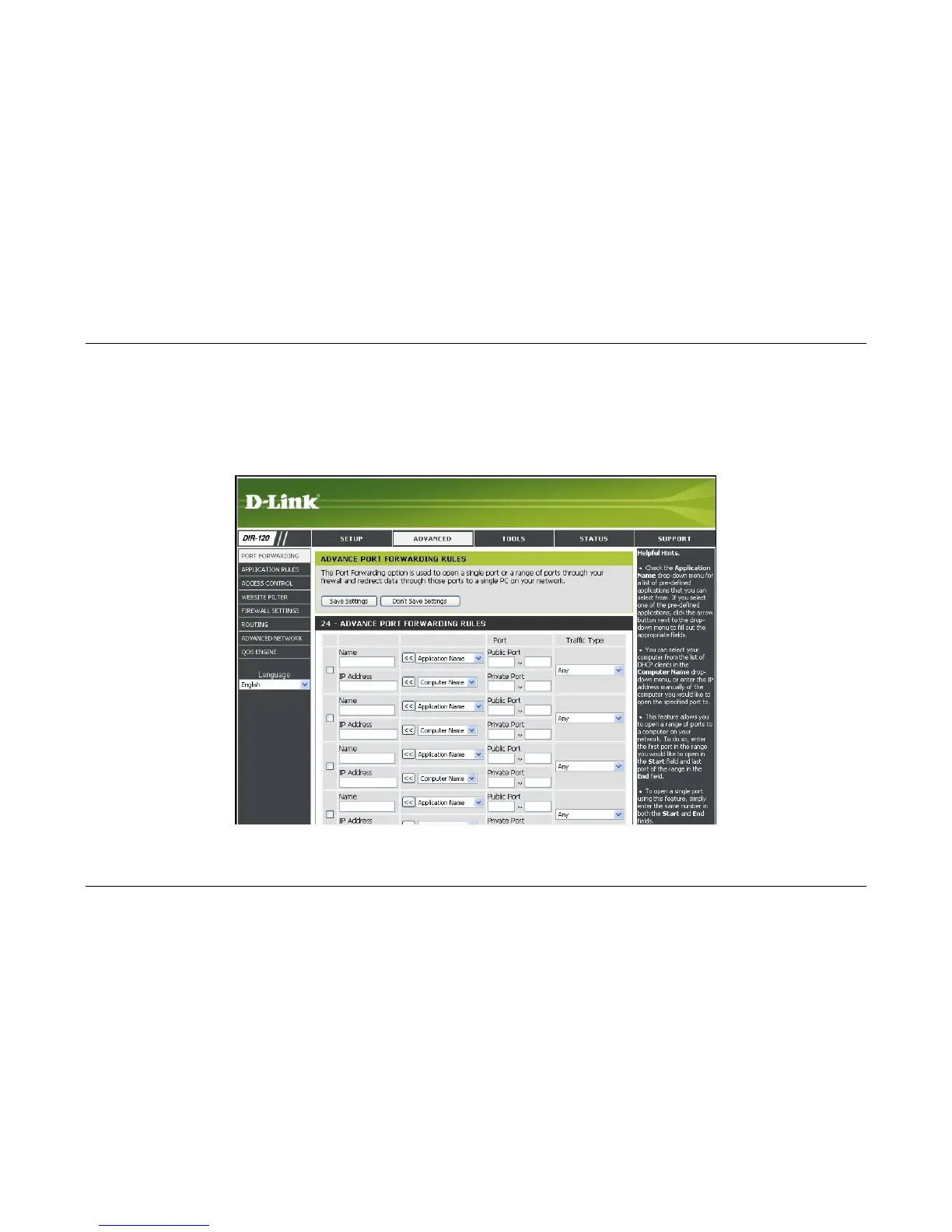
The Advanced directory tab offers seven configuration menus, Port Forwarding, Application Rules, Access Control, Website Filter, Firewall Settings, Advanced
Network, and QoS Engine. Click the corresponding link in the left panel of the window. Port Forwarding is the first menu listed and the first to appear when accessing the
Advanced directory.
Advanced menu links – Port Forwarding menu



 To Next Page