5D-Link DIR-1360 User Manual
Section 1 - Product Overview
Hardware Overview
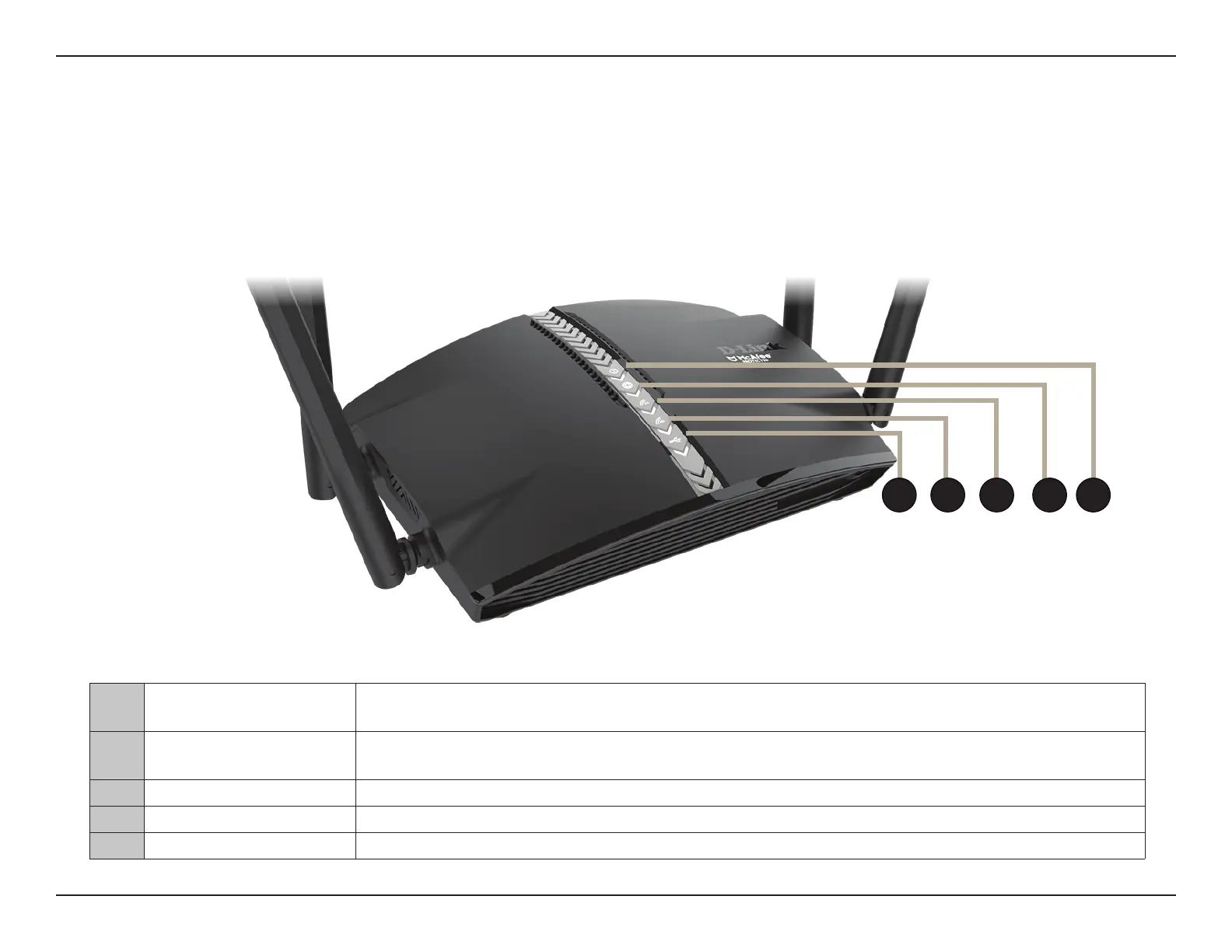
LED Indicators
1 Power LED
A solid blue light indicates a proper connection to the power supply. The light will be solid orange
during boot up.
2 Internet LED
A solid blue light indicates a connection on the Internet port. If the LED is orange, the router cannot
connect to the Internet.
3 Wireless (2.4 GHz LED) A solid blue light indicates that the 2.4 GHz wireless band is enabled.
4 Wireless (5 GHz LED) A solid blue light indicates that the 5 GHz wireless band is enabled.
5 USB 3.0 Port Connect a USB storage device to share les over the network.
1
2
345










 To Next Page