92D-Link DIR-1360 User Manual
Section 6- Connecting a Wireless Client
WPA/WPA2
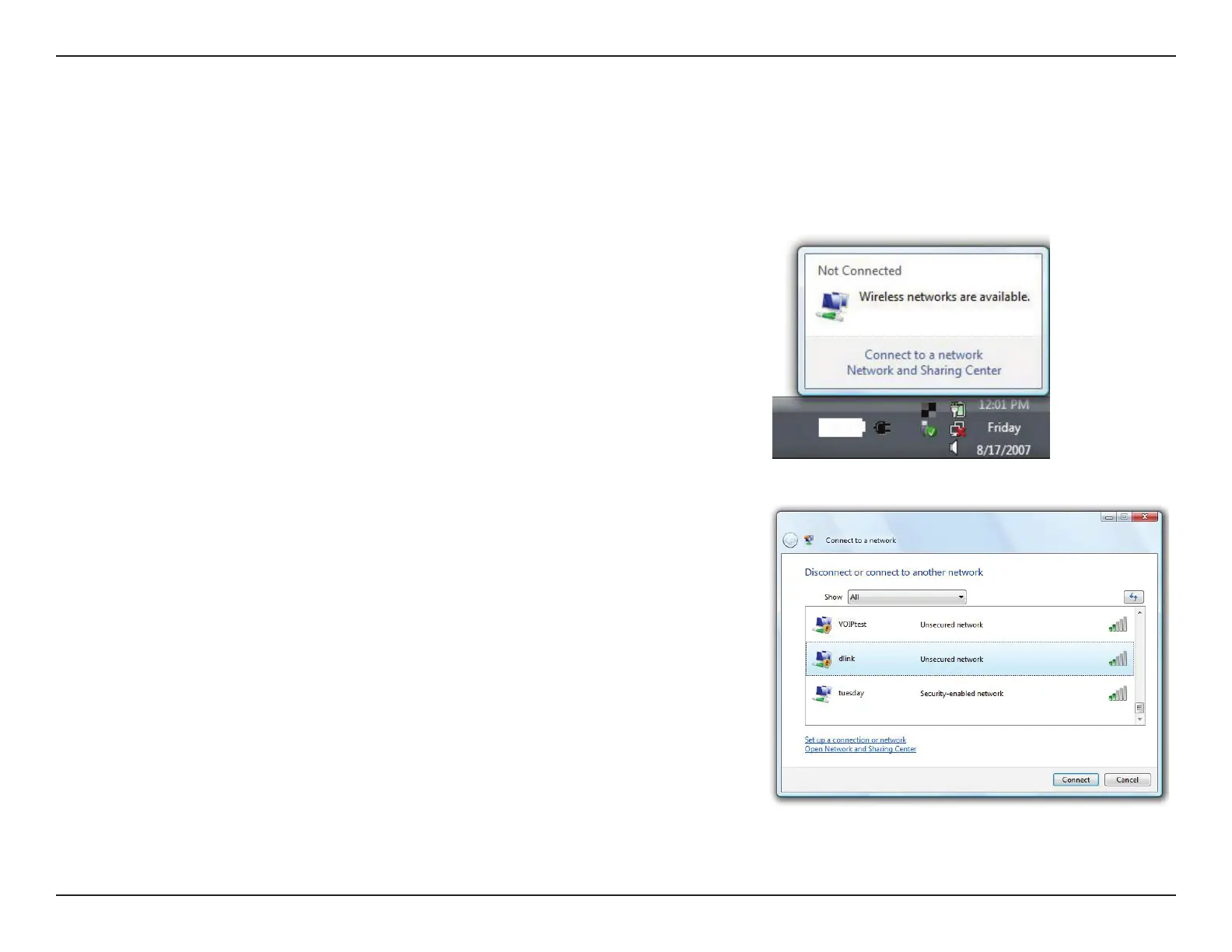
Highlight the Wi-Fi name (SSID) you would like to connect to and click
Connect.
Open the Windows Vista® Wireless Utility by right-clicking on the wireless
computer icon in your system tray (lower right corner of screen). Select
Connect to a network.
It is recommended that you enable wireless security (WPA/WPA2) on your wireless router or access point before conguring
your wireless adapter. If you are joining an existing network, you will need to know the security key or passphrase being used.










 To Next Page