DIR-320 Wireless N150 Router with 3G/CDMA/LTE Support
and USB Port
User Manual
Configuring via Web-based Interface
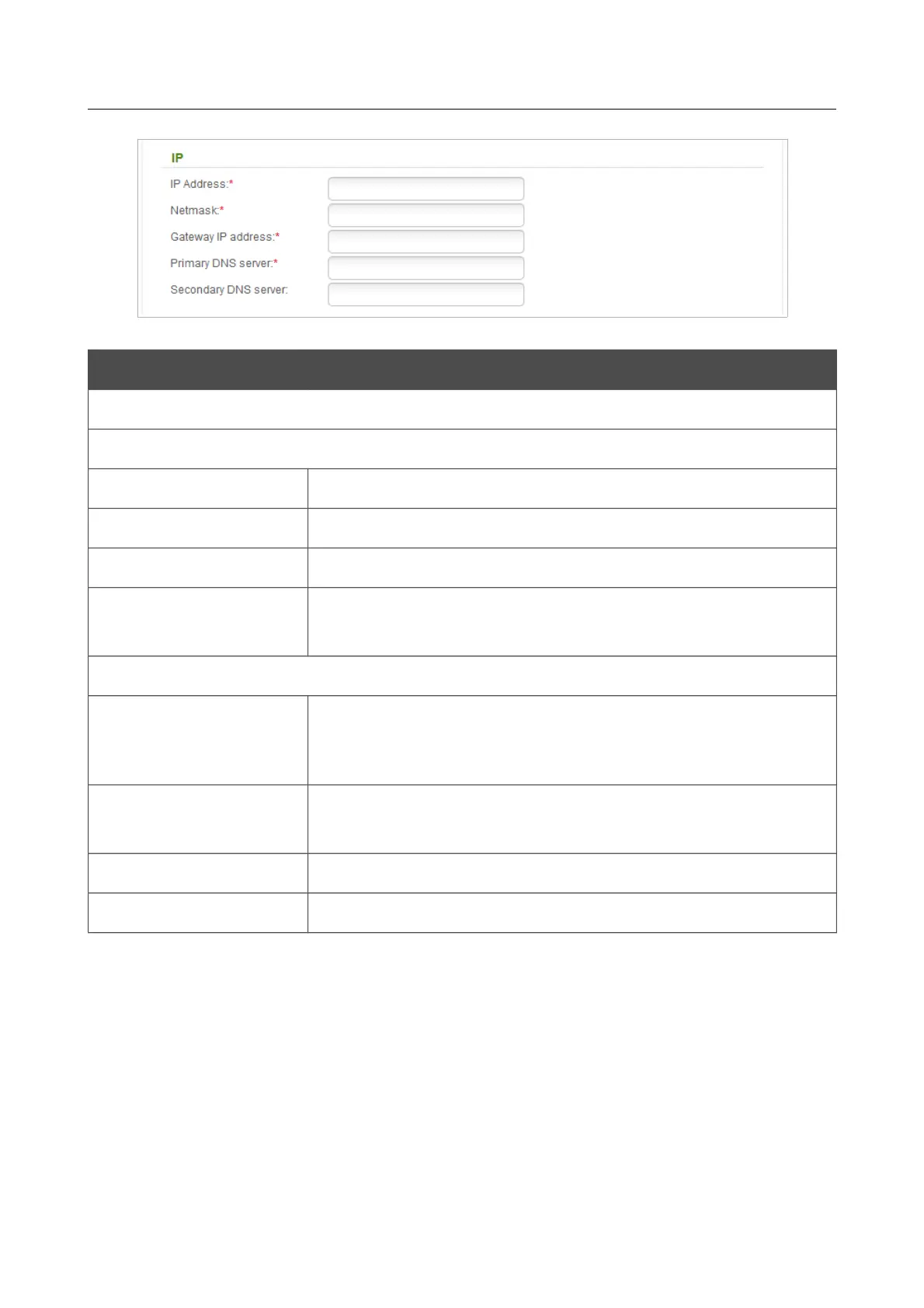
Figure 88. The page for creating a new PPPoE + Static IP connection. The IP section.
Parameter Description
IP
For PPPoE + Static IP type
IP Address
Enter an IP address for this WAN connection.
Netmask
Enter a subnet mask for this WAN connection.
Gateway IP address
Enter an IP address of the gateway used by this WAN connection.
Primary DNS server/
Secondary DNS server
Enter addresses of the primary and secondary DNS servers in the
relevant fields.
For PPPoE + Dynamic IP type
Obtain DNS server
addresses
automatically
Select the checkbox to configure automatic assignment of DNS
server addresses. If the checkbox is selected, the Primary DNS
server and Secondary DNS server fields are not displayed.
Primary DNS server/
Secondary DNS server
Enter addresses of the primary and secondary DNS servers in the
relevant fields.
Vendor ID
The identifier of your ISP. Optional.
Hostname
A name of the router specified by your ISP. Optional.
Page 108 of 220



 To Next Page