DIR-320 Wireless N150 Router with 3G/CDMA/LTE Support
and USB Port
User Manual
Configuring via Web-based Interface
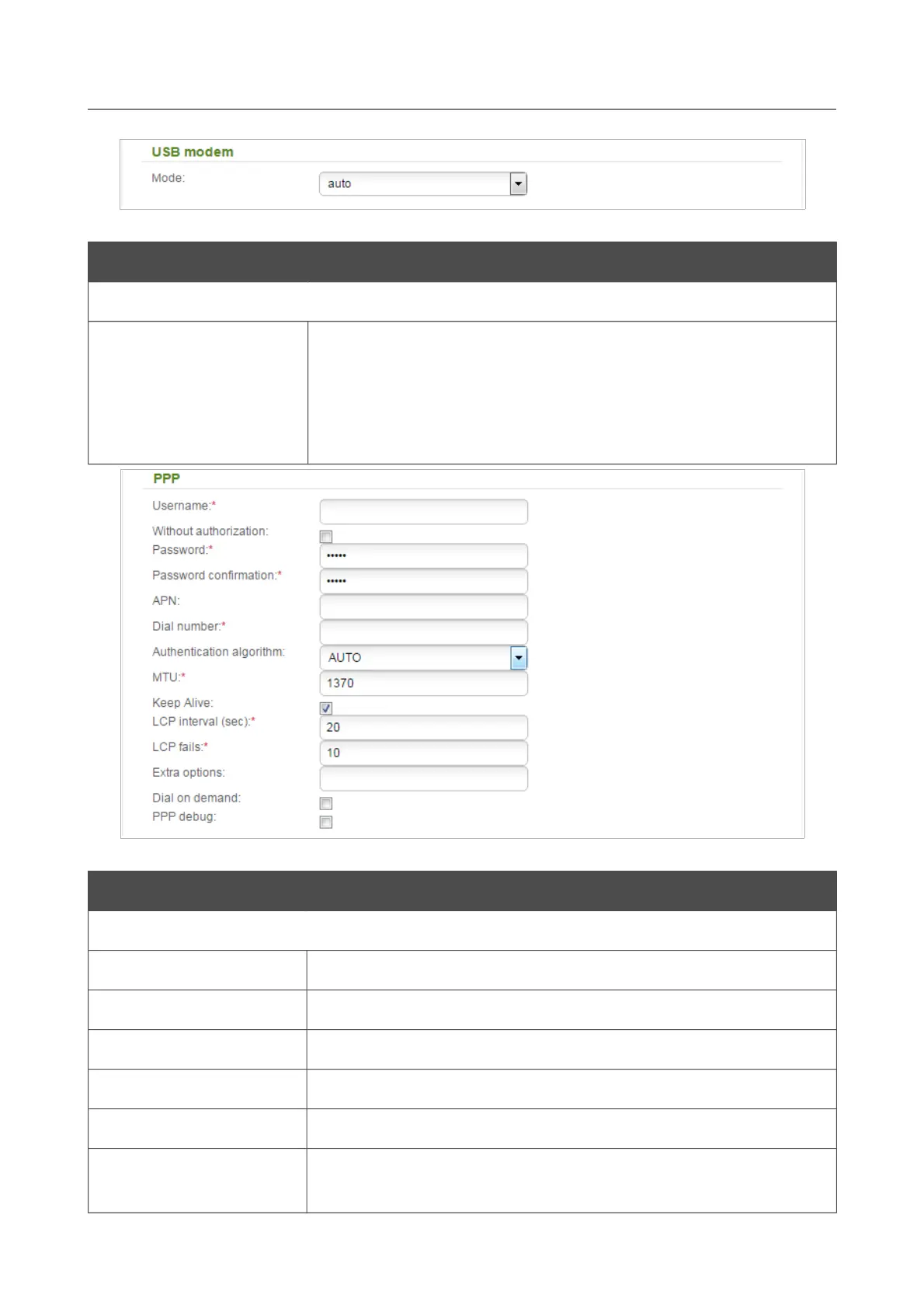
Figure 99. The page for creating a new 3G connection. The USB modem section.
Parameter Description
USB modem
Mode
The value of the field specifies the type of the network to which the
router connects. Leave the auto value to let the router connect
automatically to an available type of network, or select a needed
value from the drop-down list.
For GSM USB modems only.
Figure 100. The page for creating a new 3G connection. The PPP section.
Parameter Description
PPP
Username
A username (login) to connect to the network of the operator.
Without authorization
Select the checkbox if your operator does not require authorization.
Password
A password to connect to the network of the operator.
Password confirmation
The confirmation of the entered password (to avoid mistypes).
APN
An access point name. For GSM USB modems only.
Dial number
A number dialed to connect to the authorization server of the
operator.
Page 121 of 220



 To Next Page