DIR-320 Wireless N150 Router with 3G/CDMA/LTE Support
and USB Port
User Manual
Configuring via Web-based Interface
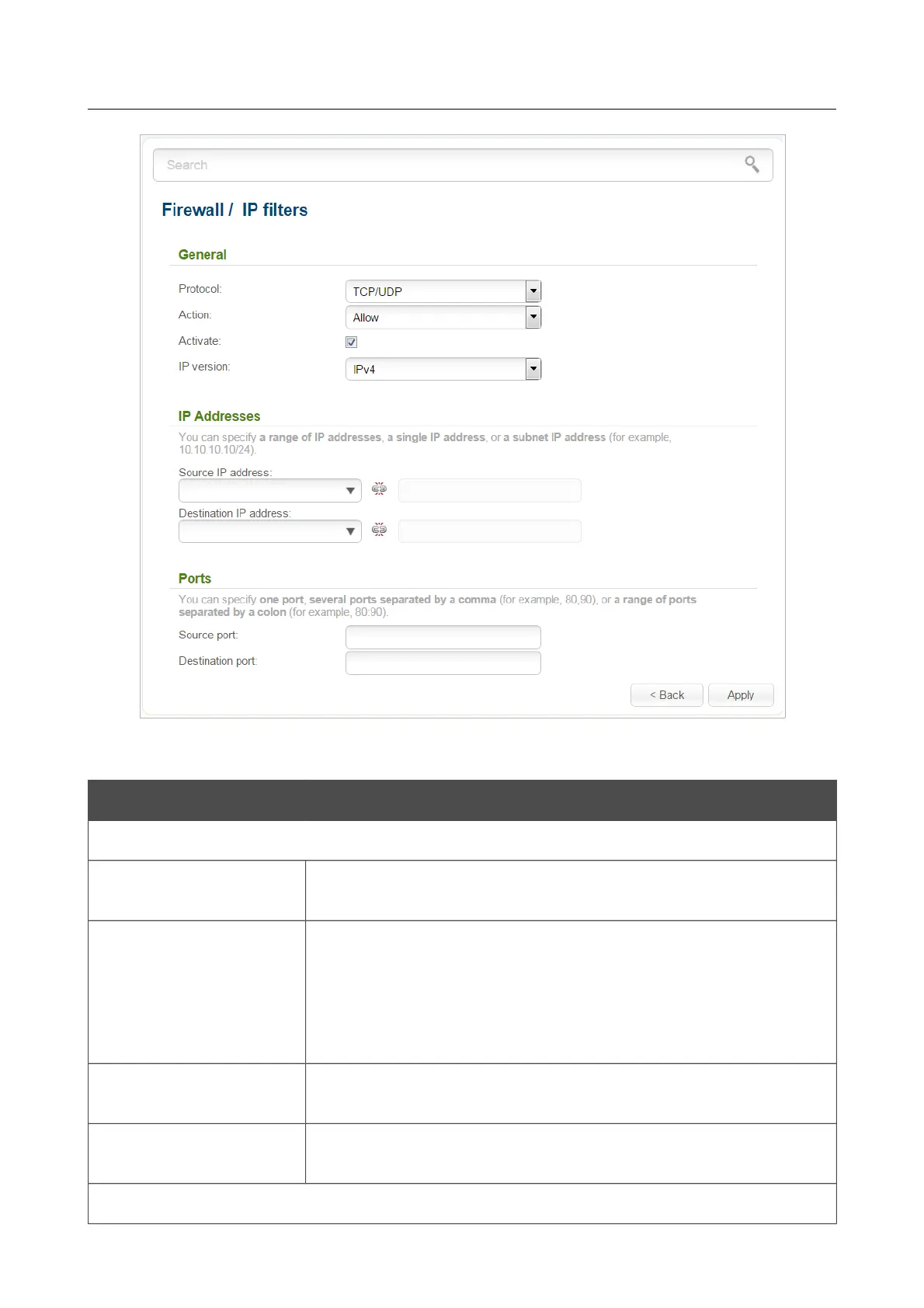
Figure 137. The page for adding a rule for IP filtering.
You can specify the following parameters:
Parameter Description
General
Protocol
A protocol for network packet transmission. Select a value from the
drop-down list.
Action
Select an action for the rule.
Allow: Allows packet transmission in accordance with the criteria
specified by the rule.
Deny: Denies packet transmission in accordance with the criteria
specified by the rule.
Activate
If the checkbox is selected, the rule is enabled. Deselect the
checkbox to disable the rule.
IP version
An IP version to which the rule will be applied. Select the relevant
value from the drop-down list.
IP Addresses
Page 173 of 220



 To Next Page