DIR-615 Wireless N300 Router
User Manual
Configuring via Web-based Interface
Creating PPTP + Static IP or L2TP + Static IP WAN Connection
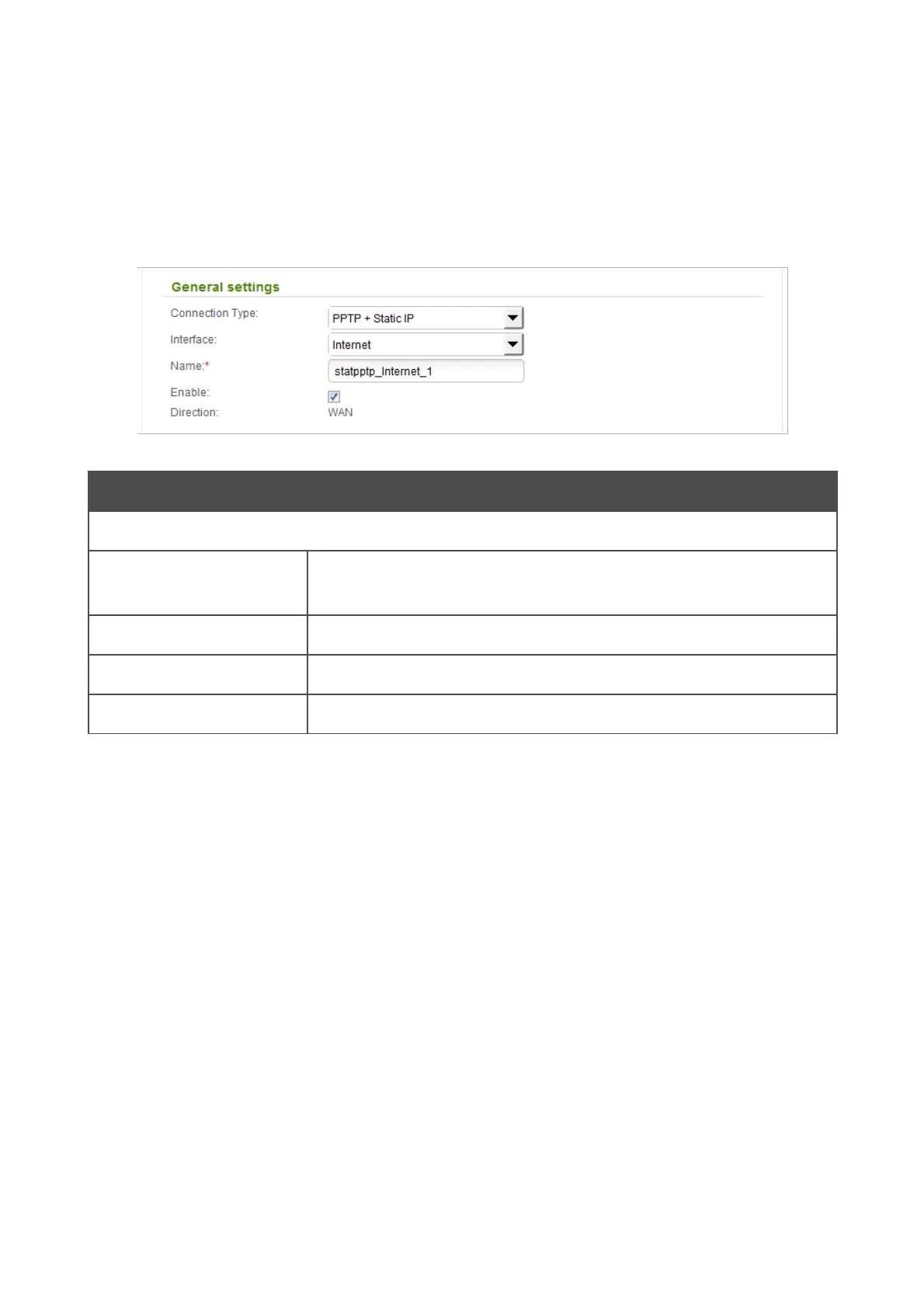
To create a connection of the PPTP + Static IP or L2TP + Static IP type, click the Add button on the
Net / WAN page. On the opened page, select the relevant value from the Connection Type drop-
down list and specify the needed values.
Figure 112. The page for creating a new connection. The General settings section.
Parameter Description
General settings
Interface
A physical or virtual interface to which the new connection will be
assigned.
Name
A name for connection for easier identification.
Enable
Select the checkbox to enable the connection.
Direction
The direction of this connection.
Page 135 of 208













 To Next Page