19D-Link DIR-619L User Manual
Section 3 - Conguration
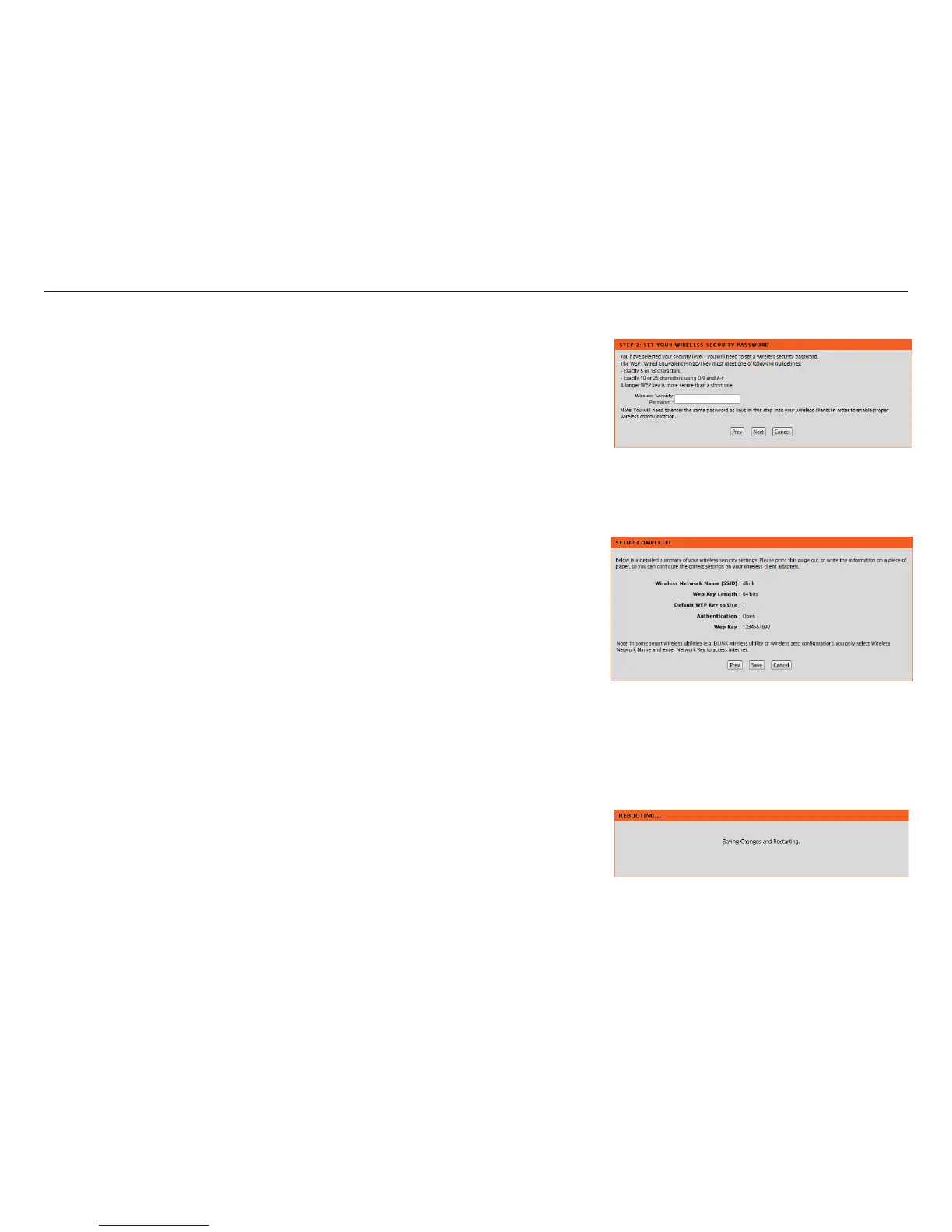
Enter a Wireless Security Password in the textbox and then click Next to continue.
This window displays a summary of your wireless security settings. Please print
this out or record this information in a safe place and then click Save to continue.
The Router will save your new settings and reboot. When it is nished after 1-2
minutes, the opening Wireless Setup window is displayed.














 To Next Page