Link
Status
Disconnect
Link 1 Link 2 Link 3 Link 4 Link 5 Link 6 Link 7 Link 8
Link
Fail 1
LED
Link
Fail 2
LED
Link
Fail 3
LED
Link
Fail 4
LED
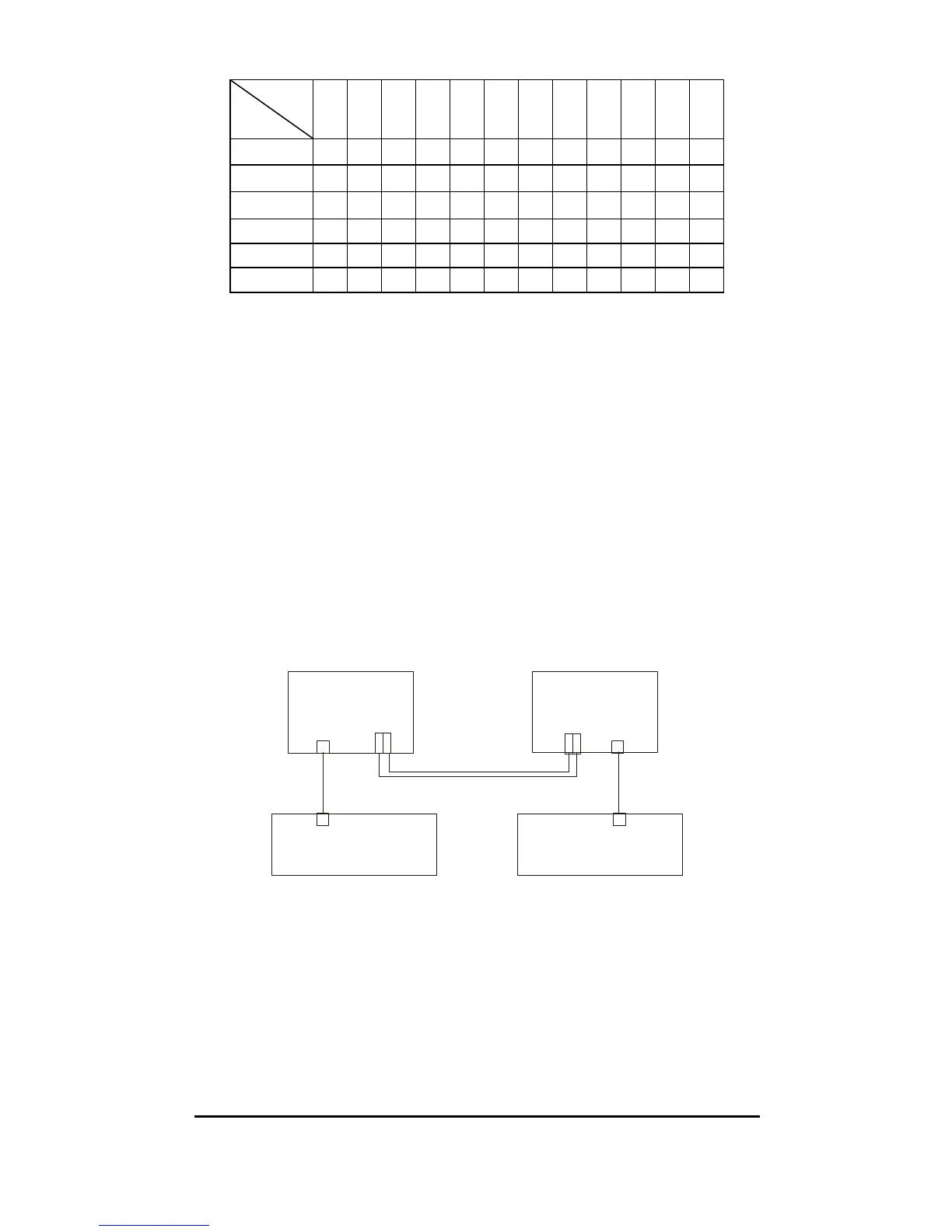
Cable 1 On On On On Off On On On Off Off Off Off
Cable 2 Off On On On Off On On On On Off Off Off
Cable 3 On On On On On Off On On Off Off Off Off
Cable 4 On On Off On On On On On Off Off On Off
Cable 5 On Off On On On On Off On Off On Off Off
Cable 6 On On On Off On On On Off Off Off Off On
Note: When using two converters, don’t enable the both
device’s LLR function at the same time.
LLCF (Link Loss Carry Forward)
When a device connected to the converter and the TP line loss
the link, the converter’s fiber will disconnect the link of
transmit, so that the other ends will know that there is a
linkage error on this end. And when the Fiber line loss the
link, the converter’s TP will disconnected, and the other end
will know that there is linkage problem exist.
The switch 6 is to enable or disable the LLR function of the
media converter.
TX RX
Sw i t c h B
Sw i t c h A
Cable 3
Cable 2
Cable 4
Cable 1
Media
Converter B
Media
Converter A
TX RX
LLCF Off
LLR Off
LLCF On
LLR Off
LINK 6
Copper
LINK 5
Copper
Copper
LINK 4
LINK FAIL 4
Fiber
LINK 3
LINK FAIL 3
Fiber
LINK 1
LINK FAIL 1
Copper
LINK 2
LINK FAIL 2
The table below shows the status happens when LLCF
function is working through two ways of connection:
9


 To Next Page