11 D-Link DNS-343 Quick Install Guide
Conguration
A message appears warning that
when the drives are formatted all
data will be erased. Click OK to
continue.
When formatting is complete,
the results will display. Click
Restart to continue.
A message informing you
that the DNS-343 will restart
appears. Click OK.
The Web UI will appear. Your DNS-343 setup is now complete.
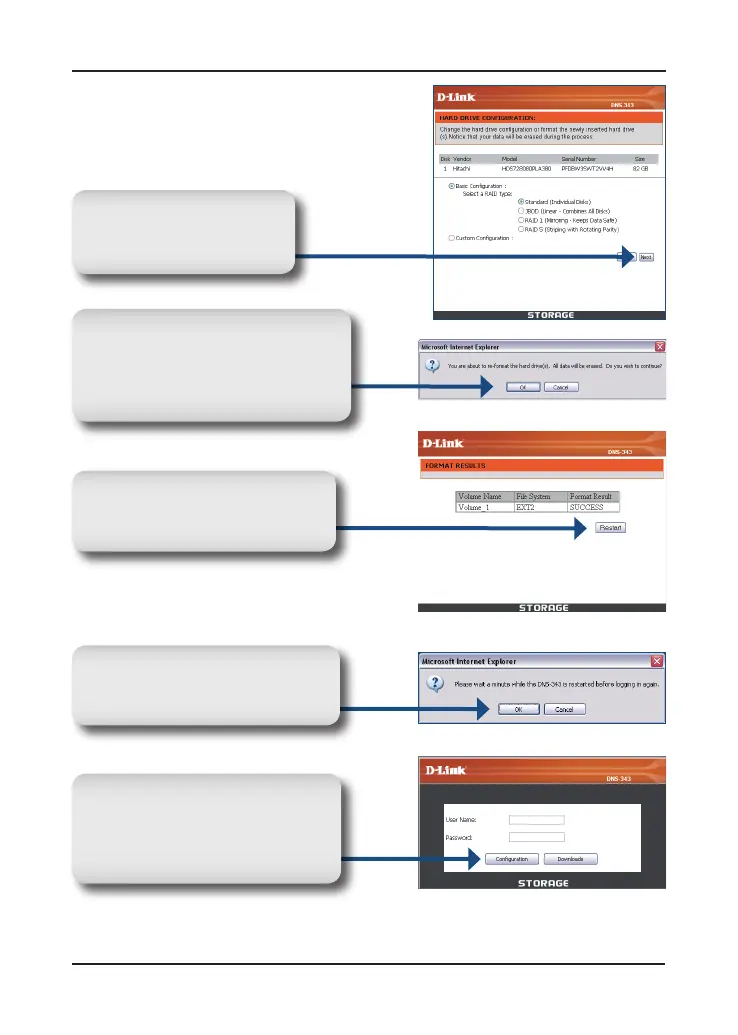
Select a type of hard drive
configuration, and click
Next.
After the DNS-343 restarts, type
admin for the user name and
leavethe password eld blank.
Click Conguration.











 To Next Page