7 D-Link DNS-343 Quick Install Guide
Hardware Installation
Hardware Installation
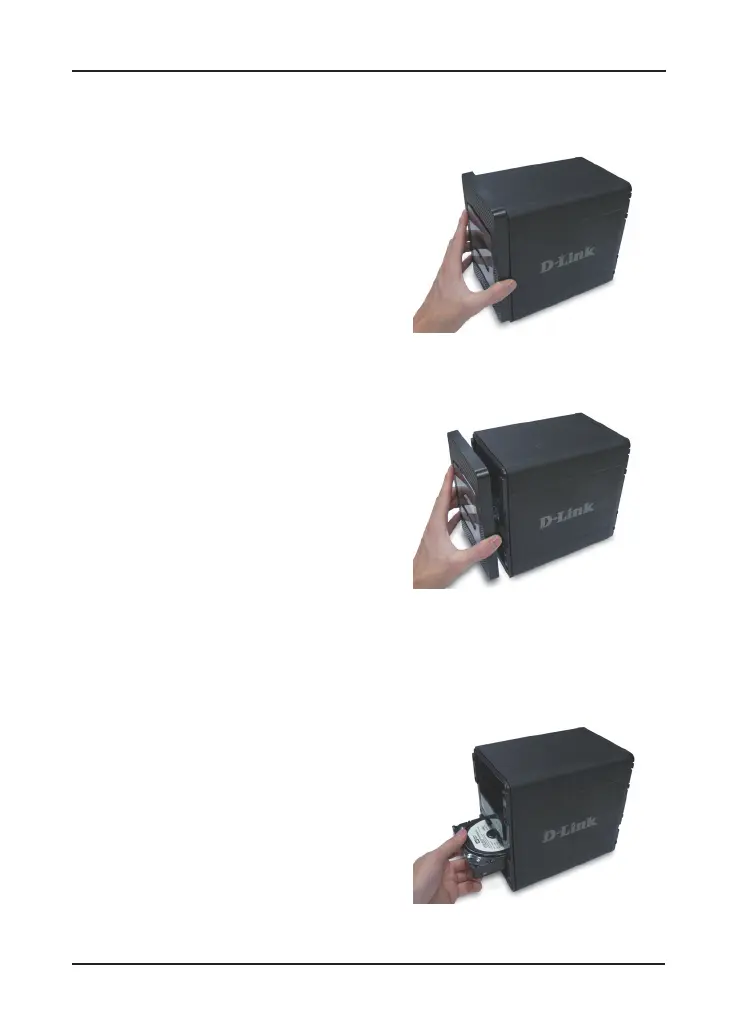
1. Access the drive bays by sliding the
faceplate up until it unlatches from
the device.
2. Once the faceplate is unlatched, pull
it off of the device, exposing the drive
bays.
3. Insert a 3.5” SATA hard drive into an
available drive bay. Make sure to align
the drive connector to the endpoint in
the DNS-343. Gently push the drive
in until it connects. Repeat for each
drive you are placing in the DNS-
343.











 To Next Page