10D-Link DNS-343 Quick Install Guide
Conguration
WhenloggingintotheDNS-343forthersttime,youwillbeaskedtochoose
adrivecongurationtypeandformatthedrives.
Therearefourbasiccongurationoptions;Standard,JBOD,RAID1,andRAID
5.Therearealsothreecustomcongurationoptions,whicharecombinations
ofRAID0/JBOD,RAID1/JBOD,andRAID5/JBOD.
Highlight an available DNS-343 and
click Conguration to access the
web-based utility.
At the login screen, type admin
for the user name and leave
thepasswordeldblank. Click
Conguration.
Getting Started
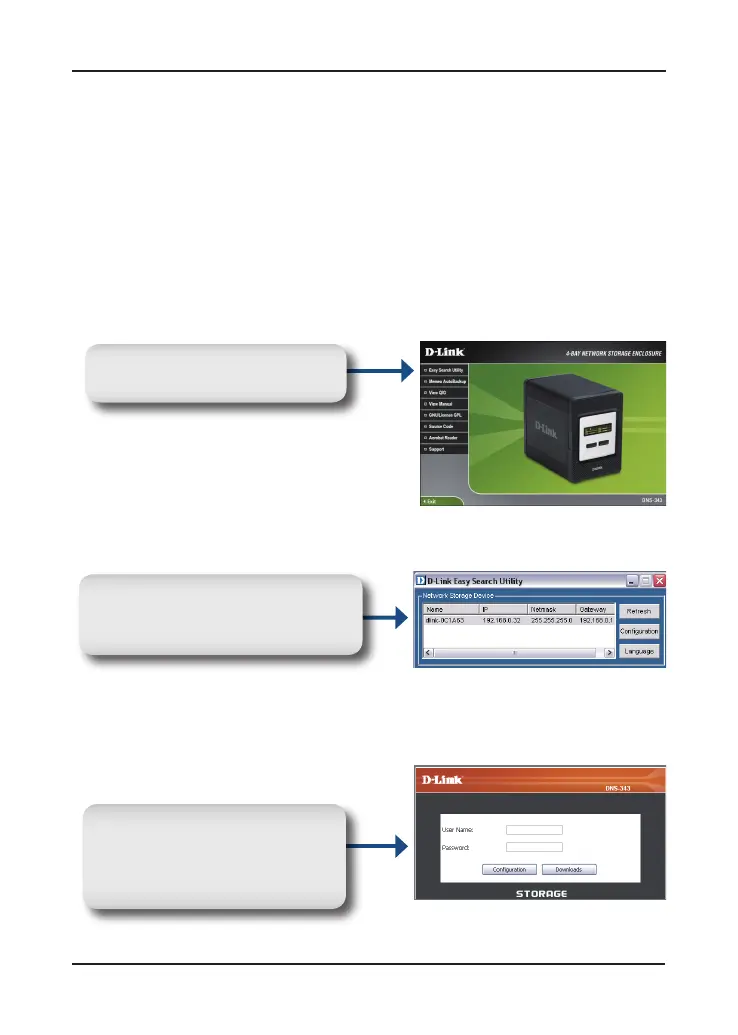
From the DNS-343 CD, select
Easy Search Utility.











 To Next Page