DSL-2750U Quick Installation Guide
Conguring LAN Ports for IPTV/VoIP
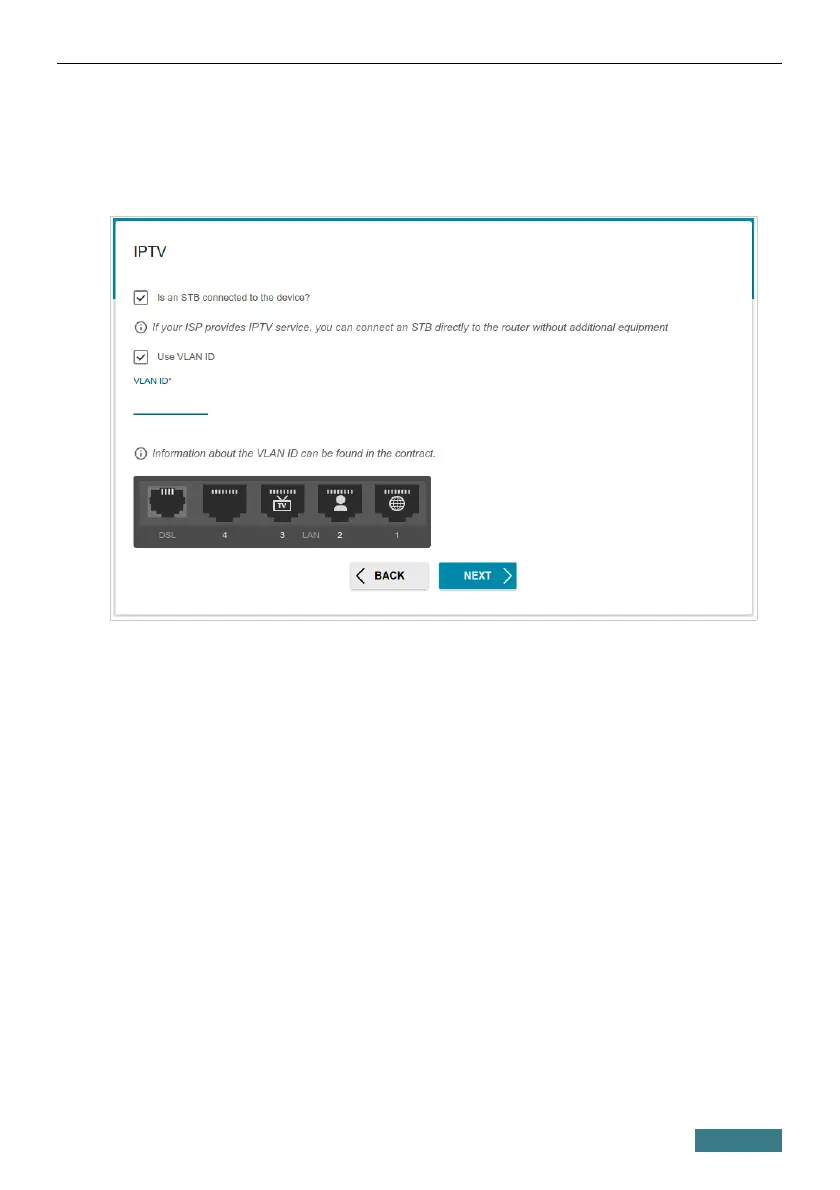
1. On the IPTV page, select the Is an STB connected to the device
checkbox.
2. Select a free LAN port for connecting your set-top box.
3. For the Ethernet (LAN) connection method: If the IPTV service is
provided via a VLAN channel, select the Use VLAN ID checkbox and
fill in the VLAN ID field.
4. For the ADSL connection method: Specify the VPI and VCI values in the
relevant fields.
5. Click the NEXT button.
28



 To Next Page
 Loading...













