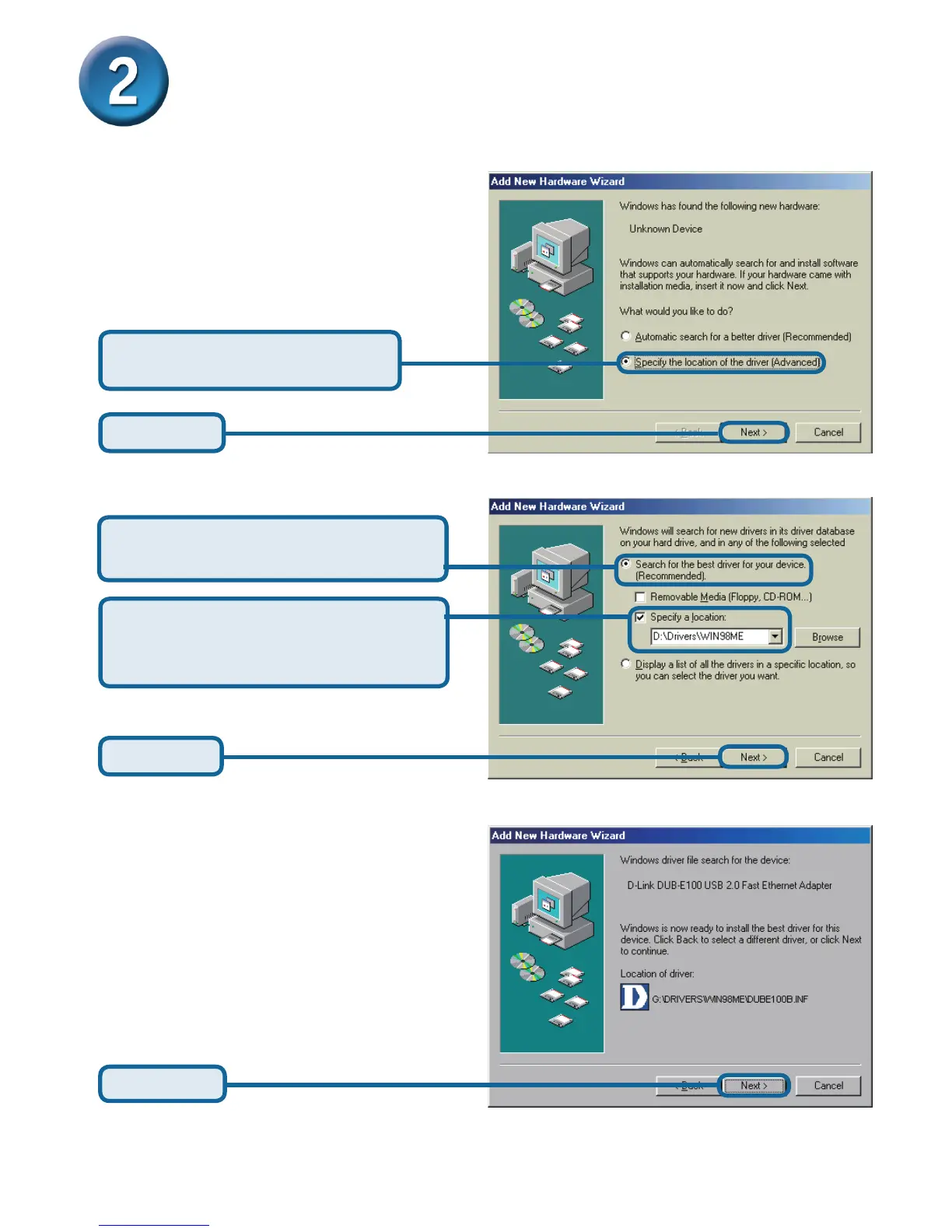
Click Next
Installing the Drivers (continued)
Select Specify a location: and type
D:\Drivers\Win98ME (where D:
represents your CD-ROM drive letter).
Click Next
Select Search for the best driver
for your device (Recommended)
Select Specify the location
of the driver (Advanced)
Click Next
Windows Me










 To Next Page