13
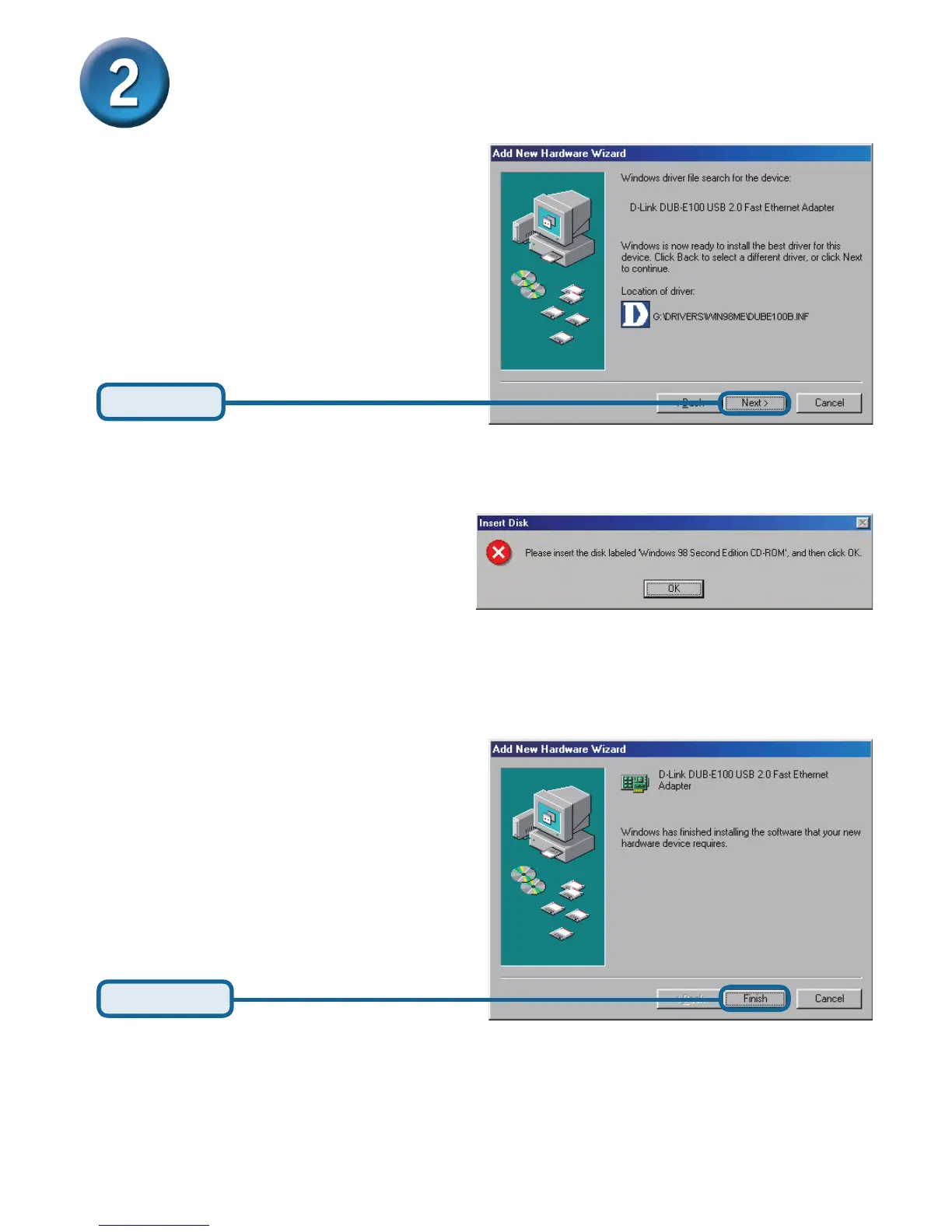
Click Next
Click Finish
Installing the Drivers (continued)
If prompted, restart your computer to complete the installation.
Windows 98 driver installation is complete.
Windows begins copying the necessary
files onto your computer. You may be
prompted to provide the original Windows
98SE CD-ROM. If so, insert the CD-ROM
and click OK. If necessary, provide the
path to the CD-ROM, such as D:\WIN98
(where D: is your CD-ROM drive letter).










 To Next Page