12D-Link DUB-E130 User Manual
Section 2 - Installation
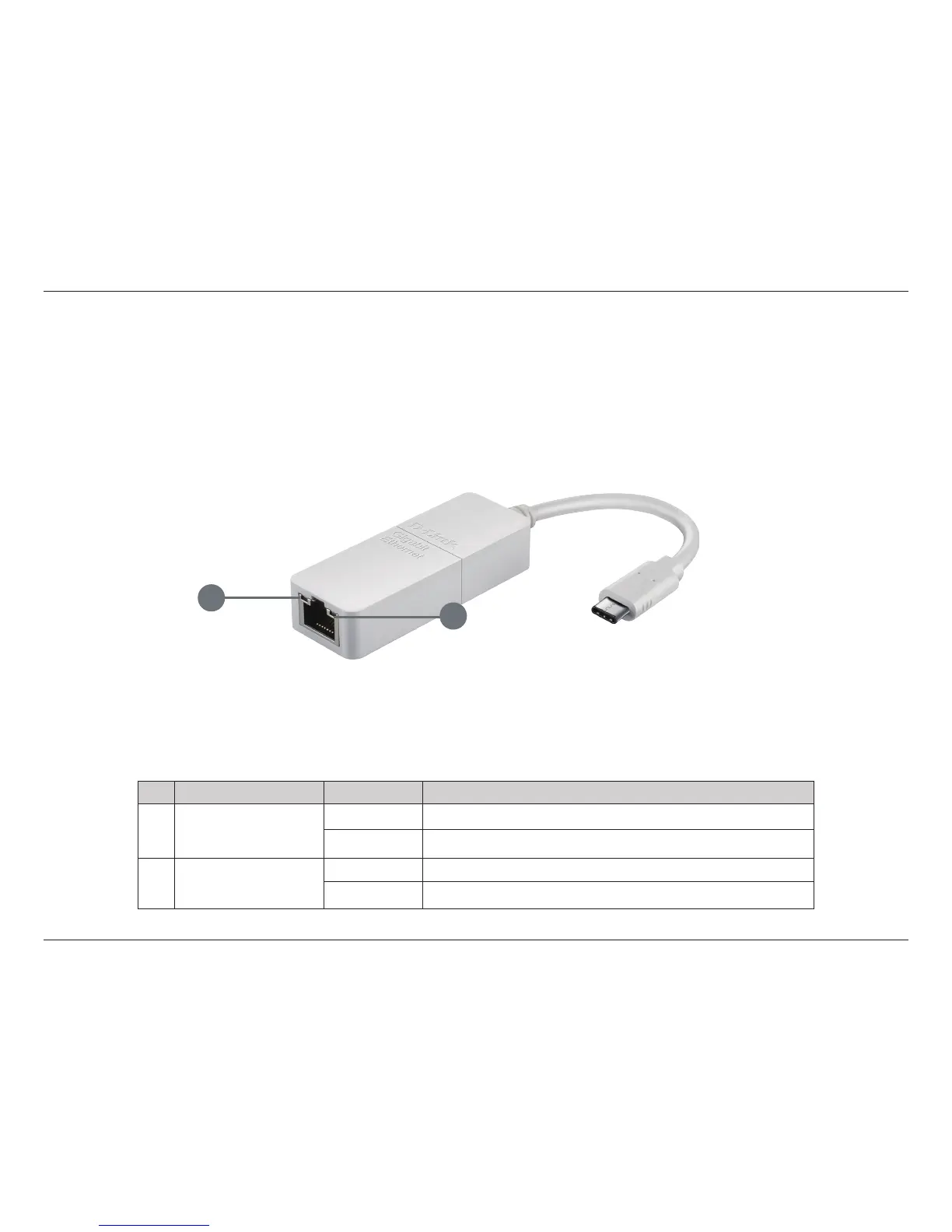
When the installation of the DUB-E130 is complete, the Connection Speed LED will illuminate solid orange when the DUB-E130
is connected to a 1 Gbps network and remains o when connected to a 10/100 Mbps network. The Link/ACT LED will be solid
green when a connection is present, and ash green when data is being transmitted or received. If both LEDs are unlit, there
may be a problem with the physical connection. Check the connection and cables between the DUB-E130 and your hub,
switch, or router. Also verify that your network switch or router is powered on.
Completing the Installation
ID Indication Status Description
1 Connection Speed
Solid 1 Gbps connection present
O 10/100 Mbps connection present
2 Link/ACT
Solid An active connection is present
Flashing Data is being transmitted/received
1
2










 To Next Page