32
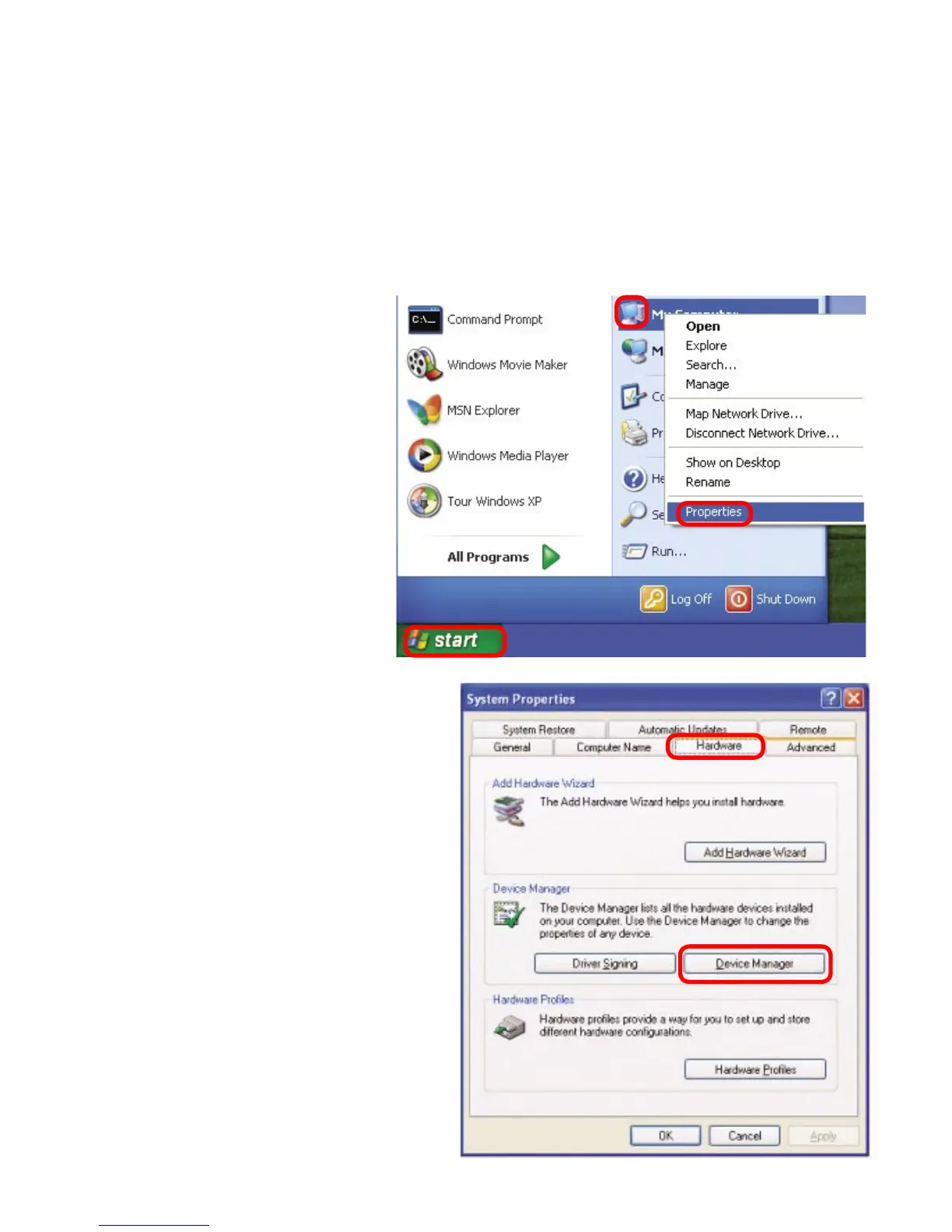
1. Check that the drivers for the DWL-120 are installed properly.
Click Device
Manager
Select the
Hardware
Tab
Troubleshooting
Go to Start >
My Computer >
Properties
This chapter provides solutions to problems that can occur during the installation and
operation of the DWL-120. Read the following descriptions if you are having problems.
(The examples below are illustrated in Windows XP. If you have another operating
system, these solutions will still apply although the appearance on your computer
screen may differ.)






 To Next Page