14D-Link WDA-2320 User Manual
Section 2 - Installation
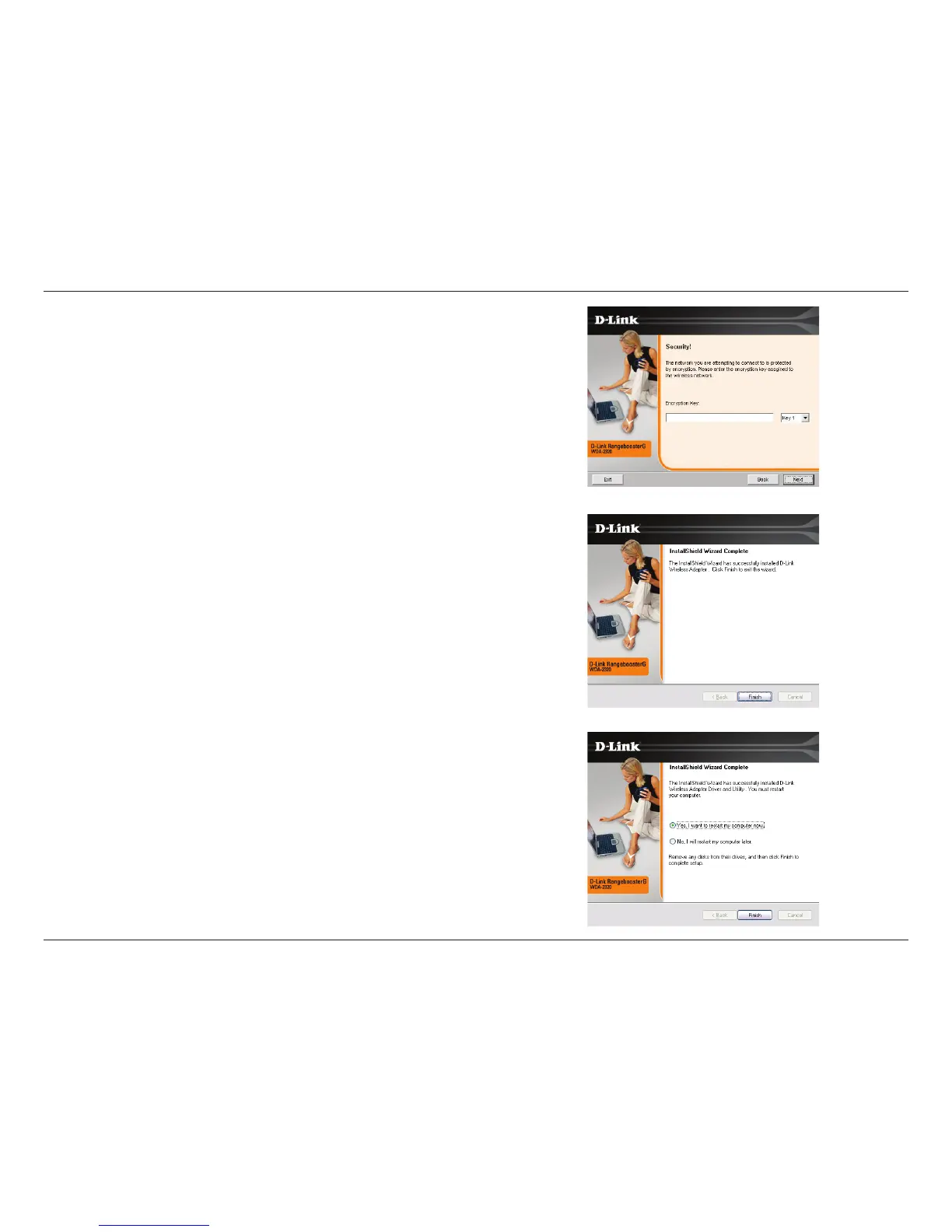
If the wireless network you are trying to connect to is encrypted, enter the WEP
key or WPA-PSK passphrase. Click Next to continue.
Click Finish to continue.
If you are prompted to reboot your computer, select Yes, I want to restart my
computer now.



 To Next Page
 Loading...