EasyManua.ls Logo

DAB ACTIVE DRIVER M/T 2.2 - User Manual

DAB ACTIVE DRIVER M/T 2.2
10 pages
Print Icon
To Next Page IconTo Next Page
Loading...
1
25/9/08
ACTIVE DRIVER
INTRODUCTION
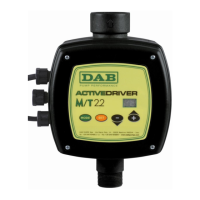
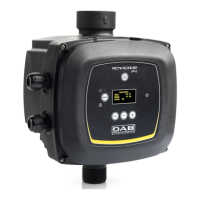
The DAB ACTIVE DRIVER is an innovative integrated pump control system that utilizes a
variable frequency drive controller (VFD) to provide CONSTANT PRESSUE regardless of the
demand flow requirements.
>Applications
The DAB ACTIVE DRIVER will fit to most DAB domestic pump, specifically Jet, JINOX, JECOM,
EURO, EUROINOX, EUROCOM, K Series and KVCX Vertical Multistage.
The unit is available if the following configurations,
ACTIVE DRIVER M/M 1.1
Suits single phase 230v power supply, and will couple to single phase pump units up to
1.1kW, and is programmable to a maximum pressure of 6 Bar (600kPa), not exceed a
flow of 300lpm.
ACTIVE DRIVER M/T 1.0
Suits single phase 230v power supply, and will couple to three phase pump units up to
1.0kW, and is programmable to a maximum pressure of 9 Bar (900kPa), not exceed a
flow of 300lpm.
ACTIVE DRIVER M/T 2.2
Suits single phase 230v power supply, and will couple to three phase pump units up to
2.2kW, and is programmable to a maximum pressure of 9 Bar (600kPa), not exceed a
flow of 300lpm.

INVERTER
CONTROLLED

Other manuals for DAB ACTIVE DRIVER M/T 2.2

Questions and Answers

DAB ACTIVE DRIVER M/T 2.2 Specifications

General IconGeneral
BrandDAB
ModelACTIVE DRIVER M/T 2.2
CategoryController
LanguageEnglish

Summary

Selecting and Installing the Pump

Selecting the Correct Pump

Guidance on choosing the appropriate pump for the Active Driver based on duty point.

Programming the Active Driver

Essential Information for Programming

Key data required before programming the Active Driver unit, including duty point, current, and pump curve.

Active Driver Operation Setup

Pump Start Up Procedure

Outlines the initial steps and display indications for starting the pump after installation and priming.

Inputting Essential Pump Data

Explains how to input critical parameters like set point pressure and rated current for optimal performance.

System Configuration and Error Handling

Resetting Error Conditions

Lists various error indications and their corresponding automatic reset attempts and sequences.

Resetting Factory Settings

Quick Set Up Procedure

Related product manuals