21
1. How to start
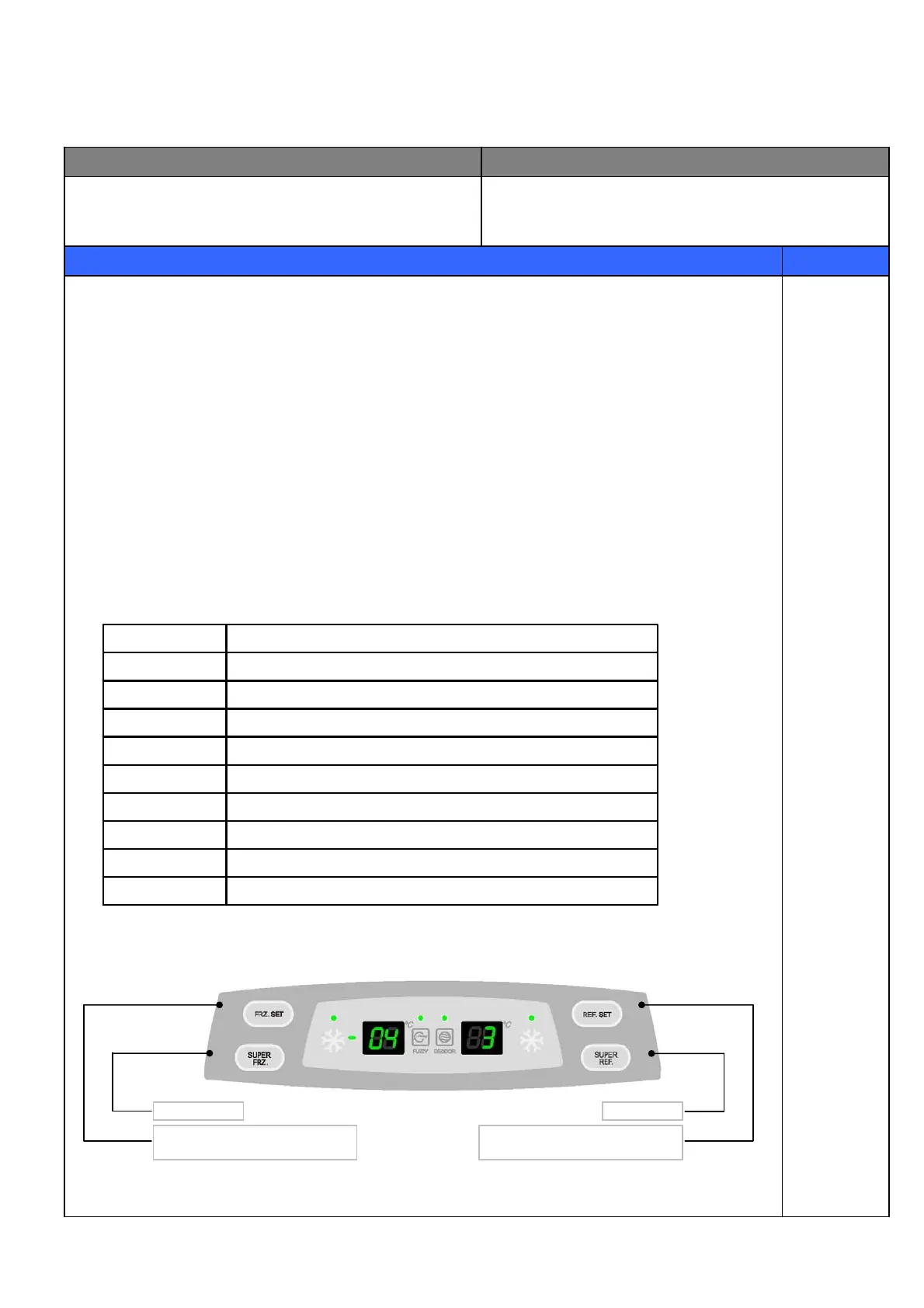
1) Press “SUPER FRZ.” button 5 times while pressing
“FRZ. SET” button at the same time.
2) The front LED displays as the right diagram shows
( [Ex.] Time Display of 0003 signifies 3 minutes of power on time.)
3) Press “FRZ. SET” button and the following value is displayed successively.
① Time
② F-Sensor temperature
③ D-Sensor temperature
④ R-Sensor temperature
⑤ RT-Sensor temperature
4) Error is displayed only if there is any ; it is skipped if no error.
2. How to stop
1) Push “REF. SET” button 1 time.
2) It stops automatically in 4 minutes from the start.
3. All the error codes are reset if they turn to be normal.
4. Error code
INPUT CONTROL OBJECT
CONTENTS REMARKS
Temperature Control Buttons 88 Display CLED
Display forced defrost mode for A/SD2
Return after defrosting : abnormal or defectiveF3
Cycle : abnormal or defectiveC1
F-Door Switch : defectivedF
R-Door Switch : defectivedr
D-sensor : disconnection (“Lo”), short (“Hi”)d1
RT-sensor : disconnection (“Lo”), short (“Hi”)rt
R-sensor : disconnection (“Lo”), short (“Hi”)r1
F-sensor : disconnection (“Lo”), short (“Hi”)F1
CONTENTSERROR CODE
4-9-2. FRS(N)-U20BC Type
Temperature adjustment button
for freezer compartment.
Super freeze
Temperature adjustment button
for refrigerator compartment.
Super Cool



 To Next Page