15
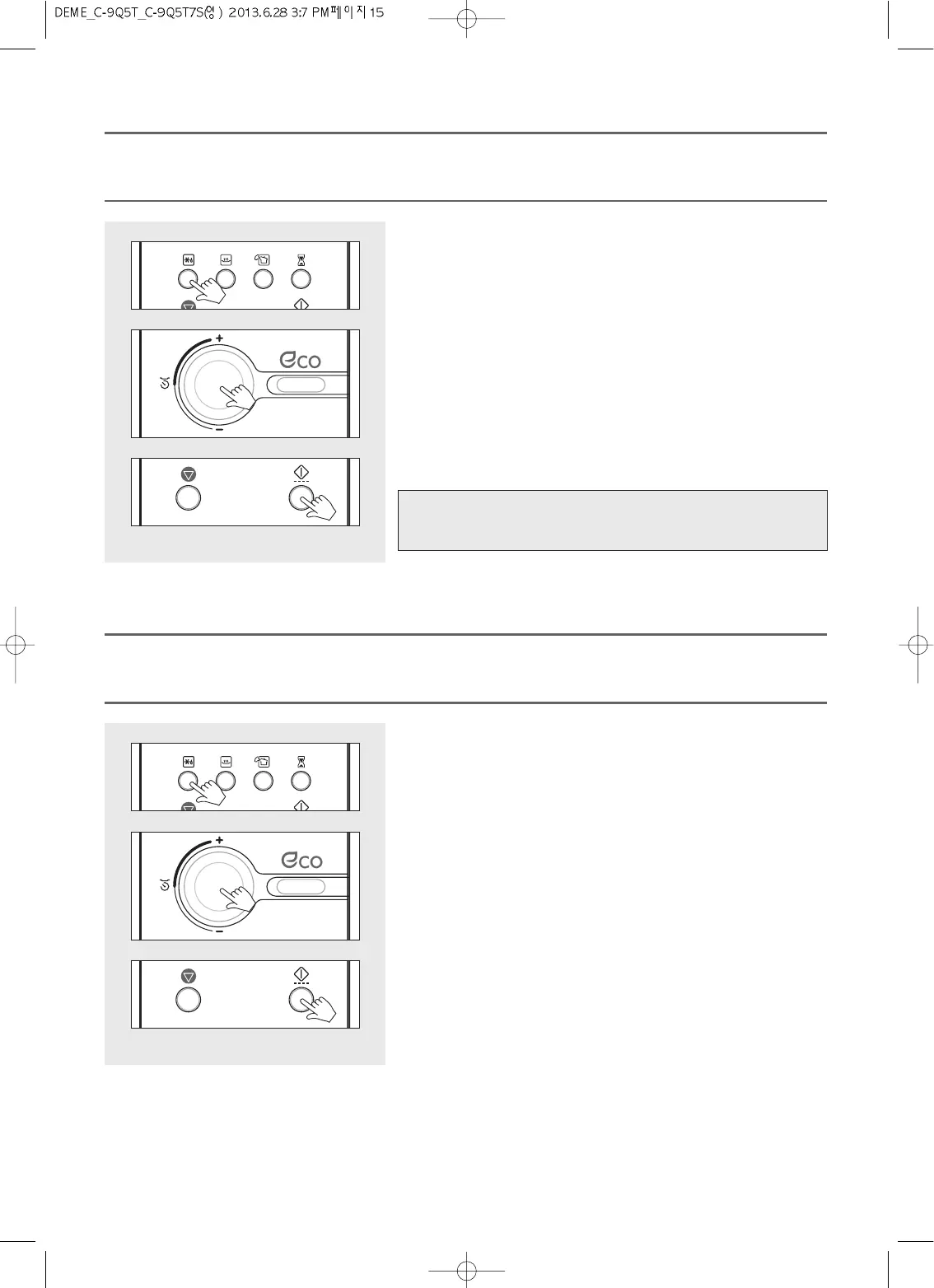
1. Press the Defrost button once. The Defrost indicator lights and “0” is
displayed. The indicator blinks.
This is a weight defrost mode.
2. Turn the dial knob to set the weight.
Weight can be set up from 200g to 3000g.
The weight will change in 50g increments or decrements.
For a defrosting weight of 1000 grams, turn the dial knob to set 1000.
“1000” shows in display.
3. Press the START/SPEEDY COOK button.
The oven light comes on and the turntable starts rotating.
The indicator goes off.
Cooking starts and the time in the display will count down.
Note : When Weight-Defrosting begins, the defrosting time is automatically
determined by the weight entered.
Weight Defrost automatically sets the defrosting times and power levels to give even defrosting results for frozen food.
During the defrosting process the oven will beep to remind you to check the food. When the oven beeps, open the door, turn the frozen
food over and close the door, and press the START/SPEEDY COOK button again.
(1) WEIGHT DEFROST MODE
1. Press the Defrost button twice.
The Defrost indicator lights and “: 0” is displayed.
This is a time defrost mode.
2. Turn the dial knob to set the defrosting time.
For a time of 11 minutes, turn the dial knob to set 11:00.
up to 60 minutes can be set)
“11:00” shows in display.
3. Press the START/SPEEDY COOK button.
The oven light comes on and the turntable starts rotating.
Cooking starts and the time in the display will count down.
During the defrosting process the oven will beep to remind you to check the food.
When the oven beeps, open the door, turn the frozen food over and close the door, and press the START/SPEEDY COOK button
again.
(2) TIME DEFROST MODE



 To Next Page