26
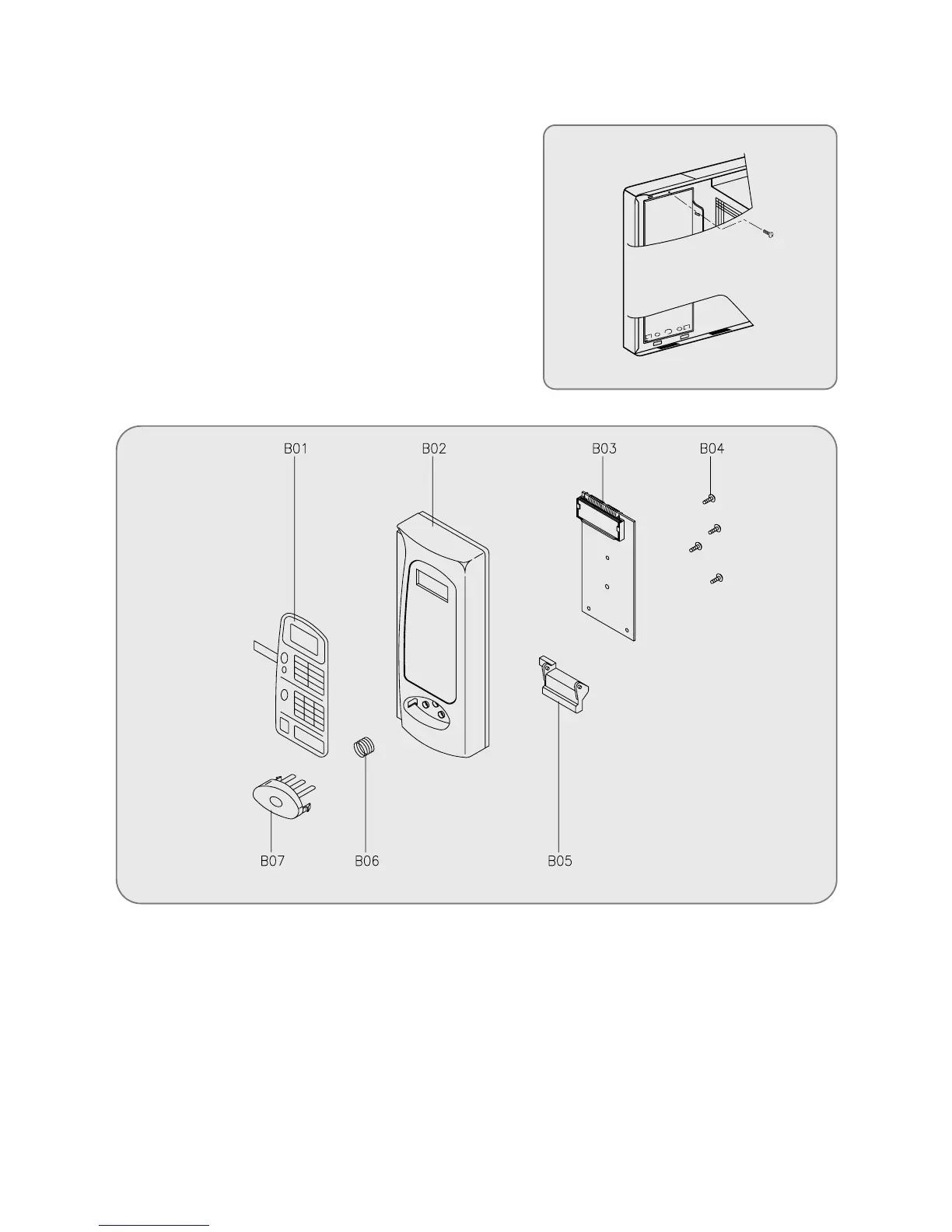
5. To remove control panel assembly.
(1) Remove a screw shich secure the control panel push up
two snap fits and draw forward the control panel assem-
bly.
(1) Remove a screw holding control panel assembly to the oven front plate.
(2) Remove the door open lever (B05) from the control panel.
(3) Remove three screws (B04) which secure the PCB main assembly (B03) to control panel (B02).
(4) Disconnect membrane tail from the connector of the PCB main assembly.
(5) Detach membrane (B01) from the control panel.
(6) Remove door open button (B07) and button spring (B06) from the control panel.
(7) Reverse the above steps for assembly.



 To Next Page