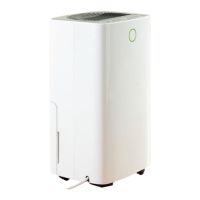
Using Your Dehumidifier
• Insert the mains plug into the nearest available socket. The unit will give one long
beep to confirm it is plugged in.
Power
• Touch the Power Button (10) to power the unit up.
• The Dehumidifier will power up in Sunny Mode, High Fan speed and a default
target humidity setting of 60%. The Digital Display (20) will show the actual
Humidity level.
The Sunny Mode Indicator (19) and the High Fan Speed Indicator (17) will also
illuminate.
• Touch the Power Button (10) again to power the unit down.
Selecting Modes
There are 3 modes, touch the Mode Button (11) to select from:
Sunny Mode
• In Sunny Mode, the dehumidifier will default to a humidity level setting of 60%.
The actual humidity level will be shown on the Digital Display (20).
• The set humidity level can be changed by pressing the Humidity button (13), the
level can be set from 20 to 95%. The set humidity will be shown on the Digital
Display (20) for a short time before returning to show the actual humidity level.
Raining Mode
• In Rain Mode the dehumidifier automatically maintains the humidity level at
40%. The actual humidity level will be shown on the Digital Display (20).
• The set humidity level can be changed by pressing the Humidity button (13), the
level can be set from 20 to 95%. The set humidity will be shown on the Digital
Display (20) for a short time before returning to show the actual humidity level.
Continuous/Drying Mode
• In this mode, the Dehumidifier will run continuously at high fan speed with a set
humidity level of 20%, this setting is suitable for drying clothes or conditions
where continuous drying is required.
• Note: The humidity and fan speed settings cannot be adjusted in this mode.


 To Next Page
 Loading...