EasyManua.ls Logo

Daewoo COL1587 - Humidity Indicator; Humidity Indicator Colour Descriptions; Installation Guidelines

Daewoo COL1587
16 pages
Print Icon
To Next Page IconTo Next Page
To Previous Page IconTo Previous Page
Loading...
9
16L Dehumidifier
Model No. COL1587
User Manual
IMPORTANT RETAIN THESE INSTRUCTIONS FOR FUTURE REFERENCE
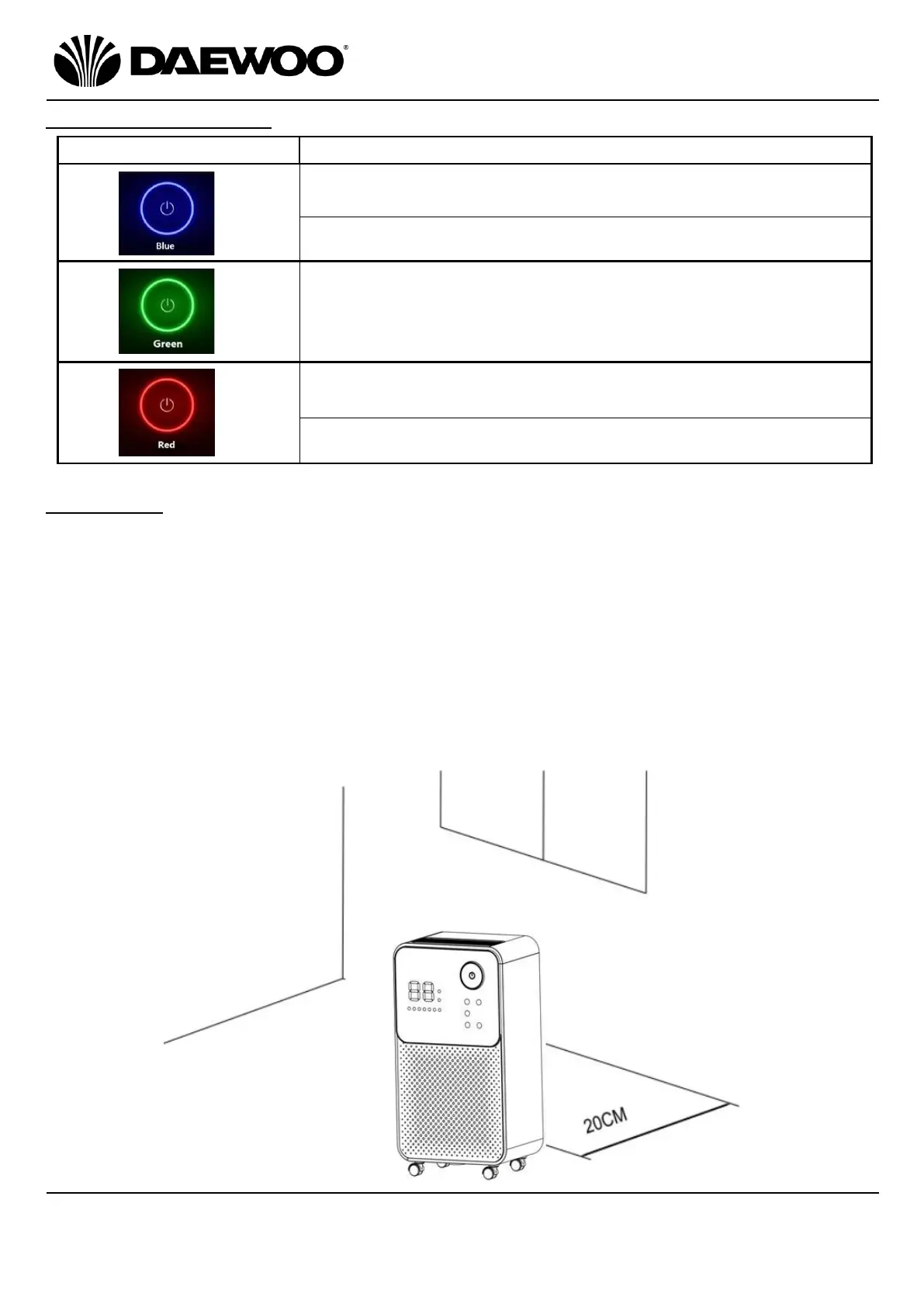
Humidity Indicator (2)
Indicator Colour
Colour Description
Continuous Blue: Humidity level below 60% relative
humidity.
Flashing Blue: Defrosting in progress
Continuous Green: Humidity level is above 60% but
below 80% relative humidity.
Continuous Red: Humidity level above 80% relative
humidity.
Flashing Red: The Water Tank is almost full.
Installation
Place the unit on a firm, level surface in an area with at least 20cm of free space
on all sides to allow for proper air circulation.
Never install the unit where it could be subject to:
1. Heat sources such as radiators, stoves or other products that produce heat.
2. In an area where oil or water may be splashed.
3. Direct sunlight.
4. Mechanical vibration or shock.
5. Excessive dust.
6. Lack of ventilation, such as cabinet or bookcase.
7. An uneven surface.

Related product manuals