SOFTWARE INSTALL & UPGRADE
-8-
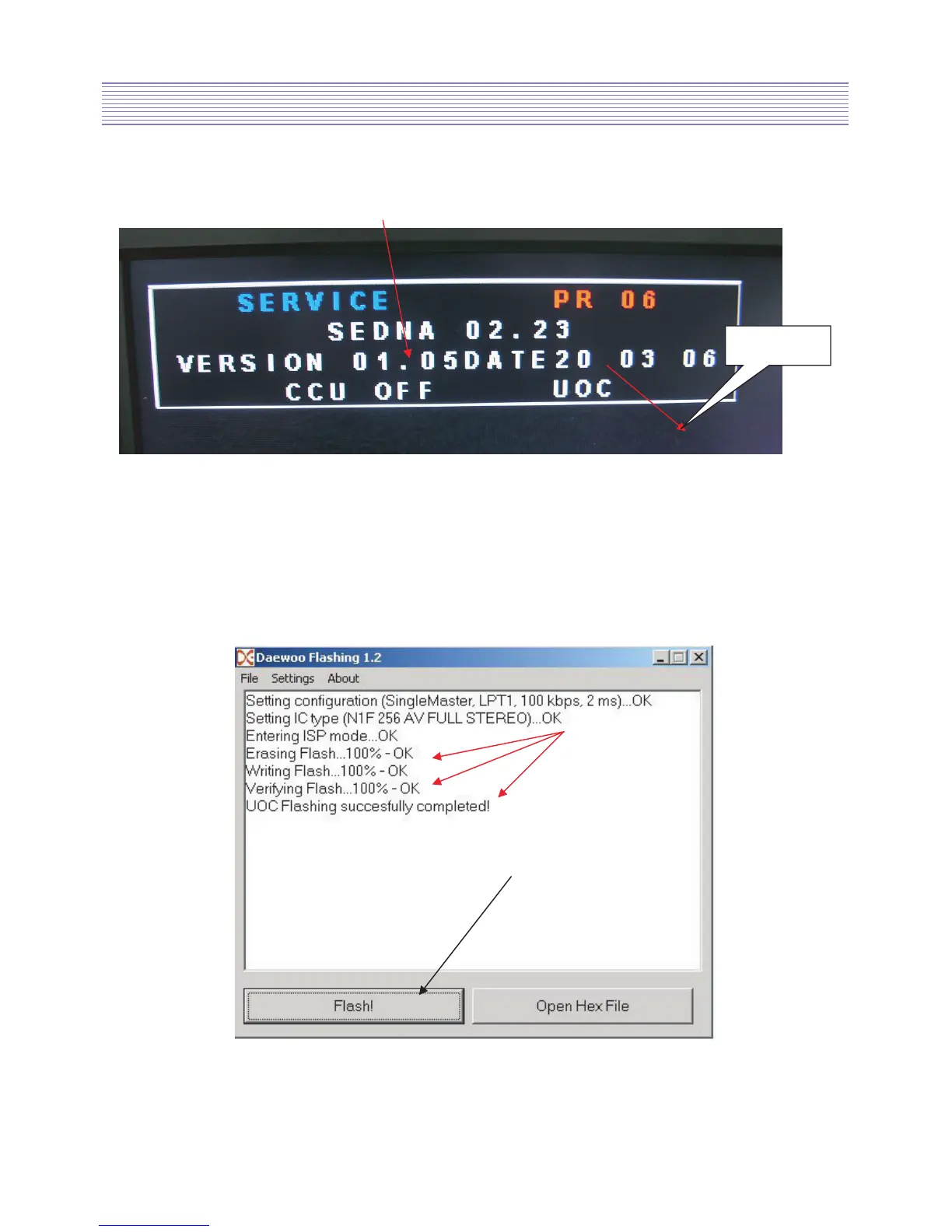
10. Please ON LCD TV and press SVC button on Service remocon and next press
SCREEN button to make UOC OFF.
Software version
11. Please connect EURO CABLE to LCD TV and to JIG EURO SCART.
Please supply 12V for JIG EURO SCART.
12. Please press Flash button. Daewoo Flashing automatically upgrade new software.



 To Next Page