SOFTWARE INSTALL & UPGRADE
-9-
13. After finish please disconect Euro Cable from LCD TV and OFF /ON LCD TV.
Software will change registers after ON.
ATTENTION!!!!:Before apply new software please check W/B settings.
New software automatically deletes W/B parameters and applies default values.
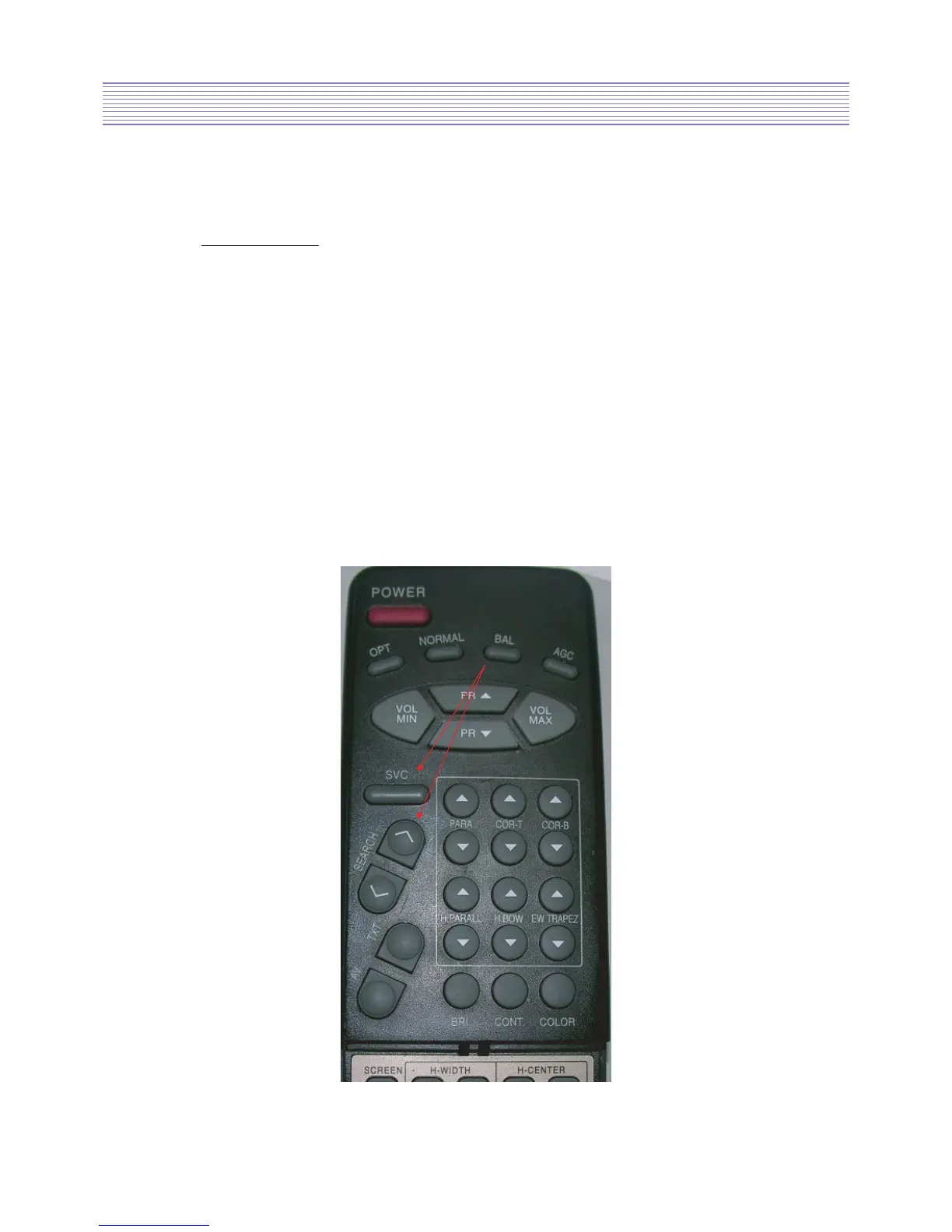
Please use Service remocon.
Press SVC button and next R DRV, G DRV, B DRV and R BIAS, G BIAS.
Please memorize these values and after upgrade software set again W/B values.
14. After apply new software please adjust DCXO value.
Please connect RF signal (PAL Nicam Stereo if possible, if not please use PAL Stereo,
but in this case DCXO adjustment should be repeat several times - to check if in all
trials the values are similar) to LCD TV and press SVC button.
In next step press SEARCH UP button about 2 sec. After this on the OSD should appear
“DCXOALIGNEMENT” information.
This means that DCXO alignment starts and when procedure is finished value should
appear (correct value should be below 255).
Date 13-04-2006
Daewoo Electronics
ENG DEPT.



 To Previous Page