1188
Recording and Playback
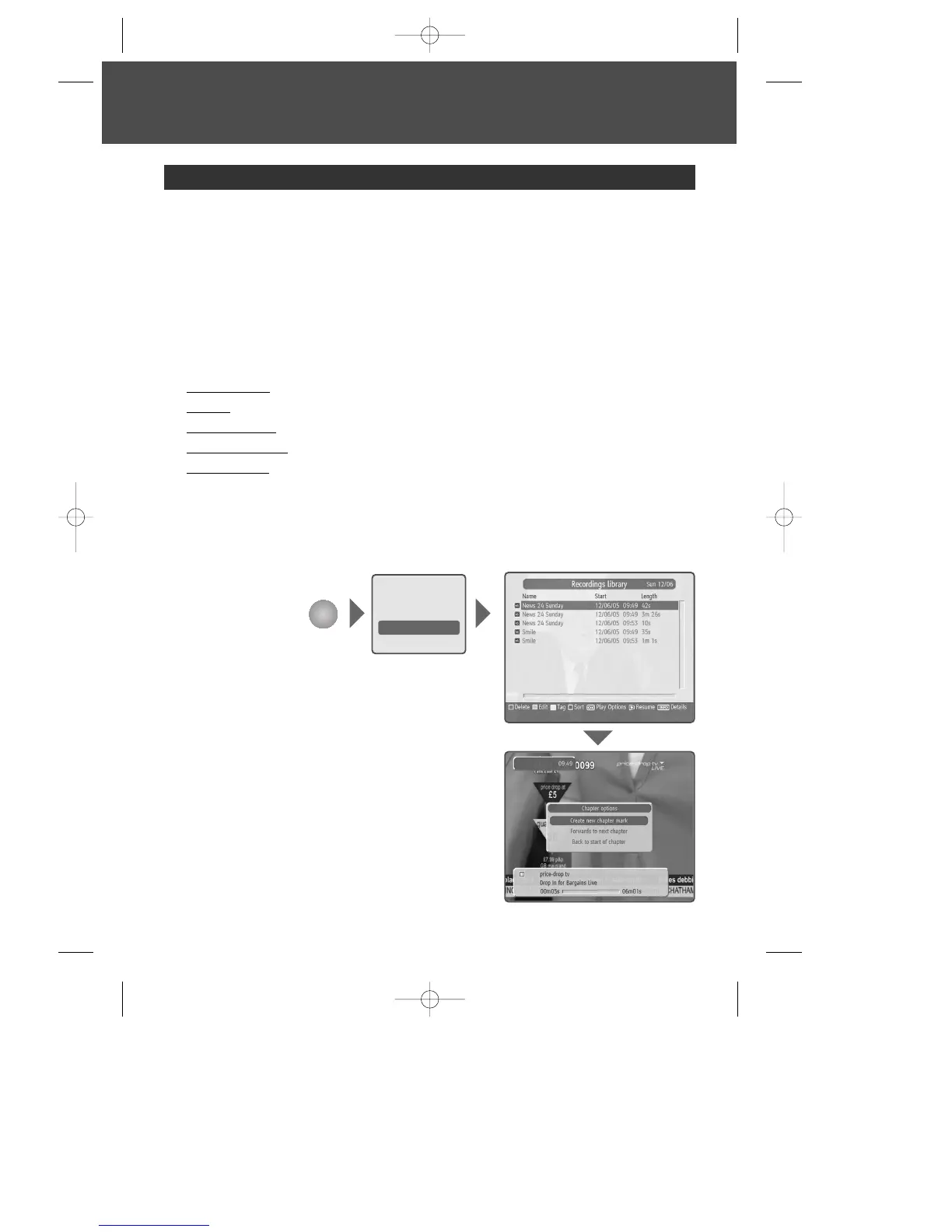
You can view the recorded programmes in the Menu - Recordings library. You can also
view the recorded programme list by pressing the [LIBRARY] button.
1 Select the desired programme to playback using the […/†] button and then press the
[PLAY] button to playback the programme.
2 Press the [STOP] button to stop the current programme and go to the current live
programme.
The eye icon in front of programme names highlights recordings which have not been
watched.
3 You can see various play options when you press the [OK] button on a highlighted
recording.
play from start : plays from the beginning
resume : plays from the last watched scene
play from offset : plays from inputted offset minute
manage chapters : delete chapters or play from a marked chapter
create archive : plays several tagged recordings sequentially
4 If you press the [MENU] button during playback, chapter option shows up. Then you
can create a new chapter or move to last or next chapter.
Programme playback from Recordings library
Programme Playback
MENU
Channel list
Programme guide
Timers
Recordings library
Setup
DWBP-B3L1KA-AGN 2007.10.1 4:58 PM ˘ ` 18 mac001 1200DPI 90LPI


 To Next Page