55
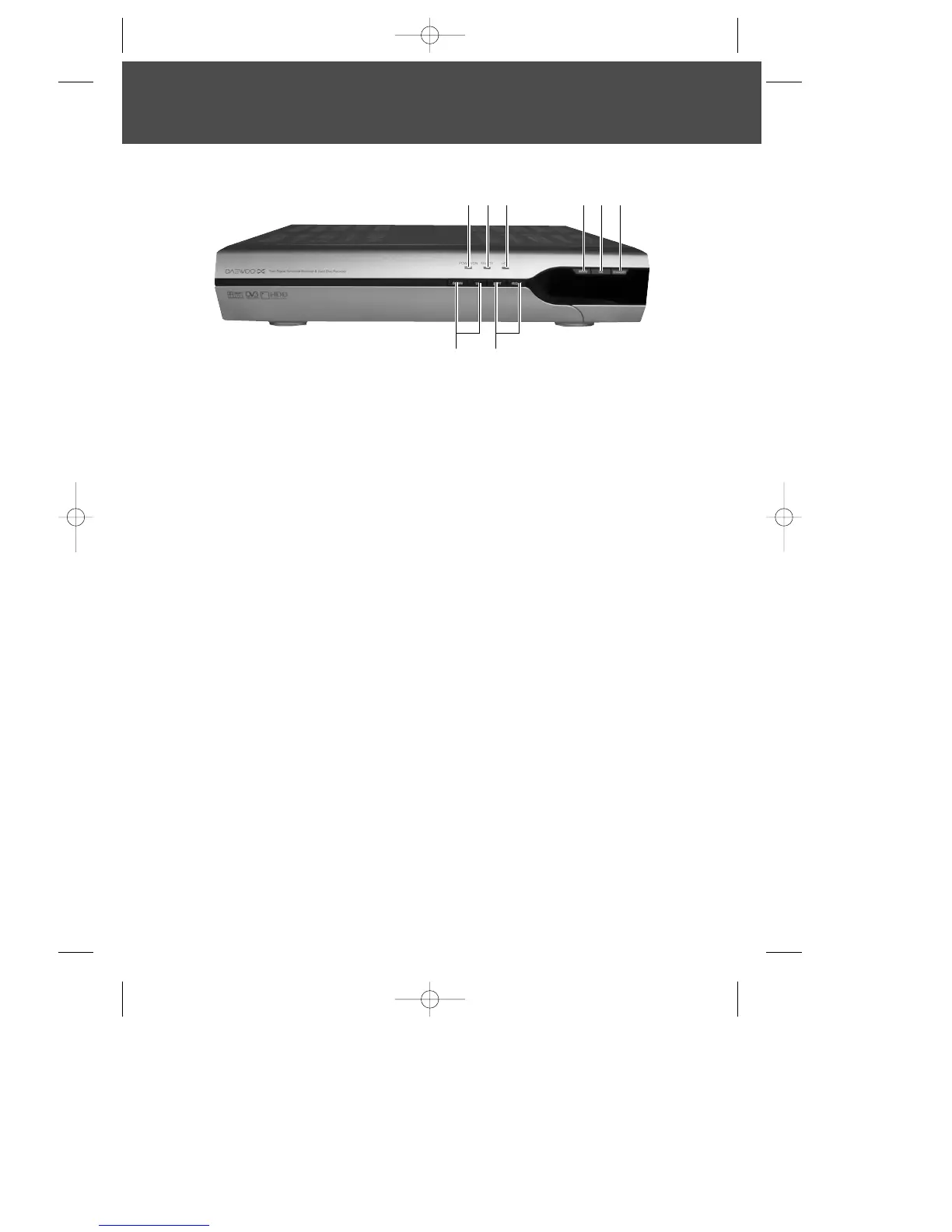
Front Panel
1 Power On indicator
2 Remote indicator
3 Hard disk drive indicator
; will be visible when hard disk drive is in use ie when in record or time shift mode.
4 Menu Button
; allows access to on screen menu.
5 OK button
; can be used to select a menu or confirm menu options.
6 Standby Button
; switches between Operation and Standby modes.
7 Menu up/down Buttons
; can be used for moving up and down Menu screens.
8 Menu left/right Buttons
; can be used for moving left and right Menu screens.
78
1
23 456
DWBP-B3L1KA-AGN 2007.10.1 4:58 PM ˘ ` 5 mac001 1200DPI 90LPI


 To Next Page