- 10 -
System Connections
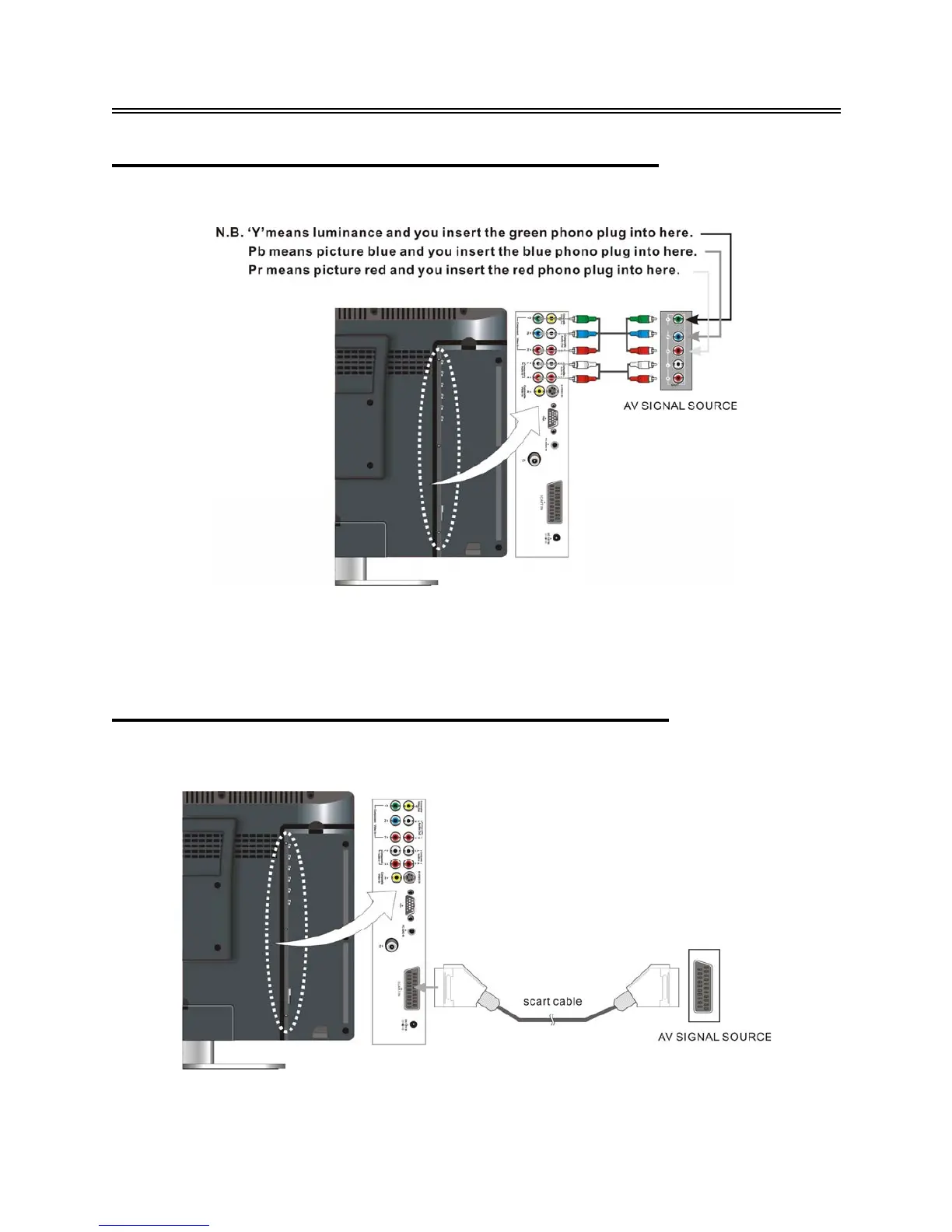
Connecting to External AV Signal Source (YPbPr)
Use red, green and blue component video cables and red and white audio cables to connect the
external AV signal source to the Y/Pb/Pr input Jacks on the rear panel of the unit.
After connection, turn on the power of the unit and external AV signal source and then press the
SOURCE button to select COMPONENT mode.
Note: Ensure the AV signal source is also switched to component video mode.
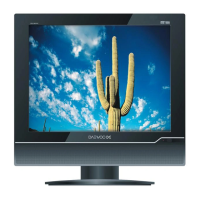
Connecting to External AV Signal Source (SCART)
Use a SCART cable (not supplied) to connect the external AV signal source to the SCART input
jacks on the rear panel of the unit.
After connection, turn on the power of the unit and the external AV signal source and then press the
SOURCE button to select SCART mode.
And the other end of the cables into the corresponding sockets on the TV (see below).


 To Next Page