18
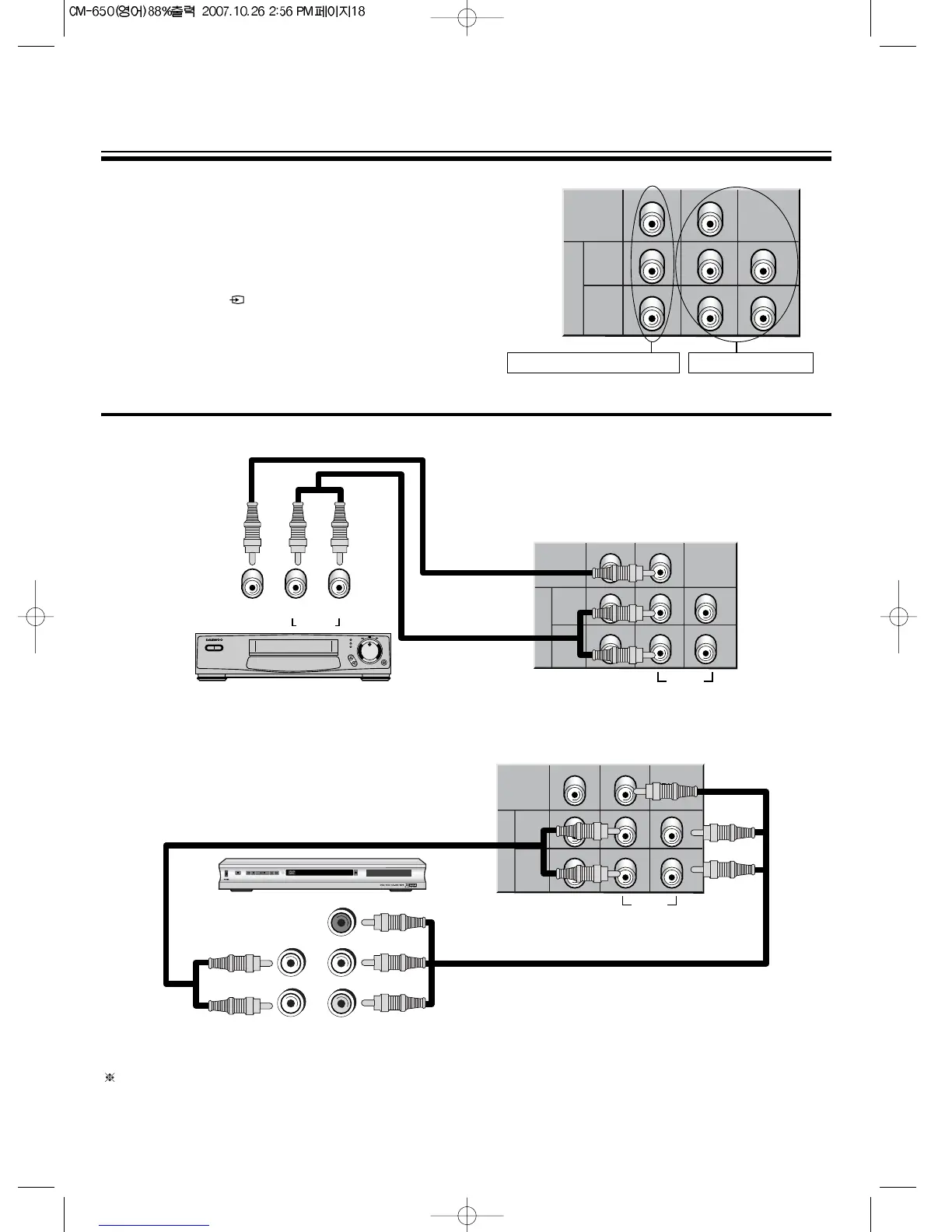
CONNECTING DVD PLAYER/BS RECEIVER
1. Prepare the connective plug for picture
/
sound.
2. Connect the DVD-Y output terminal of DVD player with the
DVD-Y input terminal of TV.
3. Connect the DVD-Cr, Cb output terminal of DVD player
with the DVD-Cr, Cb input terminal of TV.
4. Press the AV( ) button and select DVD mode
DVD MODE
1. DVD1(VIDEO) : When DVD Player Output is not Y-Cb-Cr output, but Video(Composite) signal.
2. DVD2 (Y Cb Cr) : In case of component output
Some models have the AV3(VIDEO), instead of DVD1(VIDEO) and DVD2(Y, Cb, Cr)



 To Next Page