BASIC OPERATION
17
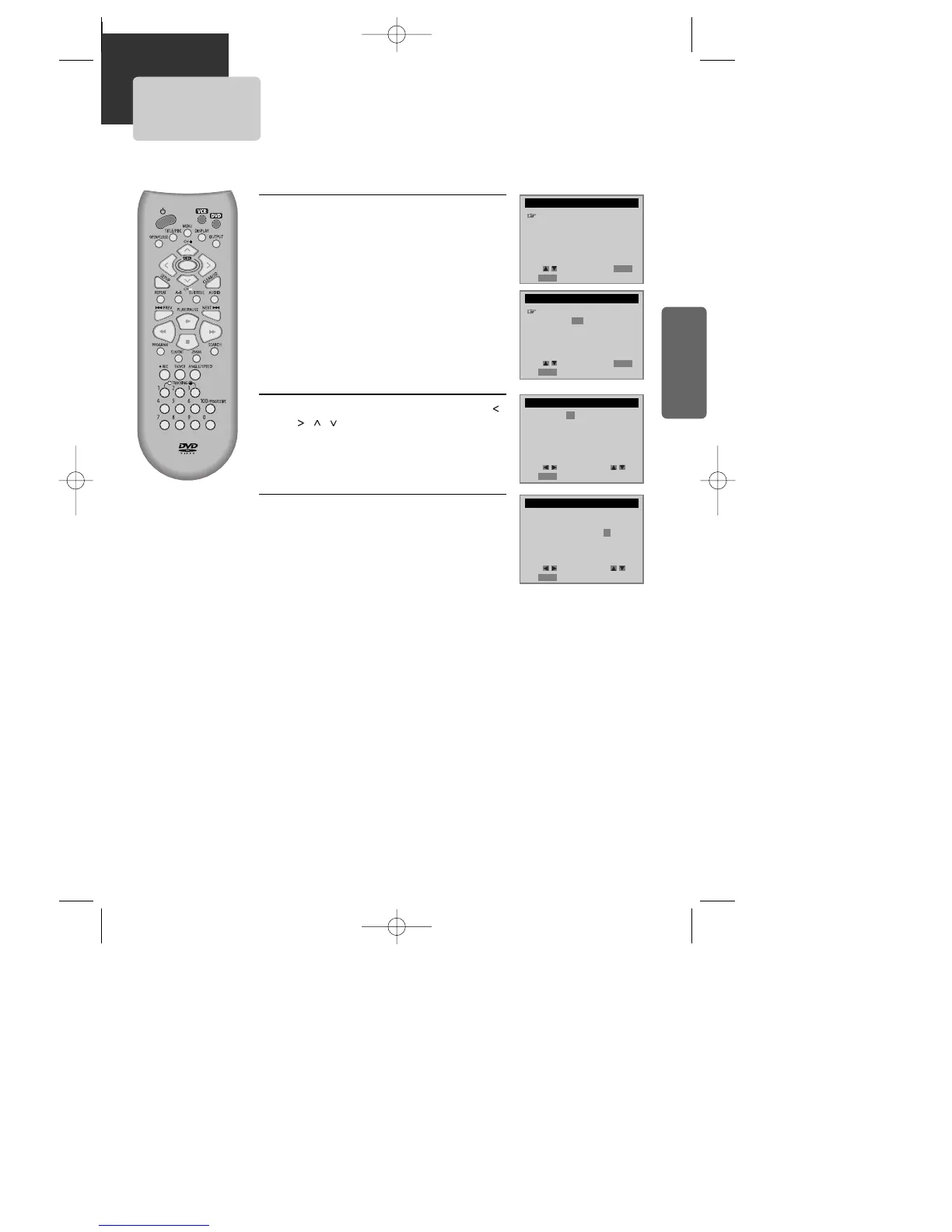
Clock Set
Press [SETUP] button.
Press [ENTER] button to select CLOCK SET.
Select Time and Date Set with [ENTER] button
in CLOCK SET screen.
Set the current date and time with [ ,
, , ] button or [NUMBER] button.
For DATE SET, follow the order of Month / Day /
Year ; for TIME SET, follow the order of Hour /
Minute in CLOCK SET screen.
If CLOCK SET is completed, press
[SETUP] button.
1
1
2
2
3
3
SETUP
CLOCK SET
TIMER RECORDINGS
CHANNEL SET
FUNCTIONS
LANGUAGE SELECT
Move: Select:
End:
SETUP
ENTER
CLOCK SET
Time and Date Set
Auto DST : ON
TIME AND DATE SET
TIME AND DATE SET
Move: Select:
End:
SETUP
ENTER
Move: Input:
End:
SETUP
Move: Input:
End:
SETUP
Time - - : - -
(hh:mm)
Date - - / - - / 20 - -
Time 11 : 01 AM
Date 05 / 24 / 2003 (Sat)
(mm/dd/yy)
■ Set TV to CH 4( or 3).
■ Press [VCR] button on remote control to change into VCR mode and follow the
procedures below.
A83/84/53/54D1N-QS(˜ ”‚ VE2.0) 03.8.13 11:20 PM ˘`17



 To Next Page