8
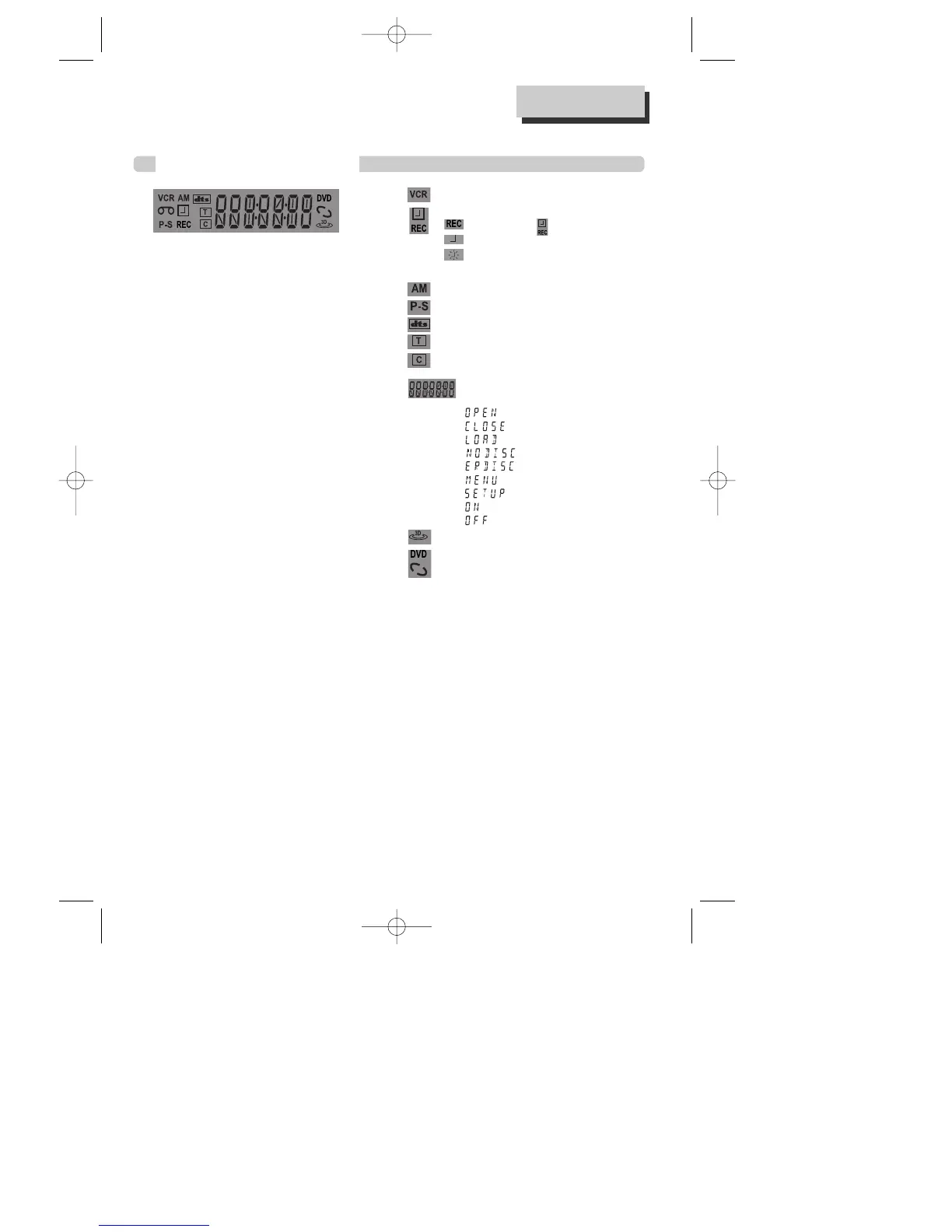
Operation Display Window
Time, Counter and Current
Operation
Tray is opened
Tray is closed
Disc is loaded
There is no disc in tray
Disc has some error
Menu screen is displayed
Setup menu is displayed
Power is ON
Power is OFF
3D Sound Indicator
DVD Disc Operation
VCR Operation
REC and TIMER REC display
Recording , TIMER Recording ,
To be Timer-recorded,
To be Timer-recorded state ERROR
(No Tape or Tape without tab)
AM
Progressive Scan
dts Disc Indicator
Track
Chapter
This is displayed in DVD disc.
Identification of Controls
A83/84/53/54D1N-QS(˜ ”‚ VE2.0) 03.8.13 11:20 PM ˘`8



 To Next Page