| 17 |
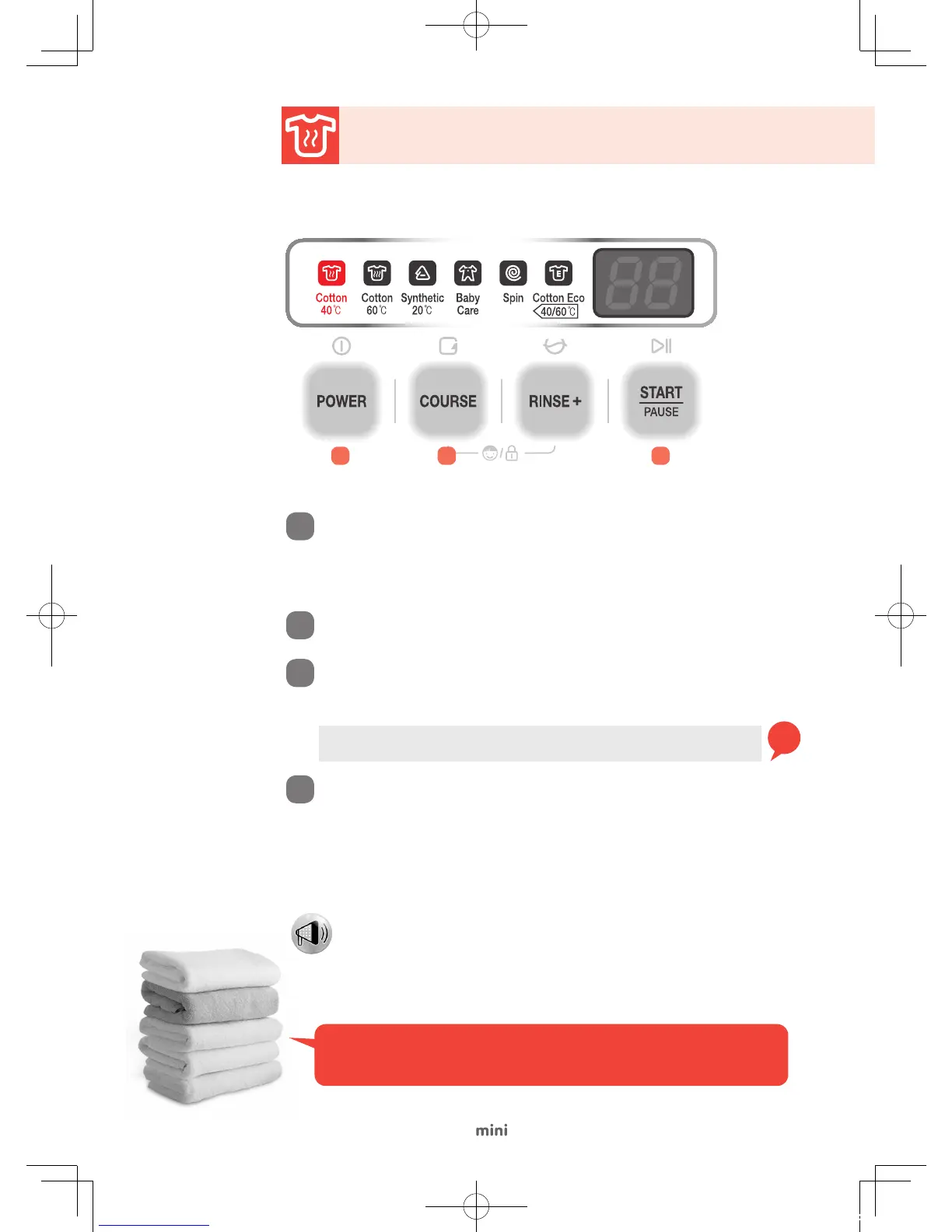
Cotton 40°C
Select the Cotton 40°C Course for daily laundry (towel, socks, and dress shirts) and other
regular items.
Open the door and load the washer with clothes. Add detergent and fabric
softener into the detergent and softener containers respectively and then
close the door.
- Turn detergent and softener containers clockwise to close them tight before use.
Press the Course button to select 'Cotton 40°C'.
- The water temperature of 40°C water, two rinse cycles, and spin cycle are selected
automatically.
Press the Power button slightly for a second.
Tip
Press the Add Rinse button to change the number of rinse cycles.
(Up to 5 rinse cycles are available)
"Do not pile up your daily laundry of towels, socks, and shirts.
Cold Course takes only 29 minutes to complete its entire cycle."
1
2
3
- The wash cycle starts with water supply after the door is locked.
Press the Start/Pause button.
4
2 3 4
- Press the Start/Pause button and then select other buttons to change the setting
while the washer is running.
- If you press the Start/Pause button after turning on the washer, the initial setting
applies automatically to the wash cycle.
Note
DWD-CV701PC_Cotton_ZORA.indd 17 2014-11-18 오전 11:41:33


 To Next Page