13
GUIDES FOR OTHER USEFUL PROGRAMS
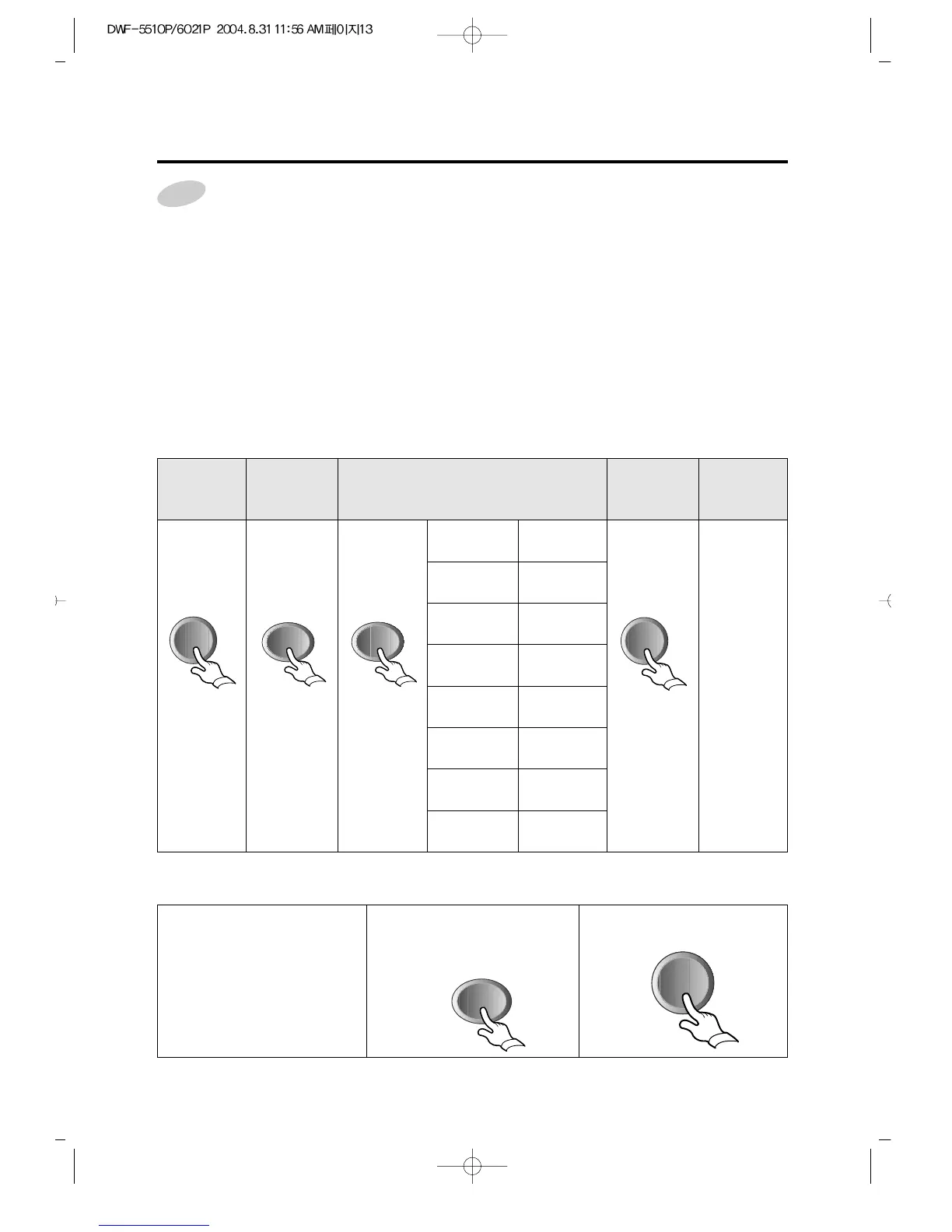
For the partial process or the combinations, or for adding time of each process.
step 1. Press power switch
step 2. Press program button until the indicating lamps make the combinations you want.
If only spin lamp is turned on, that means you will operate your washer for spin only.
If rinse and spin lamp are turned on, that means you will operate your washer for rinse and spin.
If add lamp is turned on with other process lamps, that means the time of the corresponding
process will increase by 1~2 minutes, that is, if add is on with wash, rinse and spin,
the time of each process will increase by 1~2 minutes. (Wash:add 2min., Rinse:add
1min., Spin:add 1min.)
step3. Press water level selector as your decision.
step4. Press Start/Hold to start.
1 Press the
power
switch.
2 Selecting
Water
level
❍ HIGH
❍ MID
❍ LOW
❍ ADD
❍ WASH
❍ RINSE
❍ SPIN
Wash &
Rinse & Spin
Only Spin
Add & Wash
Add & Rinse
& Spin
Add & Spin
Add & Wash
& Rinse & Spin
Only Wash
Rinse & Spin
4
Pressing the
Start/Hold
Switch
End of
Washing
It is
Informed
by buzzer
For the reservation of finishing time
1 Set your program as the
above procedure, remaining
last step.
• Press the course selection
button.
• Press the procedure selection
button.
• But wool/suit course can not
reservation.
2 Press reservation button
until the digital monitor
displays the finishing time
you want.
3 Press Start/Hold to start.



 To Next Page