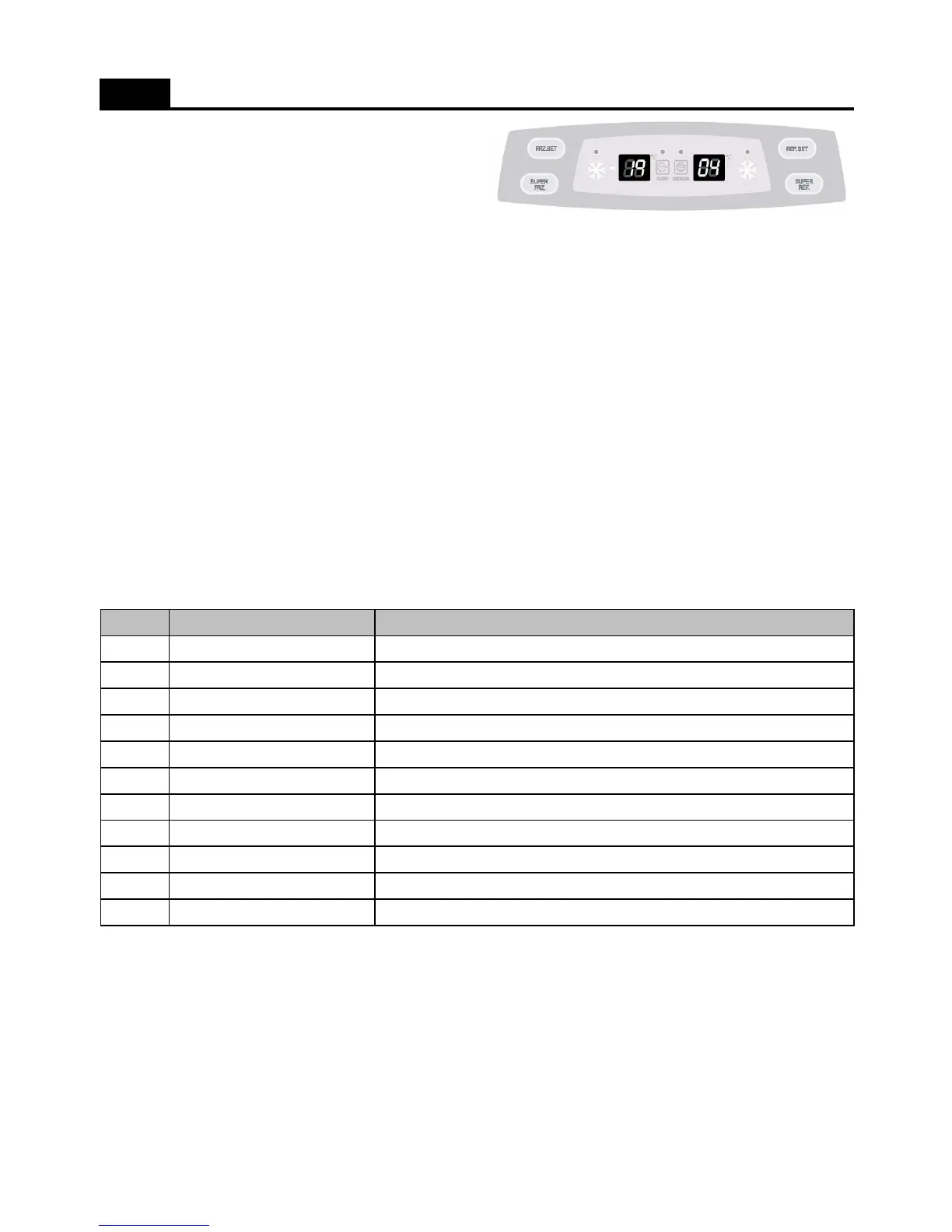
1. How to enter this check mode
; Press the SUPER FRZ. button 5 times while pushing the FRZ. SET button.
2. The Front LED displays the current error code ( if happens ).
; Every time you press the FRZ. Set button, the following value display.
1) The appliance running time. ( From the plug in. )
2) Freezer sensor temperature.
3) Defrost sensor temperature.
4) Refrigerator sensor temperature.
5) Room temperature.
3. How to exit this mode
1) Press the REF.SET button
2) After 4 minutes automatically exit.
FUNCTIONS ( Error Display_Basic Model )
4. Error Code
No
1
2
3
4
5
6
7
8
9
10
11
; All Error Code reset, when the relative parts turn into normal.
r1
Refrigerator sensor disconnection or short
rt
Room temperature sensor disconnection or short
Display (Error Code) Remark
F1
Freezer sensor disconnection or short
dF
Freezer Door switch is defective.
dH
Home Bar Door switch is defective.
d1
Defrost sensor disconnection or short
dr
Refrigerator Door switch is defective.
Co
Pull-Down mode display (No error)
d2
Forced Defrost mode display (No error)
C1
Abnormal or defective cycle
F3
Return after defrosting : abnormal or defective
15



 To Next Page