EasyManua.ls Logo

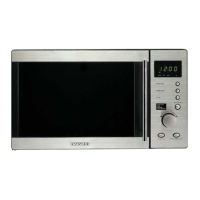
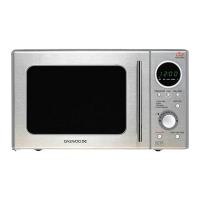
Daewoo KOG-131A - User Manual

Daewoo KOG-131A
19 pages
Print Icon
To Next Page IconTo Next Page
Loading...
Before operating this oven, please read these instructions completely.
OPERATING
INSTRUCTIONS
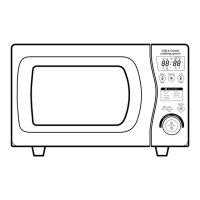
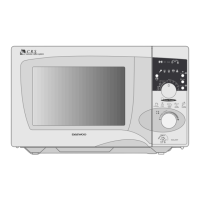
MICROWAVE OVEN
KOG-131A
KOG-131AOS(¿ )-MIEC˙ 01.7.13 6:8 PM ˘`2
Question and Answer IconNeed help?

Do you have a question about the Daewoo KOG-131A and is the answer not in the manual?

Summary

Precautions for Microwave Energy Exposure

Avoid Open-Door Operation

Avoid open-door operation to prevent harmful microwave energy exposure.

Keep Oven Seals Clean

Keep oven seals clean; avoid objects between door and front face.

Damaged Door or Seals Warning

Do not operate if door or seals are damaged; requires repair by trained person.

Service by Trained Personnel Only

Only trained personnel should perform service involving covers protecting from microwave energy.

Avoid Sealed Containers

Avoid heating sealed containers to prevent explosions.

Child Supervision for Oven Use

Supervise children when using the oven; ensure they understand hazards.

Earthing Instructions

Earthing Plug Warning

Improper earthing can risk electric shock; consult electrician if unsure.

Microwave Oven Installation

Stable Flat Location Requirement

Place oven on a steady, flat surface for counter top use only.

Ventilation Space

Ensure clearance for air vents to prevent overheating and failure.

Placement Away from Electronics

Position oven away from TVs/radios to avoid interference.

Avoid Heat and Moisture Sources

Keep oven away from heat/steam sources to prevent insulation damage.

Power Supply Requirements

Check local power source (11A, 220V 50Hz); use correct voltage and cord.

Inspect for Shipping Damage

Check for damage like misaligned door, broken parts; contact dealer if found.

Temperature Considerations

Allow oven to reach room temperature before operating if cold.

Overhead Clearance

Ensure at least 100mm of free space above the oven.

Appliance Specifications

Power Cord Wiring Identification

Explains wire color coding for Earth, Neutral, and Live connections.

Mandatory Earthing

Emphasizes the necessity of earthing the appliance.

Important Safety Instructions

General Safety Guidelines

Lists essential safety rules for oven performance and user protection.

Use for Food Preparation Only

Oven is for food prep only, not for drying or sterilizing non-food items.

Do Not Operate Empty

Never operate the oven empty to avoid damage.

Keep Cavity Clear

Keep the oven cavity clear; do not store items inside.

Use Glass Tray

Always use the glass tray and ensure it's properly seated on the base.

Remove Lids Before Cooking

Remove caps/lids from sealed bottles before cooking to prevent accidents.

Avoid Foreign Objects in Door

Avoid foreign material between door and surface to prevent microwave leakage.

Avoid Recycled Paper Products

Avoid recycled paper products due to impurities that can cause sparks/fires.

Microwave Popcorn Use

Use only microwave-approved popcorn poppers; avoid oil unless specified.

Pierce Foods with Membranes

Pierce foods with membranes (e.g., egg yolks) before cooking.

Do Not Overcook Popcorn

Do not overcook popcorn; it can cause scorchings, fire, or damage to the tray.

Action for Smoke

Switch off or unplug immediately if smoke is observed to extinguish flames.

Monitor Paper;Plastic Containers

Monitor food in plastic/paper containers frequently due to ignition risk.

Check Baby Food Temperature

Stir/shake baby food/bottles and check temperature to avoid burns.

Test Food Temperature

Test food/drink temperature before serving, especially for children/elderly.

Do Not Heat Eggs in Shell

Do not heat eggs in shell or hard-boiled eggs as they may explode.

Clean Waveguide Cover

Keep waveguide cover clean; wipe interior to prevent overheating or fire.

Avoid Deep Frying

Never heat oil/fat for deep frying as it can lead to overheating and fire.

Beverage Boiling Caution

Be cautious with heated beverages due to delayed eruptive boiling.

Handle Hot Surfaces Cautiously

Be cautious touching hot parts during/after grill or combi cooking.

Use Oven Mitts

Use hot pads or mitts when handling food or accessories.

Microwave Oven Features Diagram

Door Seal Function

Seals the oven cavity to prevent microwave energy leakage.

Reflector Description

Component within the oven cavity.

Heating Element

Provides heat for cooking functions.

Oven Cavity

The main interior space for cooking.

Safety Interlock System

Ensures the oven stops when the door is opened.

Door Release Button

Opens the oven door and cuts power to the magnetron.

Metal Rack

Rack used for grilling or combination cooking.

Coupler

Fits over the shaft on the oven floor for the tray.

Roller Guide

Supports the glass cooking tray during rotation.

Glass Cooking Tray

Heat-resistant glass tray for holding food.

Door Viewing Screen

Allows viewing food while blocking microwave energy.

Door Hook

Secures the door and automatically shuts off the oven.

Control Panel Overview

Time Set Pad

Used to set cooking time and the present time.

Display Screen

Shows cooking time, power level, indicators, and present time.

Auto Cook Function

Used for cooking or reheating specific foods automatically.

One Touch Cooking

Cooks or reheats specific food quantities with a single touch.

Less Button

Decreases cooking time or quantity.

More Button

Increases cooking time or quantity.

Combi Cooking Button

Used for combination cooking (microwave + grill).

Grill Cooking Button

Used for grilling food.

Time Defrost Button

Used to defrost food by setting a specific time.

Weight Defrost Button

Defrosts food automatically based on weight.

Power Level Button

Used to select the microwave power level.

Kitchen Timer

Functions as a minute timer, delay start, or holding timer.

Clock Setting Button

Used to set the appliance's clock.

Stop;Clear Button

Stops the oven operation or clears cooking data.

Start;Speedy Cook Button

Starts cooking or initiates speedy cook function.

Oven Operation Procedure

Initial Setup Steps

Plug in cord, place food in container, open and close door securely.

Oven Light Operation

Oven light operates only during cooking.

Door Opening During Operation

Door can be opened anytime; oven stops automatically.

Control Pad Feedback

A beep confirms pad touches.

Default Power Setting

Oven defaults to full power unless a lower level is set.

Display After Power Restore

Display shows ": 0" upon plug-in or power restoration.

Clock Reset

Clock resets to current time after cooking cycle.

Using Stop;Clear

STOP/CLEAR stops cooking; another touch erases data.

Troubleshooting Start Pad

Check for obstructions and door closure if START pad doesn't work.

Grill;Combi Mode Notes

Notes on grill/combi mode: avoid frequent door opening, touch hot parts carefully.

Oven Controls

Setting the Clock

Instructions for setting the 12-hour or 24-hour clock.

Time Defrosting Procedure

Procedure for defrosting food using a set time.

Weight Defrosting

Automatic Defrosting by Weight

Defrosts food automatically by weight selection.

Weight Defrost Chart

Chart showing weight options for Meat, Poultry, and Fish defrosting.

Cooking Stages

One Stage Cooking Setup

Select power level, then set cooking time, and press start.

One Stage Cooking Note

Lower power levels increase cooking time for certain foods.

Two Stage Cooking - Defrost

Initiate defrosting stage by setting time.

Two Stage Cooking - Power

Select power level for the cooking phase.

Two Stage Cooking - Time

Set the duration for the cooking phase.

Two Stage Cooking - Start

Start the combined defrost and cook cycle.

Special Cooking Modes

Grill Cooking Activation

Activate the grill function.

Grill Cooking Time Setting

Set the cooking time for grilling.

Start Grill Cooking

Start the grill cooking process.

Combi Cooking Activation

Activate the combination cooking mode.

Combi Cooking Time Setting

Set the cooking time for combi mode.

Start Combi Cooking

Start the combination cooking process.

Kitchen Timer Functions

Using as a Minute Timer

Use the timer as a simple minute counter.

Delay Start Cooking

Program a delayed start for cooking.

Setting a Holding Time

Set a specific time for the oven to hold food warm.

Adjusting Cooking Time

Using Less;More Buttons

Adjust cooking time or quantity during operation.

Child Safety Lock

Child Safety Lock Activation

Prevents accidental operation by children.

Stopping Oven Operation

Stopping with Stop;Clear

Stop oven operation using the STOP/CLEAR button.

Stopping by Opening Door

Opening the door also stops the oven operation.

Utensil Guidelines

Utensil Suitability Check

Check utensil suitability for microwave, grill, and combi cooking.

Material Compatibility Chart

Lists suitable materials for microwave, grill, and combi cooking.

Care and Cleaning

Maintain Safety Interlocks

Do not tamper with safety interlocks.

Clean Door Sealing Surfaces

Keep sealing surfaces clean; avoid foreign objects.

Avoid Door Strain

Avoid straining the door; do not let children hang on it.

Professional Servicing Only

Only trained technicians should adjust or repair the oven.

Service Troubleshooting

Oven Not Working Checklist

Troubleshooting steps for when the oven does not work.

Sparking Cavity Troubleshooting

Troubleshooting steps for sparking inside the oven cavity.

Warning: Do Not Self-Service

Warning against self-servicing the appliance.

Frequently Asked Questions

Accidental Empty Operation

Clarifies that running empty briefly won't damage the oven.

Tray;Guide Removal

Confirms glass tray and roller guide must always be used.

Opening Door During Operation

Explains door opening stops operation and how to restart.

Moisture Inside Oven

Explains moisture is normal steam condensation.

Viewing Screen Function

Explains the screen blocks microwave energy but allows light.

Summary

Precautions for Microwave Energy Exposure

Avoid Open-Door Operation

Avoid open-door operation to prevent harmful microwave energy exposure.

Keep Oven Seals Clean

Keep oven seals clean; avoid objects between door and front face.

Damaged Door or Seals Warning

Do not operate if door or seals are damaged; requires repair by trained person.

Service by Trained Personnel Only

Only trained personnel should perform service involving covers protecting from microwave energy.

Avoid Sealed Containers

Avoid heating sealed containers to prevent explosions.

Child Supervision for Oven Use

Supervise children when using the oven; ensure they understand hazards.

Earthing Instructions

Earthing Plug Warning

Improper earthing can risk electric shock; consult electrician if unsure.

Microwave Oven Installation

Stable Flat Location Requirement

Place oven on a steady, flat surface for counter top use only.

Ventilation Space

Ensure clearance for air vents to prevent overheating and failure.

Placement Away from Electronics

Position oven away from TVs/radios to avoid interference.

Avoid Heat and Moisture Sources

Keep oven away from heat/steam sources to prevent insulation damage.

Power Supply Requirements

Check local power source (11A, 220V 50Hz); use correct voltage and cord.

Inspect for Shipping Damage

Check for damage like misaligned door, broken parts; contact dealer if found.

Temperature Considerations

Allow oven to reach room temperature before operating if cold.

Overhead Clearance

Ensure at least 100mm of free space above the oven.

Appliance Specifications

Power Cord Wiring Identification

Explains wire color coding for Earth, Neutral, and Live connections.

Mandatory Earthing

Emphasizes the necessity of earthing the appliance.

Important Safety Instructions

General Safety Guidelines

Lists essential safety rules for oven performance and user protection.

Use for Food Preparation Only

Oven is for food prep only, not for drying or sterilizing non-food items.

Do Not Operate Empty

Never operate the oven empty to avoid damage.

Keep Cavity Clear

Keep the oven cavity clear; do not store items inside.

Use Glass Tray

Always use the glass tray and ensure it's properly seated on the base.

Remove Lids Before Cooking

Remove caps/lids from sealed bottles before cooking to prevent accidents.

Avoid Foreign Objects in Door

Avoid foreign material between door and surface to prevent microwave leakage.

Avoid Recycled Paper Products

Avoid recycled paper products due to impurities that can cause sparks/fires.

Microwave Popcorn Use

Use only microwave-approved popcorn poppers; avoid oil unless specified.

Pierce Foods with Membranes

Pierce foods with membranes (e.g., egg yolks) before cooking.

Do Not Overcook Popcorn

Do not overcook popcorn; it can cause scorchings, fire, or damage to the tray.

Action for Smoke

Switch off or unplug immediately if smoke is observed to extinguish flames.

Monitor Paper;Plastic Containers

Monitor food in plastic/paper containers frequently due to ignition risk.

Check Baby Food Temperature

Stir/shake baby food/bottles and check temperature to avoid burns.

Test Food Temperature

Test food/drink temperature before serving, especially for children/elderly.

Do Not Heat Eggs in Shell

Do not heat eggs in shell or hard-boiled eggs as they may explode.

Clean Waveguide Cover

Keep waveguide cover clean; wipe interior to prevent overheating or fire.

Avoid Deep Frying

Never heat oil/fat for deep frying as it can lead to overheating and fire.

Beverage Boiling Caution

Be cautious with heated beverages due to delayed eruptive boiling.

Handle Hot Surfaces Cautiously

Be cautious touching hot parts during/after grill or combi cooking.

Use Oven Mitts

Use hot pads or mitts when handling food or accessories.

Microwave Oven Features Diagram

Door Seal Function

Seals the oven cavity to prevent microwave energy leakage.

Reflector Description

Component within the oven cavity.

Heating Element

Provides heat for cooking functions.

Oven Cavity

The main interior space for cooking.

Safety Interlock System

Ensures the oven stops when the door is opened.

Door Release Button

Opens the oven door and cuts power to the magnetron.

Metal Rack

Rack used for grilling or combination cooking.

Coupler

Fits over the shaft on the oven floor for the tray.

Roller Guide

Supports the glass cooking tray during rotation.

Glass Cooking Tray

Heat-resistant glass tray for holding food.

Door Viewing Screen

Allows viewing food while blocking microwave energy.

Door Hook

Secures the door and automatically shuts off the oven.

Control Panel Overview

Time Set Pad

Used to set cooking time and the present time.

Display Screen

Shows cooking time, power level, indicators, and present time.

Auto Cook Function

Used for cooking or reheating specific foods automatically.

One Touch Cooking

Cooks or reheats specific food quantities with a single touch.

Less Button

Decreases cooking time or quantity.

More Button

Increases cooking time or quantity.

Combi Cooking Button

Used for combination cooking (microwave + grill).

Grill Cooking Button

Used for grilling food.

Time Defrost Button

Used to defrost food by setting a specific time.

Weight Defrost Button

Defrosts food automatically based on weight.

Power Level Button

Used to select the microwave power level.

Kitchen Timer

Functions as a minute timer, delay start, or holding timer.

Clock Setting Button

Used to set the appliance's clock.

Stop;Clear Button

Stops the oven operation or clears cooking data.

Start;Speedy Cook Button

Starts cooking or initiates speedy cook function.

Oven Operation Procedure

Initial Setup Steps

Plug in cord, place food in container, open and close door securely.

Oven Light Operation

Oven light operates only during cooking.

Door Opening During Operation

Door can be opened anytime; oven stops automatically.

Control Pad Feedback

A beep confirms pad touches.

Default Power Setting

Oven defaults to full power unless a lower level is set.

Display After Power Restore

Display shows ": 0" upon plug-in or power restoration.

Clock Reset

Clock resets to current time after cooking cycle.

Using Stop;Clear

STOP/CLEAR stops cooking; another touch erases data.

Troubleshooting Start Pad

Check for obstructions and door closure if START pad doesn't work.

Grill;Combi Mode Notes

Notes on grill/combi mode: avoid frequent door opening, touch hot parts carefully.

Oven Controls

Setting the Clock

Instructions for setting the 12-hour or 24-hour clock.

Time Defrosting Procedure

Procedure for defrosting food using a set time.

Weight Defrosting

Automatic Defrosting by Weight

Defrosts food automatically by weight selection.

Weight Defrost Chart

Chart showing weight options for Meat, Poultry, and Fish defrosting.

Cooking Stages

One Stage Cooking Setup

Select power level, then set cooking time, and press start.

One Stage Cooking Note

Lower power levels increase cooking time for certain foods.

Two Stage Cooking - Defrost

Initiate defrosting stage by setting time.

Two Stage Cooking - Power

Select power level for the cooking phase.

Two Stage Cooking - Time

Set the duration for the cooking phase.

Two Stage Cooking - Start

Start the combined defrost and cook cycle.

Special Cooking Modes

Grill Cooking Activation

Activate the grill function.

Grill Cooking Time Setting

Set the cooking time for grilling.

Start Grill Cooking

Start the grill cooking process.

Combi Cooking Activation

Activate the combination cooking mode.

Combi Cooking Time Setting

Set the cooking time for combi mode.

Start Combi Cooking

Start the combination cooking process.

Kitchen Timer Functions

Using as a Minute Timer

Use the timer as a simple minute counter.

Delay Start Cooking

Program a delayed start for cooking.

Setting a Holding Time

Set a specific time for the oven to hold food warm.

Adjusting Cooking Time

Using Less;More Buttons

Adjust cooking time or quantity during operation.

Child Safety Lock

Child Safety Lock Activation

Prevents accidental operation by children.

Stopping Oven Operation

Stopping with Stop;Clear

Stop oven operation using the STOP/CLEAR button.

Stopping by Opening Door

Opening the door also stops the oven operation.

Utensil Guidelines

Utensil Suitability Check

Check utensil suitability for microwave, grill, and combi cooking.

Material Compatibility Chart

Lists suitable materials for microwave, grill, and combi cooking.

Care and Cleaning

Maintain Safety Interlocks

Do not tamper with safety interlocks.

Clean Door Sealing Surfaces

Keep sealing surfaces clean; avoid foreign objects.

Avoid Door Strain

Avoid straining the door; do not let children hang on it.

Professional Servicing Only

Only trained technicians should adjust or repair the oven.

Service Troubleshooting

Oven Not Working Checklist

Troubleshooting steps for when the oven does not work.

Sparking Cavity Troubleshooting

Troubleshooting steps for sparking inside the oven cavity.

Warning: Do Not Self-Service

Warning against self-servicing the appliance.

Frequently Asked Questions

Accidental Empty Operation

Clarifies that running empty briefly won't damage the oven.

Tray;Guide Removal

Confirms glass tray and roller guide must always be used.

Opening Door During Operation

Explains door opening stops operation and how to restart.

Moisture Inside Oven

Explains moisture is normal steam condensation.

Viewing Screen Function

Explains the screen blocks microwave energy but allows light.

Daewoo KOG-131A Specifications

General IconGeneral
BrandDaewoo
ModelKOG-131A
CategoryMicrowave Oven
LanguageEnglish

Related product manuals