EasyManua.ls Logo

Daewoo KOR-804M - Page 13

Daewoo KOR-804M
57 pages
Print Icon
To Next Page IconTo Next Page
To Previous Page IconTo Previous Page
Loading...
DO
THIS...
THIS
HAPPENS...
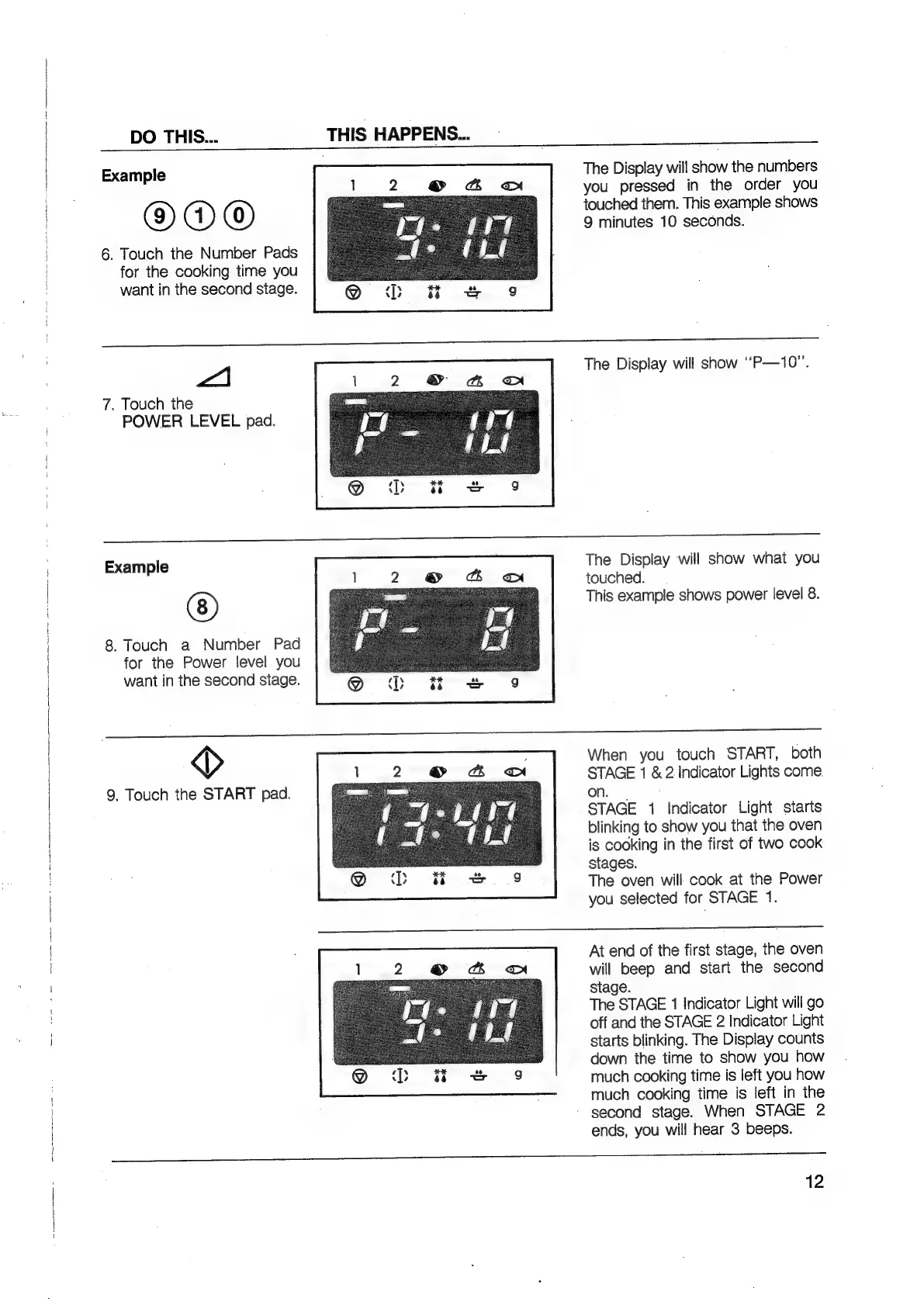
The
Display
will
show
the
numbers
you
pressed
in
the
order
you
touched
them.
This
example
shows
9
minutes
10
seconds.
Example
®DO”DO
6.
Touch
the
Number
Pads
for
the
cooking
time
you
want
in
the
second
stage.
A\
The
Display
will
show
‘‘P—10”.
7.
Touch
the
POWER
LEVEL
pad.
The
Display
will
show
what
you
touched.
This
example
shows
power
level
8.
Example
8.
Touch
a
Number
Pad
for
the
Power
level
you
want
in
the
second
stage.
Ny,
9.
Touch
the
START
pad.
When
you
touch
START,
both
STAGE
1
&
2
Indicator
Lights
come.
on.
STAGE
1
Indicator
Light
starts
blinking
to
show
you
that
the
oven
is
cooking
in
the
first
of
two
cook
stages.
The
oven
will
cook
at
the
Power
you
selected
for
STAGE
1.
At
end
of
the
first
stage,
the
oven
will
beep
and
start
the
second
stage.
The
STAGE
1
Indicator
Light
will
go
off
and
the
STAGE
2
Indicator
Light
starts
blinking.
The
Display
counts
down
the
time
to
show
you
how
much
cooking
time
is
left
you
how
much
cooking
time
is
left
in
the
-
second
stage.
When
STAGE
2
ends,
you
will
hear
3
beeps.
ee
a
a
ES
12

Related product manuals