Need help?
Do you have a question about the Daewoo KOR-860A and is the answer not in the manual?
Ensure the microwave is placed on a stable, level surface for proper operation and safety.
Maintain adequate space around the oven to prevent overheating and ensure proper airflow.
Position the oven away from heat, water, and potential interference sources like TVs and radios.
Connect to a properly grounded 120V AC 60Hz outlet with adequate amperage.
Instructions for setting the 12-hour or 24-hour clock.
Guide to using the time-based defrost function for food.
Utilize the kitchen timer as a simple minute timer for precise timing.
Set a delayed start for cooking operations using the timer function.
Program a holding time after cooking to keep food warm.
Dedicated function for cooking microwave popcorn based on bag weight.
Function for cooking frozen pizza, selectable by weight.
Conveniently heat beverages by selecting the number of cups.
Function for cooking pre-portioned dinner plates by weight.
Pre-programmed cooking cycles for various food categories.
Guidelines for safe use of glass, ceramic, and china dishes.
Recommendations for using plastic containers and wraps.
Safe usage of paper products like napkins and plates.
Caution against using metal items due to arcing and damage risk.
Regular cleaning of the roller guide to ensure quiet operation.
Proper handling and cleaning procedures for the glass cooking tray.
Essential safety rules for operating the microwave oven in general.
Guidelines for safe handling and cooking of food items.
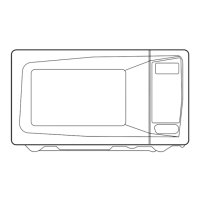
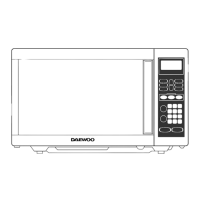
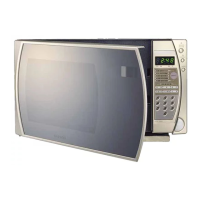
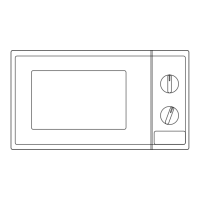
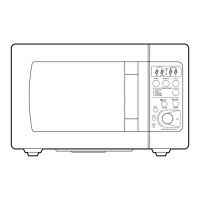
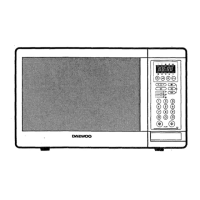
This document describes the Daewoo KOR-860A Microwave Oven, providing detailed instructions for its operation, maintenance, and safety.
The Daewoo KOR-860A is a microwave oven designed for heating, cooking, and defrosting food. It utilizes ISM frequency energy to cook food quickly and efficiently. The oven offers various cooking modes, including one-stage cooking, two-stage cooking, and specialized one-touch cooking for popular items like popcorn, frozen pizza, and beverages. It also features automatic defrosting based on either time or weight, simplifying the process of preparing frozen foods. The microwave oven is equipped with a digital display that shows cooking time, power level, and the current time. A Kitchen Timer mode allows for minute timing, delayed cooking starts, or setting a holding time after cooking. The oven operates on a standard 120V AC 60Hz power supply and is designed for household use.
The microwave oven offers a user-friendly interface with several pads for different functions.
Setting the Clock: Upon plugging in, the display flashes ":0". The clock can be set to either a 12-hour or 24-hour system by pressing the CLOCK pad once or twice, respectively. The time is then entered using the number pads, followed by pressing the CLOCK pad again and then STOP/CLEAR. If an incorrect time is entered, an error signal will sound, and the user must re-enter the time.
Time Defrosting: To defrost food by time, press the DEFROST pad, enter the desired defrosting time using the number pads (up to 59 minutes 99 seconds), and then press START. The oven will cycle on and off, and beep signals will indicate when the food needs to be turned or rearranged.
Weight Defrosting: For automatic defrosting based on weight, select the food category (MEAT, POULTRY, or FISH) by pressing the corresponding pad. The display will show a default weight (e.g., "1.0" for meat). Repeatedly press the category pad to select the desired weight from the weight defrost chart. Press START to begin defrosting. The oven will beep during the cycle to prompt turning or rearranging the food.
Cooking in One Stage: To cook in one stage, press the POWER pad and select the desired power level (from P-HI for 100% power down to P-00 for 0% power) by pressing the POWER pad multiple times. Then, enter the cooking time using the number pads (up to 59 minutes 99 seconds) and press START. If no power level is selected, the oven will cook at full power. Lower power levels are recommended for delicate foods like cheese, milk, and slow-cooked meats.
Cooking in Two Stages: This feature allows for automatic defrosting followed by cooking. First, press the DEFROST pad and enter the defrosting time. Then, press the POWER pad to select the cooking power level, enter the cooking time, and press START. The oven will first complete the defrosting stage, signaling when food needs attention, and then automatically proceed to the cooking stage.
Kitchen Timer Mode: The KITCHEN TIMER pad can be used for three purposes:
Speedy Cook: Pressing the SPEEDY COOK pad initiates a 30-second reheat at 100% power. Repeated presses can extend the reheating time in 30-second increments, up to 5 minutes.
One Touch Cooking: This feature provides pre-programmed settings for common foods:
Auto Cook: The AUTO COOK pad allows for cooking or reheating various foods by repeatedly pressing the pad to select a category (AC-1 to AC-5), each corresponding to a specific food type and weight (e.g., BREAD, SOUP, BAKED POTATO, FRESH VEGETABLE, FROZEN VEGETABLE).
Less/More: During one-touch cooking or regular cooking, the LESS/MORE pads can be used to adjust the cooking time. LESS/MORE adjusts one-touch cooking time in 10-second multiples and regular cooking time in 1-minute multiples, up to a maximum of 59 minutes 99 seconds.
Child Safety Lock: To prevent unintended operation, press and hold STOP/CLEAR for 3 seconds to activate the child safety lock. A beep sounds, and the LOCK indicator lights up. To deactivate, press and hold STOP/CLEAR again for 3 seconds.
Stopping Oven Operation: The oven can be stopped by pressing the STOP/CLEAR pad (retaining current settings for restart) or by opening the door (also retaining settings). To erase all instructions, press STOP/CLEAR twice.
Proper care and cleaning are essential for the longevity and safe operation of the microwave oven.
General Cleaning:
Glass Tray and Roller Guide:
Waveguide Cover:
Utensil Test: To determine if a utensil is microwave-safe, place the empty utensil in the oven with one cup of water in a glass measure next to it. Heat on high for 1 minute. If the water is warm but the utensil is not, it is suitable for microwave cooking. If the utensil is warm, it is not suitable.
Microwave Utensils Guidelines:
Safety Precautions:
 General
| Type | Countertop |
|---|---|
| Power Output | 800 Watts |
| Control Type | Mechanical |
| Weight | 26.5 lbs |
| Turntable | Yes |
| Turntable Diameter | 10.6 inches |
| Voltage | 120V |
| Frequency | 60 Hz |

 To Next Page