EasyManua.ls Logo

Daewoo KOR-804M - Page 8

Daewoo KOR-804M
57 pages
Print Icon
To Next Page IconTo Next Page
To Previous Page IconTo Previous Page
Loading...
Example
"8.
Touche
CLOCK
pad
to
SETTING
THE
CLOCK
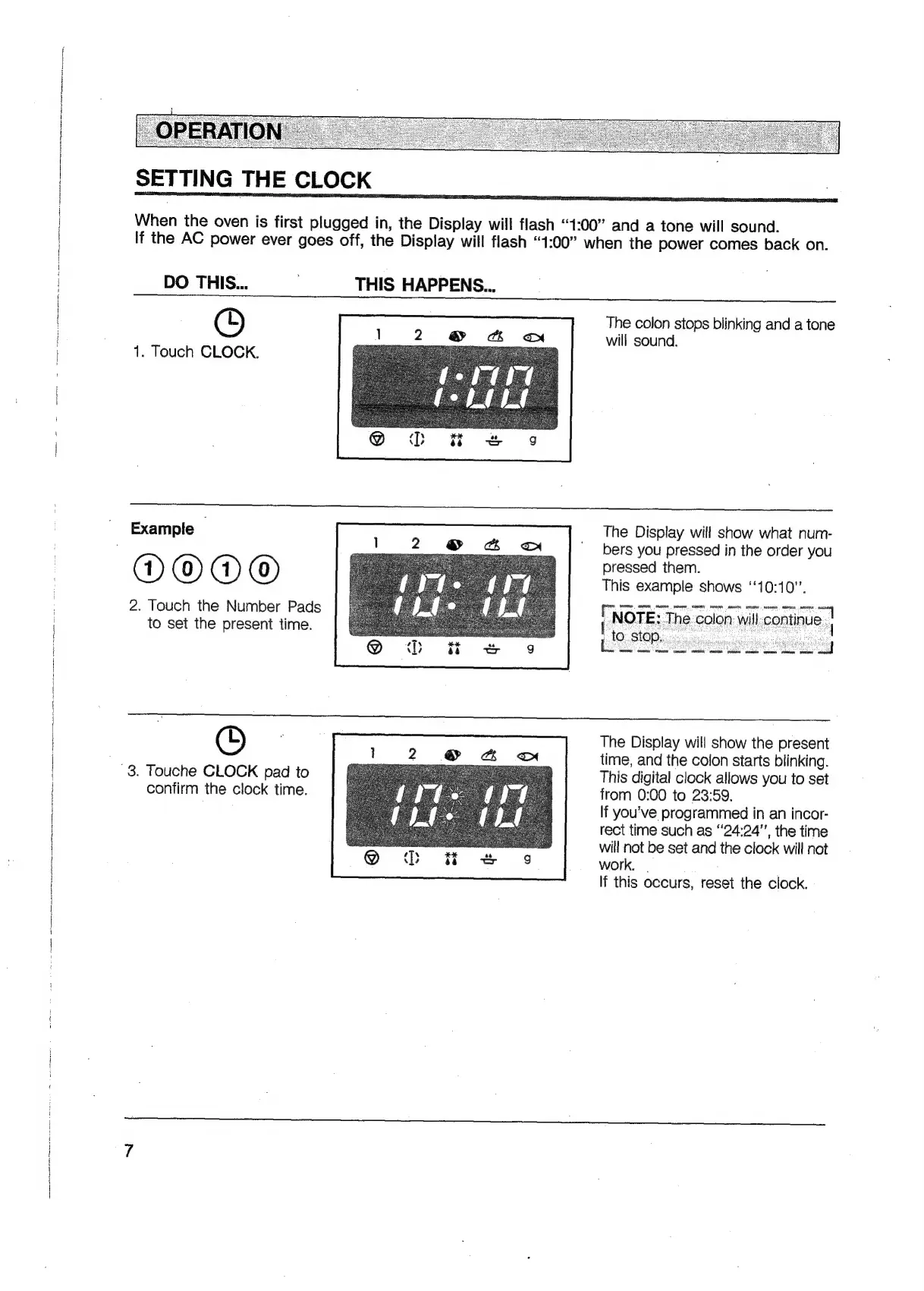
When
the
oven
is
first
plugged
in,
the
Display
will
flash
“1:00”
and
a
tone
will
sound.
If
the
AC
power
ever
goes
off,
the
Display
will
flash
“1:00”
when
the
power
comes
back
on.
DO
THIS...
.
THIS
HAPPENS...
©
1.
Touch
CLOCK.
The
colon
stops
blinking
and
a
tone
will
sound.
The
Display
will
show
what
num-
bers
you
pressed
in
the
order
you
pressed
them.
This
example
shows
‘‘10:10”.
NOTE:
The
colon
will
continue
}
[i080
DOO®
2.
Touch
the
Number
Pads
to
set
the
present
time.
The
Display
will
show
the
present
time,
and
the
colon
starts
blinking.
This
digital
clock
allows
you
to
set
from
0:00
to
23:59.
If
you've
programmed
in
an
incor-
rect
time
such
as
“24:24’’,
the
time
will
not
be
set
and
the
clock
will
not
work.
.
If
this
occurs,
reset
the
clock.
confirm
the
clock
time.

Related product manuals