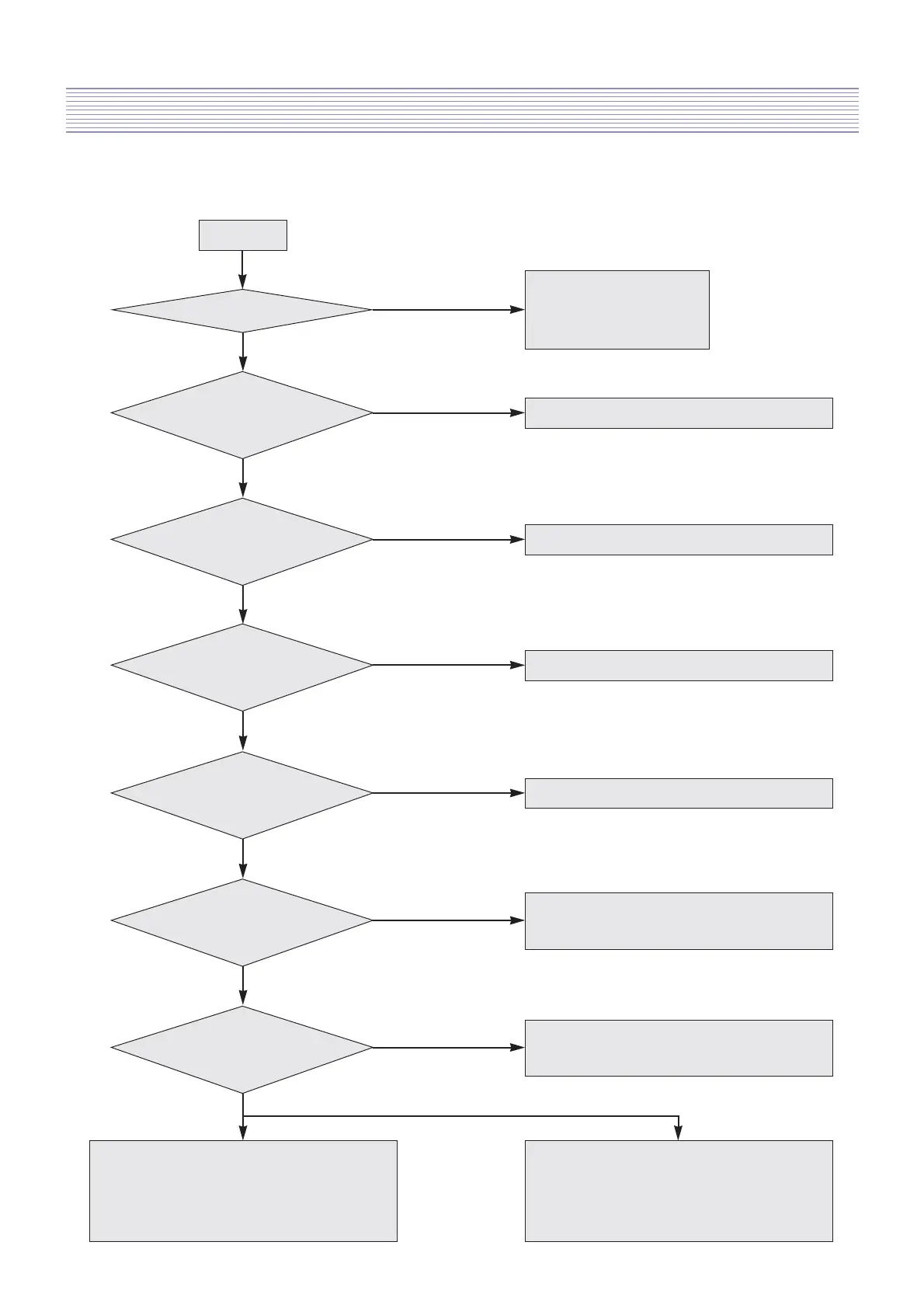
Hardware Troubleshooting : Digital Board
-17-
2) In spite of picture display, the sound is not generated.
START
1. Confrim AC connection
2. Confrim Power S/W on
3. Check Video or other PCBs
Check the connection of jack
Does screen appear?
Yes
No
Yes
Is the Sound input Jack
correctly connected?
No
Check the connection of speaker
Yes
Is the speaker correctly
connected?
No
Check the SMPS and input voltage
Yes
Check
the input power of IC602 is normal
(Pin 4, 7, 12, 15)
No
Check the path from IC602 to Speaker
No
Check
the signal output of IC602 is normal
(Pin 8, 9, 16, 17)
Yes
Perhaps IC602 problem.
Replace main PCB
No
No
Check
the signal output of IC601 is normal
(Pin 31, 33)
Yes
Perhaps IC601 problem.
Replace main PCB
Digital TV mode : Check the path from Pin 7
of IC601 to Pin T2 of IC301
HDMI mode : Check the path from Pin 21
of IC601 to Pin V12 of IC501
Analog TV mode : Check the path from Pin 55
of IC601 to Pin 10 of TU101
Video, Component mode : Check the path from
each Pin of IC601 to each jack
Check
the input signal of IC601is
normal
Yes



 To Next Page