How to S/W Upgrade Tools
-37-
4) How to upgrade PIC micom of LCD TV.
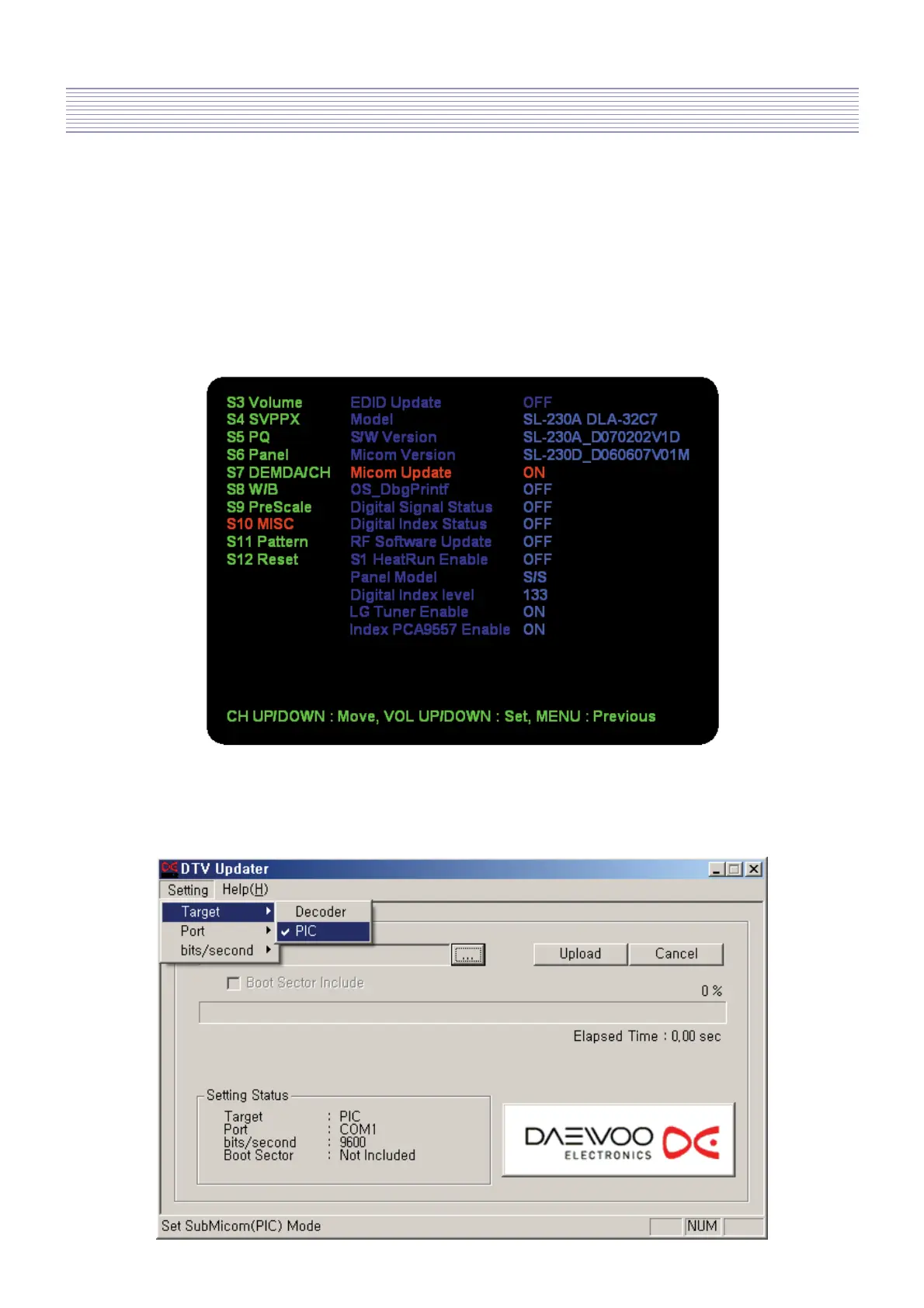
4.1 Execute S/W upgrade tool, which is DTV_Updater.exe.
4.2 Press S10 key on the service remote controller.
Move to [Micom Update] with CH UP/DOWN key.
And set the option into ON with VOL UP/DOWN key as below.
4.3 Select [Setting] -> [Target] -> [PIC] in the menu.



 To Next Page