Power/Start/Stop (11)
After inserting the mains plug into the socket, the Power/Start/Stop (11) icon will
illuminate.
Press the Power/Start/Stop (11) button once and the Control Panel (2) will
illuminate.
Press the Power/Start/Stop (11) for a second time will start the cooking process at
a default temperature of 185°C and a cooking time of 15 minutes.
Pressing the Power/Start/Stop (11) at any time during the cooking process will
stop the appliance, causing the display to switch off immediately.
After use the fan will continue running for 20 seconds to cool the appliance down.
Internal Light (12)
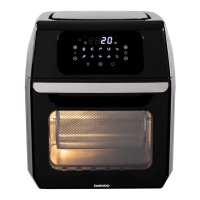
Press the Internal Light (12) button to operate the internal light to help check the
cooking progress through the Viewing Window (5).
The light indicator will keep flashing whilst the Internal Light (12) is on.
After 2 minutes, the Internal Light will go out, however, the indicator will stop
flashing and stay on.
Opening the Door (4) during the cooking process will pause the selection and
also switch on the internal light.
Heat indicator (14)
The Heat Indicator (14) will flash whilst the air fryer is heating.
The indicator will stop flashing and stay on when the temperature has been
reached. This will process will continue during cooking and quite normal.
Preset Cooking Chart


 To Next Page