Dahua Gigabit Industrial Managed Switch Quick Start Guide
3 Installation Description
3.1 Installation Steps
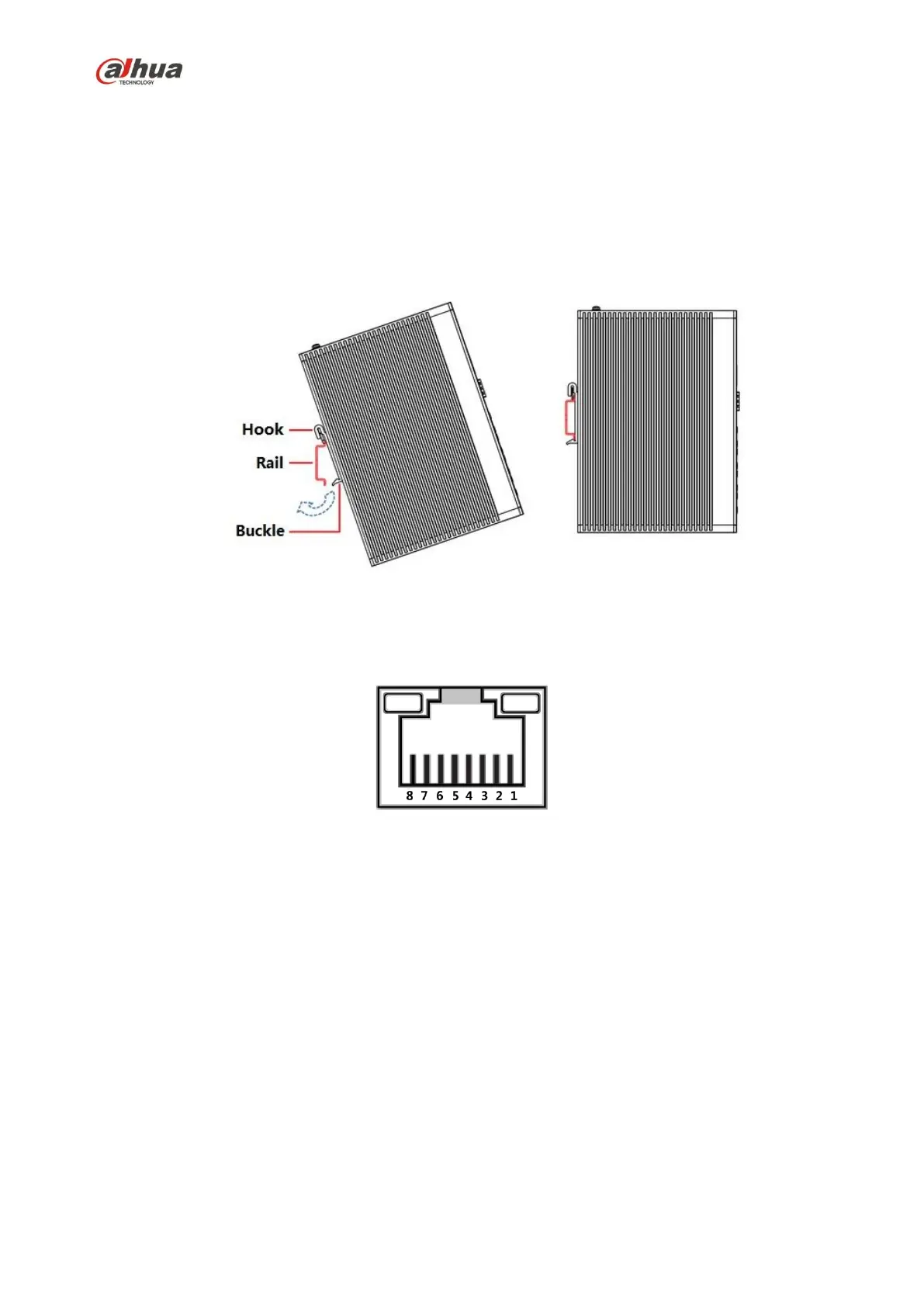
The device supports DIN-rail mount.
Hang the switch hook on the rail, press the switch to make the buckle stuck into the rail, which is shown
in Figure 3-1.
Figure 3-1
3.2 Wiring
3.2.1 Ethernet Port
Figure 3-2
10/100/1000 Base-T Ethernet port adopts standard RJ45 port, it is equipped with self-adaptation
function, can be automatically configured to full duplex/half-duplex operation mode, supporting
MDI/MDI-X self-recognition function of the cable, which means it can use cross-over cable or
straight-through cable to connect terminal device to network device.


 To Next Page
 Loading...