EasyManua.ls Logo

Dahua DH-IPC-L26N - User Manual

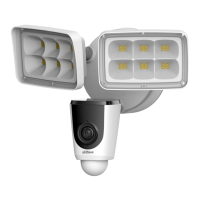
Dahua DH-IPC-L26N
22 pages
Print Icon
To Next Page IconTo Next Page
Loading...
IPC-L26N
WiFi Active Alarm Floodlight Camera
Quick Installation Guide
V1.0.2
Dahua Technology Co., Ltd

Questions and Answers

  • R
    Robert TuckerAug 11, 2025
    How to fix Dahua Security Camera when there is no picture or signal?
    • C
      Christopher DeanAug 11, 2025
      If your Dahua Security Camera isn't showing a picture or signal, here are a few things to check: * First, make sure the LED indicator on the camera is glowing a steady green. If it's not, consult the ‘LED Behavior’ section for more information. * Second, verify that the camera is correctly connected to a power source using the USB power adapter that came with it. * Finally, try moving the camera, your router, or both to get a better signal.
  • G
    Gabriella TaylorAug 17, 2025
    What to do if Dahua DH-IPC-L26N picture is not clear?
    • C
      Christina VelazquezAug 17, 2025
      If the picture from your Dahua Security Camera is not clear, start by inspecting the camera lens for any dirt, dust, or spiderwebs. If you find any, gently clean the lens using a soft, clean cloth. Also, make sure to remove the vinyl cover from the camera lens.
  • J
    James HernandezAug 23, 2025
    Why is there no audio on my Dahua DH-IPC-L26N Security Camera?
    • W
      wyattjenniferAug 23, 2025
      If you're not getting any audio from your Dahua Security Camera, first check that the audio function on the camera is enabled. Next, ensure that the audio is turned up on the device you're using to view the camera's feed.
  • R
    raycristianAug 29, 2025
    Why is the warning light not switching on automatically on my Dahua Security Camera?
    • E
      Elizabeth WilliamsAug 29, 2025
      If the warning light on your Dahua Security Camera isn't turning on automatically, verify that you have enabled and configured the white light deterrence feature.
  • J
    Jeremy KingSep 3, 2025
    Why is the siren not switching on automatically on my Dahua Security Camera?
    • C
      carrie70Sep 3, 2025
      The siren on the Dahua Security Camera cannot switch on automatically. You can manually control the camera siren using the Dahua DMSS app.

Dahua DH-IPC-L26N Specifications

General IconGeneral
Focal Length2.8 mm
Lens MountM12
Digital Noise Reduction3D DNR
Ingress ProtectionIP67
Lens TypeFixed lens
Day/NightICR
Wide Dynamic RangeDigital WDR
Video CompressionH.265; H.264
Network InterfaceRJ-45 (10/100 Base-T)
ProtocolHTTP; TCP; UDP; ARP; RTP; RTSP; SMTP; FTP; DHCP; DNS; DDNS; NTP
Operating Conditions-30°C ~ +60°C, Humidity 95% or less (non-condensing)
Power Supply12V DC/PoE (802.3af)
IR RangeUp to 30m
Image Sensor1/2.9" CMOS

Related product manuals