Quick Start Guide
1
1 Cable
Waterproof all the cable joints with insulating tape and waterproof tape to avoid short circuit and
water damage. For the detailed operation, see the FAQ Manual.
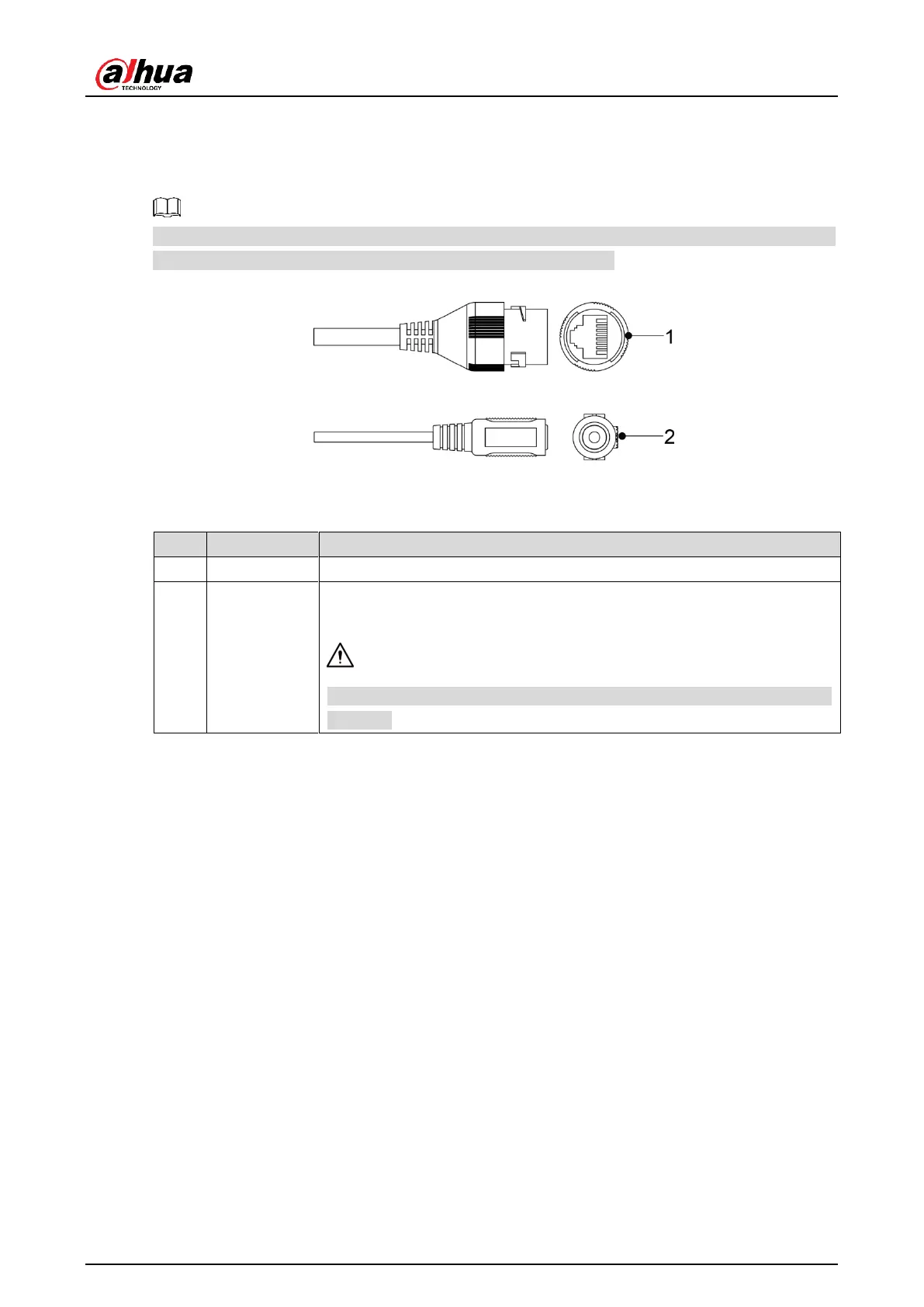
Cable list Figure 1-1
For more information about cable ports, see Table 1-1.
Table 1-1 Cable information
Connects to network with network cable.
Inputs 12V DC power. Be sure to supply power as instructed in the
manual.
Device abnormity or damage could occur if power is not supplied
correctly.



 To Next Page
 Loading...