EasyManua.ls Logo

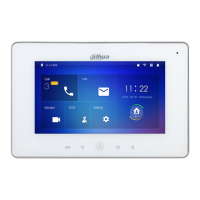
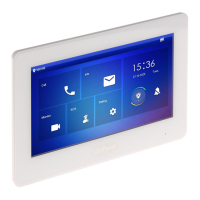
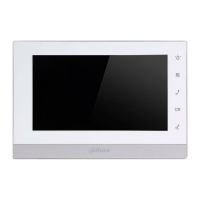
Dahua VTH5241DW - User Manual

Dahua VTH5241DW
109 pages
Print Icon
To Next Page IconTo Next Page
Loading...
Digital VTH
User’s Manual
V1.2.0

Table of Contents

Question and Answer IconNeed help?

Do you have a question about the Dahua VTH5241DW and is the answer not in the manual?

Summary

Cybersecurity Recommendations

Mandatory Actions for Cybersecurity

Outlines essential steps for securing the system against cyber threats.

Network Security Recommendations

Suggests optional measures for enhanced network security and protection.

Foreword

Safety Instructions

Explains the meaning of signal words used for safety warnings in the manual.

Important Safeguards and Warnings

Operating Requirements

Specifies environmental and operational conditions for safe device usage.

Power Requirements

Outlines the necessary power supply specifications and safety standards.

Product Structure

Rear Panel Ports

Explains the ports available on the rear panel of various VTH models.

Network Diagram

Digital System Diagrams

Explains the two types of digital system network configurations.

Device Installation

Installation Flow and Inspection

Provides a flow chart and guides on initial inspection of the device.

Installation Requirements

Lists essential requirements and precautions for installing the VTH device.

Device Debugging

Debugging Settings Overview

Covers initial settings required for debugging the VTH system.

VTO Settings and Initialization

Details configuration steps and initialization for VTO devices.

VTO Network and System Type Configuration

Guides on configuring VTO network settings and system type.

VTO Server Type Configuration

Details how to select the server type that manages VTO devices.

SIP Server Configuration

Explains the configuration steps for the SIP server.

VTH Settings and Initialization

Covers VTH settings and guides through the initialization process.

VTH Device Network Configuration

Explains how to configure network settings for VTH devices.

VTH Configuration Settings

Details the configuration of VTH information, including room number and master IP.

VTO Configuration Settings

Guides on adding VTO and fence station information to the VTH.

Debugging Verification Methods

Describes methods to verify the correct functioning of the system after setup.

Interface Operation

Main Interface Overview

Describes the six main items available on the VTH's main interface.

General Settings Menu

Provides access to various configuration settings for the VTH device.

General Device Settings

Covers general device settings like time, display, and password.

DSS Mobile for VDP

Summary

Cybersecurity Recommendations

Mandatory Actions for Cybersecurity

Outlines essential steps for securing the system against cyber threats.

Network Security Recommendations

Suggests optional measures for enhanced network security and protection.

Foreword

Safety Instructions

Explains the meaning of signal words used for safety warnings in the manual.

Important Safeguards and Warnings

Operating Requirements

Specifies environmental and operational conditions for safe device usage.

Power Requirements

Outlines the necessary power supply specifications and safety standards.

Product Structure

Rear Panel Ports

Explains the ports available on the rear panel of various VTH models.

Network Diagram

Digital System Diagrams

Explains the two types of digital system network configurations.

Device Installation

Installation Flow and Inspection

Provides a flow chart and guides on initial inspection of the device.

Installation Requirements

Lists essential requirements and precautions for installing the VTH device.

Device Debugging

Debugging Settings Overview

Covers initial settings required for debugging the VTH system.

VTO Settings and Initialization

Details configuration steps and initialization for VTO devices.

VTO Network and System Type Configuration

Guides on configuring VTO network settings and system type.

VTO Server Type Configuration

Details how to select the server type that manages VTO devices.

SIP Server Configuration

Explains the configuration steps for the SIP server.

VTH Settings and Initialization

Covers VTH settings and guides through the initialization process.

VTH Device Network Configuration

Explains how to configure network settings for VTH devices.

VTH Configuration Settings

Details the configuration of VTH information, including room number and master IP.

VTO Configuration Settings

Guides on adding VTO and fence station information to the VTH.

Debugging Verification Methods

Describes methods to verify the correct functioning of the system after setup.

Interface Operation

Main Interface Overview

Describes the six main items available on the VTH's main interface.

General Settings Menu

Provides access to various configuration settings for the VTH device.

General Device Settings

Covers general device settings like time, display, and password.

DSS Mobile for VDP

Dahua VTH5241DW Specifications

General IconGeneral
BrandDahua
ModelVTH5241DW
CategoryIntercom System
LanguageEnglish

Related product manuals