Need help?
Do you have a question about the Dahua VTH Series and is the answer not in the manual?
This document provides a quick start guide for the Analog 4-Wire Video Intercom system, which includes both a door station (VTO) and an indoor monitor (VTH). This system is designed for residential buildings, facilitating voice and video calls between residents and visitors. The VTO is intended for outdoor installation, while the VTH is installed indoors.
The VTH offers several key features to enhance user experience. It supports real-time video and voice communication, allowing users to interact with visitors at the door. A significant advantage of this system is its expandability, as the VTH can be connected to up to three VTOs, providing flexibility for properties with multiple entry points. Additionally, the VTH can be connected to external cameras (CVBS), enabling broader surveillance capabilities. The system is designed for ease of use, featuring plug-and-play functionality for straightforward setup.
The VTO, or door station, also comes with essential features. It provides real-time voice communication, ensuring clear audio during interactions with visitors. A notable feature of the VTO is its self-adaptive IR illumination, which automatically adjusts infrared lighting to ensure clear video quality even in low-light conditions, enhancing security and visibility at night.
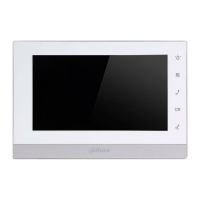
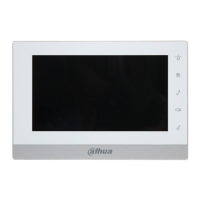
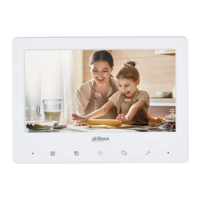
The manual details the front panel layout for both 7-inch and 4.3-inch VTH models. For the 7-inch VTH, the front panel includes a microphone, a hang-up button (also used for taking snapshots during monitoring on VTH1020J-T models), a button to wake up the screen and access the menu, and a call button. The call button has multiple functions: pressing it once initiates voice communication with a caller from the VTO, pressing it twice quickly hangs up, and when no one is calling, it allows users to view live video feeds from VTO1, VTO2, analog camera 1, and analog camera 2 with successive presses. During live video, it can also be used to take snapshots (on VTH1020J-T). A door-open button is also present, which, when pressed during a call, opens the door connected to the VTO. Other indicators include a power indicator and an LCD screen.
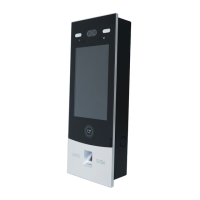
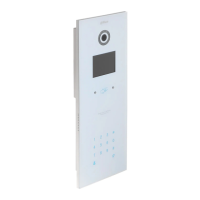
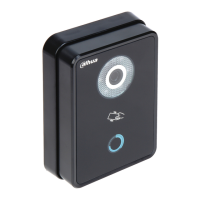
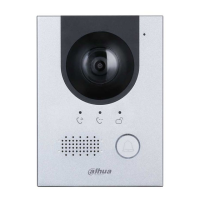
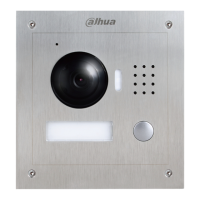
For the VTO, the front panel features a microphone, a built-in camera, a power indicator, and a call button. The call button on the VTO has extended functionalities: a single press calls the VTH, holding it for 10 seconds changes the bell type (indicated by a flashing power indicator), holding it for 15 seconds adjusts the bell volume (cycling from minimum to maximum and back), and holding it for 20 seconds toggles between DWDR (digital wide dynamic range) and normal mode for the VTO camera, also indicated by a flashing power indicator. A speaker is also integrated into the VTO.
The rear panel of the VTH includes various ports for connectivity. These include analog camera ports (1 and 2), VTO ports (1 and 2), VTH cascading ports (1 and 2), and a power input. The VTO hanging slot is also located on the rear. The manual provides a detailed description of the wires, with specific colors indicating different functions: Red for power, Yellow for video, White for audio, Black for GND (ground), Green for the exit button, Orange for feedback, Purple for NO (normally open), Blue for COM (common), and Brown for NC (normally closed).
Installation guidelines emphasize safety and proper placement. Devices should not be installed in harsh environments with condensation, high temperatures, dust, corrosive substances, or direct sunlight. In case of abnormality, the power supply should be disconnected immediately. Installation should be performed by professionals, and users are advised not to dismantle or repair the device themselves. The recommended installation height for the device is 1.6 meters from the ground. For VTH installation, a bracket is fixed to the wall, the VTH is hung on it, and silicone sealant is applied to seal any gaps. For VTO installation, either a bracket or a cover is fixed to the wall, the VTO is hung, and sealant is applied.
Wiring instructions are crucial for the system's functionality. The system supports a maximum of 2 VTOs and 3 VTHs in one communication setup. Port connection rules specify how VTHs can be cascaded for data communication: Port A of one VTH connects to Port C of another, and Port B connects to Port D. Cross-connections (A to B or D, C to B or D) are not permitted. The manual also provides cord specifications based on transmission distance, recommending RVV4 cords of different thicknesses (0.3 mm², 0.5 mm², 0.75 mm²) for distances up to 50 meters. For distances exceeding 50 meters, coaxial cables are recommended. Users are cautioned against pulling cords violently and advised to wrap cord joints with insulated rubber tape to prevent short circuits. Detailed wiring diagrams are provided for various configurations, including one VTO and one VTH, three VTOs and one VTH, and two VTOs and three VTHs, illustrating connections for analog cameras, electric locks, and exit buttons. The recommended analog cameras (CVBS) are HAC 1230 series.
Menu operations allow users to configure various settings on the VTH, such as volume, brightness, contrast, bell volume, bell type, and Do Not Disturb (DND) mode. The VTH1020J-T model specifically supports Snapshot and Time functions. All configurations are saved upon exiting the menu. The menu interface includes icons for confirming operations, adjusting settings, selecting items, exiting the menu and locking the screen, and returning to the previous interface.
The Snapshot function, available on VTH1020J-T, allows users to take and view snapshots. Snapshots can be taken during monitoring or automatically if a call lasts longer than 1 second. The VTH can store up to 200 snapshots, with older ones being overwritten when storage is full. Users can navigate through snapshots and delete them. The Time function allows users to adjust the system time. Finally, the manual describes how to restore the device to its default settings, which involves navigating to the Factory Reset option in the menu and confirming the operation, after which the device will restart.
Maintenance features are implied through the safety instructions, which advise against unauthorized disassembly or repair and recommend contacting customer service for device failures. The privacy protection notice highlights the user's responsibility to comply with local privacy laws when collecting personal data through the device, suggesting measures like providing clear identification of surveillance areas. The manual itself is a key maintenance feature, providing comprehensive guidance for proper operation and troubleshooting.
 General
| Touch Screen | Yes |
|---|---|
| Display Type | TFT LCD |
| Video Compression | H.264 |
| Display Size | 7 inch |
| Resolution | 1024 x 600 |
| Network | Ethernet |
| Operation Method | Touch buttons |
| Audio | G.711 |
| Network Interface | RJ45 |
| Operating Temperature | -10°C to +55°C |

 To Next Page