ARC433 Series Si10-416_B
362 Operation
5.4 COMFORT AIRFLOW Operation
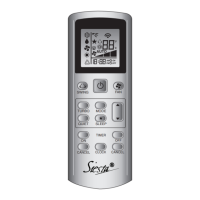
To start COMFORT AIRFLOW
1. Press “COMFORT AIRFLOW button”.
•
The flap position will change, preventing air from blowing
directly on the occupants of the room.
• “ ” is displayed on the LCD.
• Airflow rate is set to “AUTO”.
〈COOL/DRY〉 The flap will go up.
〈HEAT〉 The flap will go down.
To cancel COMFORT AIRFLOW
2. Press “COMFORT AIRFLOW button” again.
• The flaps will return to the memory position from
before COMFORT AIRFLOW mode.
• “ ” disappears from the LCD.
Notes on COMFORT AIRFLOW
•
POWERFUL operation and COMFORT AIRFLOW
operation cannot be used at the same time.
Priority is given to POWERFUL operation.
operation
operation
operation



 To Next Page