EasyManua.ls Logo

Daikin BRC1D527 - User Manual

Daikin BRC1D527
20 pages
Print Icon
To Next Page IconTo Next Page
Loading...
Remote controller
BRC1D527
OPERATION MANUAL
Question and Answer IconNeed help?

Do you have a question about the Daikin BRC1D527 and is the answer not in the manual?

Summary

1. Features and Functions

Basic Remote Controller Functions

Covers ON/OFF, mode, temperature, fan speed, and air direction adjustments.

Advanced Controller Functions

Details clock, schedule timer, and limit operation features.

2. Switches and Icons Overview

Control Panel Identification

Identifies and explains buttons and icons on the remote controller.

Status and Ventilation Icons

Explains icons for operation modes, ventilation, and system status.

3. Setting Up the Controller

Clock and Day Setting

Guide to setting the real-time clock and day of the week.

Schedule Timer Setup Reference

Instructions to refer to chapter 6 for schedule timer programming.

4. Operation Modes Description

Standard Operation Modes

Explains FAN, DRY, AUTO, COOLING, and HEATING operations.

Special Operation Modes

Details LIMIT and LEAVE HOME operations.

User Adjustable Parameters

Details parameters adjustable for each operation mode.

5. Manual Operation

User-Controlled Settings

How users manually control installation settings.

Additional Features

Leave Home Function

Enables LEAVE HOME by pressing two buttons simultaneously.

Air Flow Direction Adjustment

Details how to adjust air flow direction and switch between fixed/variable.

Schedule Timer Operation

Explains how the schedule timer controls the installation.

6. Programming the Schedule Timer

Programming Overview

Guide to programming the schedule timer with tips for success.

Programming Actions

Steps for programming the first day of the week.

Editing Programmed Actions

Instructions for editing, deleting, or copying programmed actions.

7. Maintenance

Cleaning Instructions

Remote controller requires minimal maintenance, clean with a soft damp cloth.

8. Troubleshooting

Display Issues

Addresses blank displays or the '88' display indicating initial power-up.

Schedule Timer Errors

Troubleshoots incorrect schedule timer timing or inability to enable.

Operation Limitations

Explains why Limit Operation might not be selectable.

Overview

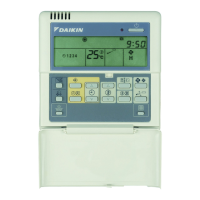
The Daikin BRC1D527 is an advanced remote controller designed for comprehensive management of air conditioning installations. This operation manual outlines its functions, technical specifications, usage features, and maintenance guidelines.

Function Description

The BRC1D527 serves as a central control unit, offering a wide array of functionalities to optimize comfort and energy efficiency. Its core capabilities include:

  • Basic Remote Controller Functions:

    • ON/OFF: Initiates or terminates system operation.
    • Operation Mode Change-over: Allows selection between various modes such as FAN, DRY, AUTOMATIC, COOLING, and HEATING.
    • Temperature Adjustment: Enables users to set the desired room temperature.
    • Air Volume Adjustment: Controls the fan speed (Low, High, Very High, Automatic).
    • Air Flow Direction Adjustment: Modifies the direction of air discharge, particularly for units with motorized air flow flaps.
  • Clock Function:

    • 24-hour Real-time Clock: Displays the current time in a 24-hour format.
    • Day of the Week Indicator: Shows the current day of the week (MON, TUE, WED, THU, FRI, SAT, SUN).
  • Schedule Timer Function:

    • Programmable Actions: Supports up to 5 actions per day, totaling 35 actions per week. These actions can be linked to a set temperature, a LIMIT operation, or an OFF operation.
    • Enable/Disable: The schedule timer can be activated or deactivated as needed.
    • "Last Command" Overrule: Allows temporary manual adjustments that remain active until the next scheduled command.
  • Limit Operation:

    • Thermostat Control: Provides temperature control within a predefined minimum and maximum range. Heating is triggered by the minimum setting, and cooling by the maximum setting.
  • Leave Home Function:

    • Temperature Maintenance: Prevents the room temperature from dropping below 10°C when occupants are away. Heating automatically starts at 10°C and stops when 15°C is reached, returning to the original status.
  • Ventilation Control (HRV only):

    • Ventilation Mode Selection: Allows selection of ventilation modes (AUTOMATIC, HEAT EXCHANGE, BYPASS).
    • Ventilation Amount Adjustment: Controls the intensity of ventilation.
  • Air Filter Cleaning Time Icon: Indicates when the air filter requires cleaning.

  • Element Cleaning Time Icon (HRV only): Signals the need for cleaning the HRV element.

  • Defrost/Hotstart Mode Icon: Displays when the defrost or hotstart mode is active.

  • External Control Icon: Indicates control or disabling by another controller with higher priority.

  • Change-over Under Centralized Control Icon: Shows when the installation's change-over is managed by a centralized control system or a master remote controller.

  • Inspection Required Icon: Alerts users when inspection is necessary.

Important Technical Specifications

While specific electrical ratings are not detailed in the provided manual excerpts, the BRC1D527 is designed to interface with Daikin air conditioning units. Its functionality relies on a stable power supply to maintain clock accuracy and execute programmed schedules. The controller's internal memory retains programmed actions even after a power failure exceeding one hour, though the clock and day of the week may need to be reset.

Usage Features

The BRC1D527 is designed for user-friendly operation, incorporating intuitive buttons and clear display icons.

  • Setting Up the Controller:

    • Clock Setting: Hold the programming button for 5 seconds to enter clock setting mode. Use the time adjust buttons to set the time (in 1-minute or 10-minute increments) and the temperature adjust buttons to set the day of the week.
    • Schedule Timer Setup: Refer to chapter 6 of the manual for detailed programming instructions.
  • Operation Modes:

    • Users can select various operation modes (FAN, DRY, AUTOMATIC, COOLING, HEATING) using the operation change/min-max button.
    • Adjustments for setpoint temperature, fan speed, air flow direction, ventilation mode, and ventilation amount are available depending on the selected mode.
  • Programming the Schedule Timer:

    • Actions: Users can program actions to switch the installation ON (with setpoint or limit operation) or OFF at scheduled times.
    • Sequential Programming: Actions are programmed sequentially for each day of the week.
    • Browsing Programmed Actions: The programming button allows users to review existing programmed actions for each day.
    • Editing/Deleting Actions: Programmed actions can be easily edited or deleted individually or all at once.
  • Display Interpretation:

    • The clock display shows the current time or the action time during programming.
    • Action icons (1-5) indicate programmed actions for the day.
    • Temperature displays show the setpoint or min/max temperatures in limit operation.
    • Various icons provide visual feedback on the system's status, including operation mode, fan speed, ventilation mode, and alerts.
  • Troubleshooting:

    • The manual provides guidance for common issues such as a blank display, "88" displayed (indicating initial power-up), incorrect schedule execution times (requiring clock adjustment), and inability to enable the schedule timer (due to lack of programming or centralized control).

Maintenance Features

The BRC1D527 requires minimal maintenance.

  • Cleaning: The remote controller should be cleaned with a soft, damp cloth moistened only with clear tap water. Harsh cleaning agents or pointed objects should be avoided to prevent damage.
  • Air Filter/Element Cleaning: The controller displays icons to remind users when the air filter or HRV element needs cleaning, prompting them to refer to the indoor unit's manual for specific cleaning procedures.
  • Inspection: An "inspection required" icon indicates when professional inspection is due, advising users to contact their installer.

The BRC1D527 is a robust and versatile remote controller, empowering users with precise control over their Daikin air conditioning systems while offering convenient scheduling and monitoring capabilities.

Daikin BRC1D527 Specifications

General IconGeneral
BrandDaikin
ModelBRC1D527
CategoryRemote Control
LanguageEnglish

Related product manuals