EasyManua.ls Logo

Daikin BRC1D61 - Switches and Icons Overview; Basic Controls and Indicators; Status Icons and Display; Leave Home and Permission Levels

Daikin BRC1D61
20 pages
Print Icon
To Next Page IconTo Next Page
To Previous Page IconTo Previous Page
Loading...
5
LEAVE
HOME
The
leave
home
function
prevents
the
room
temperature
from
dropping
when
the
occupants
are
out
for
a
longer
period.
If
the
room
temperature
drops
below
10°C,
heating
is
started
automatically.
As
soon
as
15°C
is
reached,
the
controller
returns
to
its
original
status.”
6
BUTTON
PERMISSION
LEVEL
Three
hierarchical
permission
levels
can
be
set
to
limit
the
user
action.
2.
Name
and
function
of
switches
and
icons
(Refer
to
figure
1)
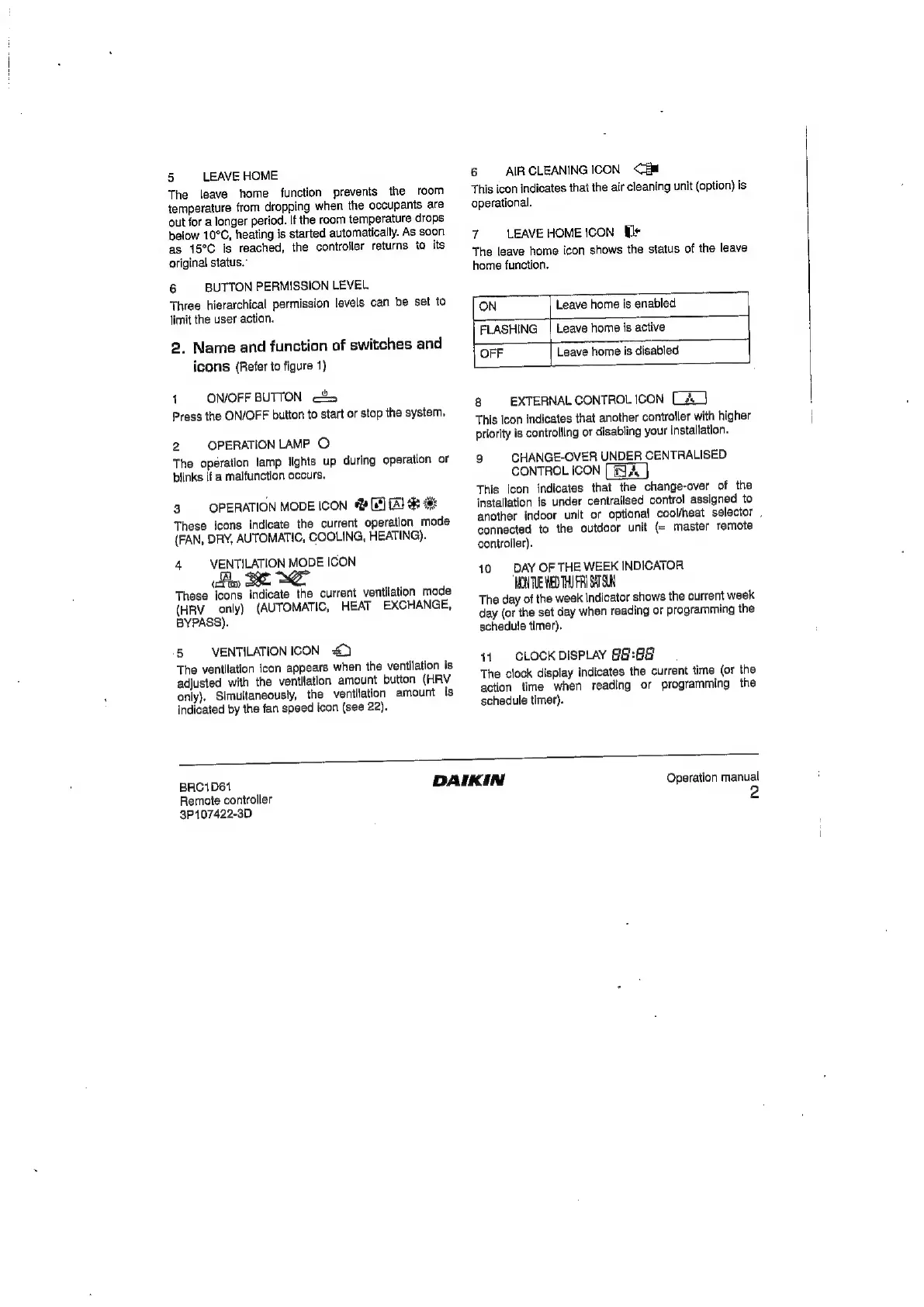
1
ON/OFF
BUTTON
<&>
Press
the
ON/OFF
button
to
start
or
stop
the
system.
2
OPERATION
LAMP
O
The
operation
tamp
lights
up
during
operation
or
blinks
if
a
malfunction
occurs.
3.
OPERATION
MODE
ICON
«
(65)
(Al
These
icons
indicate
the
current
operation
mode
(FAN,
DRY,
AUTOMATIC,
COOLING,
HEATING).
4
VENTILATION
MODE
ICON
ty
BBE
ME
These
icons
indicate
the
current
ventilation
mode
(HRV
only)
(AUTOMATIC,
HEAT
EXCHANGE,
BYPASS).
‘5
VENTILATION
ICON
=€)
The
ventilation
icon
appears
when
the
ventilation
is
adjusted
with
the
ventilation
amount
button
(HRV
only).
Simultaneously,
the
ventilation
amount
is
indicated
by
the
fan
speed
ican
(see
22).
6
AIR
CLEANING
ICON
<E@
This
icon
indicates
that
the
air
cleaning
unit
(option)
is
operational.
7
LEAVE
HOME
ICON
Wr
The
leave
home
icon
shows
the
status
of
the
leave
home
function.
ON
Leave
home
is
enabled
FLASHING
|
Leave
home
is
active
OFF
Leave
home
is
disabled
8
EXTERNAL
CONTROL
ICON
[_A_}
This
icon
indicates
that
another
controller
with
higher
priority
is
controlling
or
disabling
your
installation.
9
CHANGE-OVER
UNDER
CENTRALISED
CONTROL
ICON
[
NA
a
This
icon
indicates
that
the
change-over
of
the
installation
is
under
centralised
control
assigned
to
another
indoor
unit
or
optional
cool/heat
selector
.
connected
to
the
outdoor
unit
(=
master
remote
controller).
10.
DAY
OF
THE
WEEK
INDICATOR
HONTVE
WED
THU
FRI
SATS
The
day
of
the
week
indicator
shows
the
current
week
day
(or
the
set
day
when
reading
or
programming
the
schedule
timer).
41
CLOCK
DISPLAY
G&:G8
The
clock
display
indicates
the
current
time
(or
the
action
time
when
reading
or
programming
the
schedule
timer).
BRC1D61
Remote
controller
3P107422-3D
DAIKIN
Operation
manual

Other manuals for Daikin BRC1D61

Related product manuals